What is the RTX 5070 Ti, technically?
The RTX 5070 Ti is the upper mid-range card of the RTX 50 family, built on a cut-down GB203 die. Understanding its configuration explains where it excels and where it stops.
Silicon and configuration
GB203 is a Blackwell die with a 256-bit memory interface. The RTX 5080 enables 84 SMs on it. The RTX 5070 Ti enables 70, which is about 83 percent of the RTX 5080's SM count. Each SM carries 128 CUDA cores, four Tensor cores, one RT core and four texture units, so the card has 8,960 CUDA cores, 280 Tensor cores and 70 RT cores. The guide to GB202 to GB207 chips explains how these building blocks scale.
Memory subsystem
Sixteen gigabytes of GDDR7 on a 256-bit bus at 28 Gbps gives 28 multiplied by 256, divided by eight, which is 896 GB/s. That is about 7 percent below the RTX 5080's 960 GB/s, so the two cards behave similarly when a game is bandwidth-limited. Eight 2 GB modules each take a 32-bit slice of the bus, as the article on GDDR7 memory shows.
Interface and outputs
The card uses a PCIe 5.0 x16 link and the standard Blackwell display engine, which provides DisplayPort 2.1b and HDMI 2.1b outputs on typical retail designs. Check the exact port mix on the partner model you buy.
Reference electrical specification
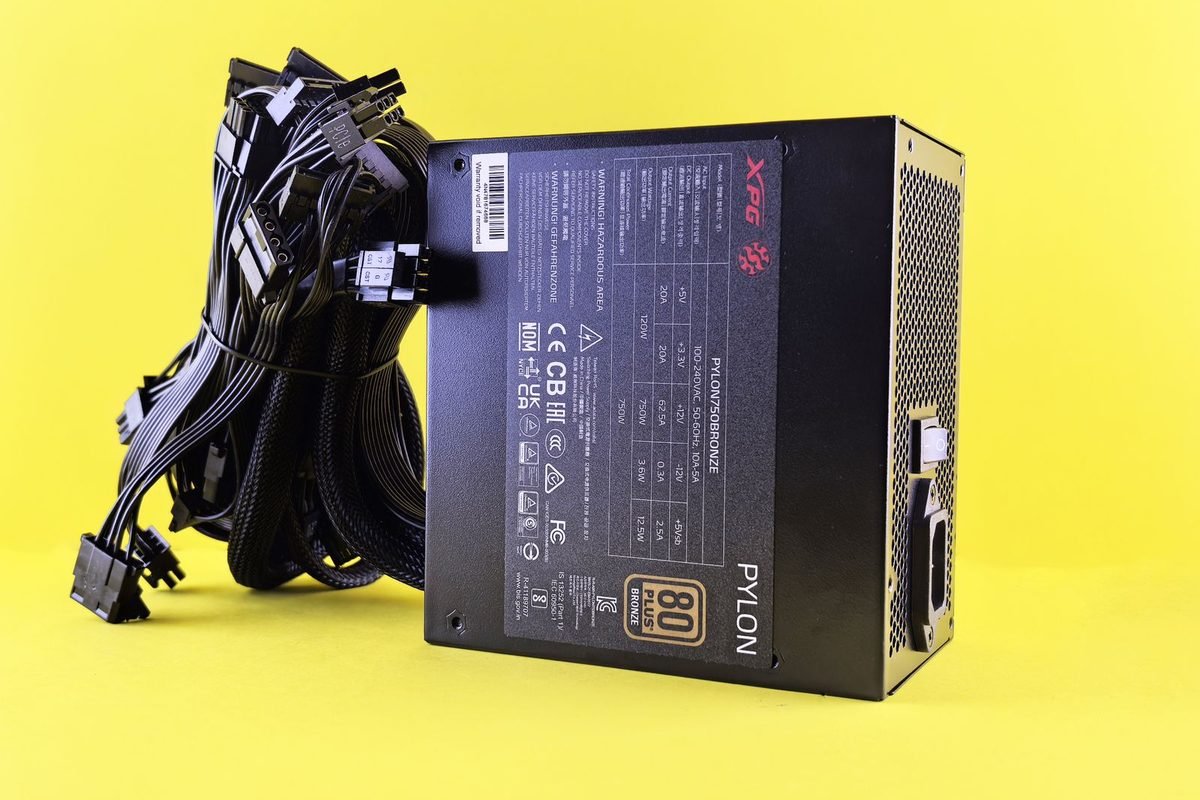
NVIDIA rates the card at 300 W total graphics power. Retailers list a recommended system supply of 750 W, which assumes a typical mid-range processor. The power connector arrangement depends on the partner design, so check the product page.
| Parameter | RTX 5070 Ti reference |
|---|---|
| Die | GB203 |
| SMs / CUDA cores | 70 / 8,960 |
| Tensor / RT cores | 280 / 70 |
| Reference boost clock | About 2.45 GHz |
| VRAM | 16 GB GDDR7, 256-bit |
| Bandwidth | 896 GB/s |
| TGP | 300 W |
| PCIe | 5.0 x16 |
Throughput maths you can verify
Spec sheets quote theoretical throughput, and you can reproduce it.
FP32 compute
Peak FP32 throughput equals CUDA cores multiplied by two operations per clock multiplied by clock speed. At 2.452 GHz, 8,960 cores give 8,960 × 2 × 2.452, which is about 43.9 teraflops. The RTX 5090 page on this site lists about 104.8 teraflops for 21,760 cores at 2.407 GHz, which shows how the same formula scales.
Texture rate
With four texture units per SM, the card has 280 units. At 2.452 GHz, that is about 687 gigatexels per second. Texture rate matters most in texture-heavy, bandwidth-light scenes.
Why theoretical numbers mislead
Real clocks vary with temperature, power and voltage, and games rarely saturate every unit. Measure sustained clocks in a game with a monitoring tool, as the guide to reading a spec sheet explains.
Bandwidth per core
Dividing 896 GB/s by 8,960 cores gives exactly 100 GB/s per 1,000 cores, which is higher than the RTX 5080 (about 89) and the RTX 5090 (about 82). The card is therefore less likely than its larger siblings to run short of bandwidth relative to its compute, which is a quiet strength at 1440p.
Where it sits in the stack
Relative performance scores from the site's RTX 5090 specifications page put the RTX 5090 at 100, the RTX 5080 at 66 and the RTX 5070 Ti at 57. These are aggregate figures with no stated resolution, so treat them as indicative.
Neighbours and ratios
| Comparison | Score ratio | Reading |
|---|---|---|
| RTX 5070 Ti vs RTX 5080 | 57 / 66 = 0.86 | About 14 percent behind |
| RTX 5070 Ti vs RTX 5070 | 57 / 45 = 1.27 | About 27 percent ahead |
| RTX 5070 Ti vs RTX 4070 Ti Super | 57 / 49 = 1.16 | About 16 percent ahead |
| RTX 5070 Ti vs RTX 4080 Super | 57 / 59 = 0.97 | Within about 3 percent |
| RTX 5070 Ti vs RTX 3080 | 57 / 39 = 1.46 | About 46 percent ahead |
What the ratios imply
The RTX 5070 Ti performs close to an RTX 4080 Super on this chart, while carrying the RTX 50 features. Against an RTX 3080 it is a large step. The RTX 5080 comparison is covered in the article on the RTX 5070 Ti versus RTX 5080.
Efficiency indicator
Rated power divided by relative score gives 300 / 57, about 5.3 watts per point, which is better than the RTX 5080 (about 5.5) and the RTX 5090 (about 5.75). It is a crude indicator, not measured efficiency.
Resolution and refresh rate targets
The card's resources suit specific workloads.
1440p at high refresh rates
At 1440p, the RTX 5070 Ti has capacity for high refresh rates in many games, with DLSS Quality or Balanced covering the most demanding ones. Sixteen gigabytes of VRAM leaves room for high texture presets and ray tracing structures.
4K with upscaling
At 4K, the card relies on DLSS Super Resolution and, where appropriate, frame generation. Performance and Balanced modes start from 1080p or around 1250p internal resolution, which the guide to DLSS quality modes tabulates. Native 4K at maximum settings in heavy titles is beyond its comfort zone.
1080p
It can drive 1080p high-refresh monitors, but a card this size is usually limited by the processor there, so a lower tier is often better value.
Features and software
The card supports the full RTX 50 feature set.
DLSS 4 and frame generation
It supports DLSS Super Resolution, Ray Reconstruction, frame generation and Multi Frame Generation. NVIDIA's DLSS 4.5 update added further multiplier options for RTX 50 cards. The overview of DLSS 4 and the guide to Multi Frame Generation cover the details.
Reflex and latency tools
Reflex lowers system latency in supported games. The explainer on NVIDIA Reflex shows how to use it with frame generation.
Media engines
The card includes ninth-generation NVENC encoders and sixth-generation NVDEC decoders, suitable for capture and streaming workloads.

Who should buy it, and who should not
Match the card to the need.
Good fit
Players with a 1440p high-refresh monitor, players moving to 4K who accept DLSS, and creators who benefit from 16 GB of VRAM all suit the card. It is also a sensible upgrade from RTX 3070 and RTX 3080 class cards.
Poor fit
Players on 1080p 60 Hz monitors, players with processors that already limit their frame rate and buyers with small cases or supplies below the recommended wattage are better served elsewhere.
Alternatives
Drop to the RTX 5070 or RTX 5060 Ti if budget or power matters, and step up to the RTX 5080 if you want the extra headroom. The RTX 5070 versus RTX 5080 comparison at 1440p gives a real-game view of the tier gap.
Power delivery, supply sizing and transient behaviour
Electrical planning separates a stable build from a troublesome one.
Supply sizing method
Start with the card's 300 W rating. Add the processor's peak package power, which may be well above its base power on modern chips, then add 50 to 100 W for the motherboard, memory, drives and fans. Multiply by a headroom factor of about 1.2 to 1.3 to cover transient spikes. A system with a 300 W card and a 150 W processor therefore needs roughly (300 + 150 + 75) × 1.25, about 656 W of continuous capacity, which is why a quality 750 W unit is a comfortable match.
Why transients matter
GPUs can briefly draw well above their average power for milliseconds. A supply with weak overload handling may trip protection circuits even when its label wattage looks sufficient, so choose a reputable unit with strong over-current tolerance. The guide to high-wattage supplies explains what to look for.
Connectors and cabling
Depending on the partner design, the card may use one 16-pin 12V-2x6 connector or multiple 8-pin connectors with an adapter. Seat 12V-2x6 connectors fully and avoid sharp bends near the plug. The site's article on dedicated GPU cables explains safe practice, and it applies to any card using the connector.
Do not daisy-chain
Use separate cables for each 8-pin connector where possible, because a single cable with a pigtail can overload its wire.
Case, airflow and cooling
A 300 W card dumps substantial heat into the case.
Size constraints
Partner cards range from compact dual-slot designs to large triple-slot coolers. Measure length, height and slot thickness against your case, and leave clearance for the power cable.
Airflow design
Provide a clear path from front intake to rear and top exhaust. A positive-pressure setup with filtered intakes reduces dust. Position the card so its fans draw cool air, and avoid pressing it against drives or cable bundles.
Noise and fan behaviour
Many partner cards stop their fans below a temperature threshold, a mode called zero RPM. Sustained gaming loads spin them up. The guides to fan curves and normal temperatures cover tuning and expectations for GB203 cards.

Measuring performance properly
Good measurement beats guesswork, and a simple method suffices.
Choose repeatable scenes
Pick a scene in each game that you can reproduce, with moving objects and heavy lighting. Run it for at least a minute, and repeat three times.
Record the right metrics
Capture average frame rate, 1% low frame rate, frame time spikes, graphics clock, power draw and temperature. Tools such as the NVIDIA App overlay, HWiNFO and PresentMon-based utilities provide these. The article on benchmarking tools and methods explains each.
Control variables
Keep the driver, game version, resolution, DLSS mode and background tasks constant when comparing settings, and note ambient temperature, because it affects sustained clocks.
Interpret the results
If graphics usage sits near 100 percent and frame rate is low, the card is the limit. If usage is low and one processor thread is saturated, the processor is the limit, as the guide to CPU and system bottlenecks explains.
Ray tracing and DLSS workloads on this card
The card's RT and Tensor resources determine how comfortably it runs modern lighting and upscaling.
Ray tracing throughput
With 70 fourth-generation RT cores, the card handles hybrid ray tracing, such as reflections and shadows, at 1440p with upscaling. Path tracing is possible in a growing number of games at 1440p with DLSS Performance or Balanced and Ray Reconstruction, and at 4K it needs more aggressive upscaling and frame generation. The explainer on ray tracing versus path tracing shows why cost climbs steeply with each lighting feature.
DLSS cost and benefit
DLSS Super Resolution at Quality renders about 44 percent of native pixels, so the card does less shading work and spends a small slice of Tensor time on reconstruction. Newer models such as the second-generation transformer introduced with DLSS 4.5 cost a little more per frame, and independent tests found a modest effect on RTX 40 and 50 class hardware. The guide to DLSS presets explains which models suit which modes.
Frame generation headroom
Frame generation needs spare time and VRAM. With 16 GB, the card has room for the extra buffers in most games, which is an advantage over 8 GB and 12 GB cards. See the explanation of frame generation and input lag for the latency trade-off.
Reconstructing lighting
Ray Reconstruction improves denoising in supported ray-traced games and costs some performance. Test it in each game, as the guide to Ray Reconstruction recommends.
Creative and AI workloads with 16 GB
Sixteen gigabytes of VRAM is a useful size beyond games.
Local AI models
Model size in memory is roughly parameter count multiplied by bytes per parameter. A 7-billion-parameter model in 16-bit precision needs about 14 GB for weights alone, which barely fits with overhead. The same model quantised to 8 bits needs about 7 GB, and to 4 bits about 3.5 GB. A 13-billion-parameter model at 4 bits needs about 6.5 GB, leaving room for the context cache. These are rough calculations, and real usage adds activation and cache memory, so leave 1 to 3 GB spare.
Throughput
Token generation speed depends mainly on memory bandwidth, and the card's 896 GB/s is strong in its class. Prompt processing depends on Tensor throughput. Check that your software supports Blackwell, because new architectures sometimes need updated libraries.
Video and 3D work
Video editors benefit from the encoder and decoder engines and from VRAM for high-resolution timelines. Renderers benefit from the RT cores and from enough VRAM to hold scenes. Use the Studio driver if you prefer stability in creative software, as the guide to Game Ready and Studio drivers explains.
Streaming
The NVENC engines handle H.264, HEVC and AV1 encoding with little impact on frame rate, so streaming and capture work well. Match the encoder preset to your bitrate and platform.
Noise, efficiency and sensible limits
Tuning can reduce noise without wasting performance.
Frame caps and efficiency
A frame cap just below your monitor's refresh rate reduces power draw and noise in lighter games. Cap at the refresh rate minus three frames per second when variable refresh rate is on, a rule that avoids V-Sync latency, as the guide to VRR, G-Sync and V-Sync explains.
Power limit trade-offs
Lowering the power limit to about 90 percent often costs a few percent of performance and reduces heat and noise noticeably on many cards, though results vary by sample. Test your own card with a repeatable scene.
Undervolting is usually better
A voltage-frequency curve undervolt can achieve a similar power reduction with less performance loss, which is why the RTX 5070 Ti undervolting guide favours it.
Platform compatibility
The card is flexible, but a few platform details matter.
PCIe slot and Resizable BAR
The x16 interface works in PCIe 4.0 and 3.0 slots with modest losses in most games. Enable Resizable BAR in the BIOS if your platform supports it. See the article on PCIe 5.0 motherboards.
Processor pairing
At 1440p and above, mainstream modern processors rarely limit the card. At 1080p or in processor-heavy games, a faster processor shows gains.
Monitor connections
Use DisplayPort for high refresh rates on most monitors, or HDMI 2.1 for televisions. Use certified cables, and check that Windows reports the right refresh rate, as the guide to running a 4K display at its native refresh rate shows.
Comparing the RTX 5070 Ti with rival and previous cards
Context helps when you shortlist.
Against the previous generation
On the relative chart, the card lands within a few percent of an RTX 4080 Super and about 16 percent above an RTX 4070 Ti Super, while adding Multi Frame Generation and GDDR7. If a discounted RTX 4070 Ti Super or RTX 4080 Super is on offer, compare current UK prices, because the raw gap is small, and the RTX 50 features then decide.
Against AMD alternatives
AMD's current range offers competing cards at similar price points. The site's comparison of the RTX 5070 Ti and a rival card in Elden Ring Nightreign shows one head-to-head, though it uses a card name that the site is reviewing. For fair comparisons, test the same games at the same settings with each vendor's upscaler, as the DLSS, FSR and XeSS comparison explains.
Features that decide the choice
NVIDIA's advantages are DLSS Ray Reconstruction, Multi Frame Generation, Reflex and CUDA software support for creative and AI tools. AMD's advantages usually lie in price and VRAM per pound. Decide which features you will actually use.
Against stepping down
The RTX 5070 saves power and money, with 12 GB of VRAM and about 27 percent lower relative performance. The guide to 12 GB of VRAM helps you decide whether the saving is worth the VRAM trade.
Warranty, returns and buying safely in the UK
Practical protection matters as much as specifications.
Check the seller and the model
Buy from established UK retailers, confirm the exact model code and keep the invoice. Under UK consumer law, goods must be of satisfactory quality and as described, and retailers handle faults within defined periods. Read the retailer's returns terms before you order.
Inspect on arrival
Check that the box seal is intact, the card matches the listing, the accessories are present and the card shows the right name and memory in Windows. If anything is wrong, contact the seller at once.
Register for the manufacturer warranty
Many partners offer warranty registration with longer cover. Keep a copy of the serial number.
Tuning pointers
The card responds well to modest tuning.
Settings
The article on RTX 5070 Ti best settings at 1440p and 4K lists driver and in-game choices.
Undervolting
A voltage-frequency curve undervolt can lower power and noise with little performance loss. The guide to RTX 5070 Ti undervolting explains the method.
Overclocking
Small gains are available through core and memory offsets and the power limit. Read the guide to RTX 5070 Ti overclocking for safe steps, and the general RTX 50 series overclocking guide for background.
Thermal and acoustic expectations
Understanding what to expect avoids unnecessary worry.
Typical behaviour
At 300 W, a well-designed triple-fan partner card typically holds a comfortable temperature in a ventilated case, and a compact dual-fan card runs warmer and louder. Core temperature, hotspot and memory temperature each have separate limits. NVIDIA lists a maximum operating temperature in its specifications for each model, so check the figure for your card.
What to do if temperatures look high
Verify that all fans spin, clean filters and heatsink fins, improve case airflow and review the fan curve. If a new card runs far hotter than reviews of the same model suggest, contact the seller, because poor mounting pressure or a faulty cooler can be the cause.
Memory temperatures
GDDR7 modules run warm under load. Where your monitoring tool exposes memory temperature, watch it during long sessions and heavy memory overclocks. The page on GDDR7 memory explains the technology.
Reading reviews of this card critically
Reviews of the RTX 5070 Ti vary in quality, and a few checks reveal whether a review is reliable.
Look at the test setup
A trustworthy review lists the processor, memory, driver, game versions, resolution, upscaling mode and whether frame generation was on. Without these, results are not comparable.
Look at the percentiles
Average frame rate hides stutter. Prefer reviews that report 1% low frame rates or frame time graphs, because those track how smooth a game feels.
Check the sample
Partner cards differ in cooler, clocks and noise. A review of one model does not describe every model. Read about the exact model you plan to buy.
Beware of mixed settings
Charts that mix native results with frame-generated results are misleading. Insist on matched settings, then look at the frame generation results separately.
A word on pricing and timing
Prices for graphics cards move with supply, retailer promotions and new releases, so this guide does not print any. Check several UK retailers in the week you buy, compare partner models of the same card, and consider the price difference against the features you value, such as a quieter cooler or a longer warranty. If a card is out of stock, set a stock alert instead of paying a premium to an unknown seller.
What the RTX 5070 Ti does not change
Honest limits help set expectations.
It does not remove processor limits
In processor-bound games, a faster card changes little. Check graphics usage while you play, and upgrade the processor first if usage sits low and one thread is saturated.
It does not guarantee native 4K at maximum settings
Demanding games at 4K with ray tracing remain heavy. DLSS exists to bridge that gap, and the card is designed to use it.
It does not make a weak monitor strong
A 60 Hz panel cannot display the card's capability. Pair it with a monitor that matches your goals.
It does not future-proof forever
Sixteen gigabytes of VRAM and strong compute give years of use, but games and settings keep rising. Plan to revisit your settings annually.
A buyer's checklist
Run through this list before you pay.
- Confirm your monitor's resolution and refresh rate, and your target frame rate.
- Check the card's length, slot width and connector against your case and supply.
- Verify the supply's wattage and cable type.
- Check your processor will not bottleneck your target.
- Compare two or three partner models for noise, temperature and warranty.
- Confirm the exact model, memory size and seller before ordering.
- Keep receipts, photograph the box label and verify the card on arrival.
After installation
Install a current driver, run the NVIDIA App overlay, record a baseline and check temperatures under load. If something looks wrong, the guide to fixing driver problems offers a careful approach.
Common mistakes
Buying for VRAM alone
Capacity prevents stutter but does not raise frame rates. Check compute and bandwidth too.
Ignoring the supply
An undersized or low-quality supply causes shutdowns that look like card faults.
Skipping airflow
A strong card in a cramped case throttles. Fix airflow before spending on cooling accessories.
Judging by a single review
Read several independent tests with stated methods, and favour recent ones.
Summary
The RTX 5070 Ti is a 70-SM GB203 card with 16 GB of GDDR7 on a 256-bit bus, 896 GB/s of bandwidth and a 300 W rating. It sits roughly 14 percent behind the RTX 5080 and about 27 percent ahead of the RTX 5070 on the relative chart used by this site, and it carries the full DLSS 4 feature set. It suits 1440p at high refresh rates and DLSS-assisted 4K, and it asks for a 750 W class supply and decent airflow. Verify your platform, measure with a repeatable method and tune modestly, and the card will serve for years.
Frequently asked questions about the RTX 5070 Ti
What are the RTX 5070 Ti specifications?
The RTX 5070 Ti uses the GB203 die with 70 SMs and 8,960 CUDA cores, paired with 16 GB of GDDR7 on a 256-bit bus delivering 896 GB/s. It is rated at 300 W, uses a PCIe 5.0 x16 link and has a reference boost clock around 2.45 GHz.
How much faster is the RTX 5070 Ti than the RTX 5070?
On the relative performance chart used by this site, the RTX 5070 Ti scores 57 against 45 for the RTX 5070, which is about 27 percent higher. It also has 16 GB of VRAM against 12 GB and a 256-bit bus against 192-bit, so the gap grows in memory-heavy games.
Is 16 GB of VRAM enough for the RTX 5070 Ti?
For nearly all current games at 1440p and many at 4K with DLSS, yes. Extreme combinations such as 4K path tracing with large texture packs can approach the limit. Monitoring VRAM use in your own games and lowering texture quality one step resolves most edge cases.
What power supply does the RTX 5070 Ti need?
Retailers list 750 W as the recommended system supply, based on the card's 300 W rating and a typical processor. Check your partner card's product page for the connector type, and add headroom if you use a power-hungry processor or many drives.
Is the RTX 5070 Ti good for 4K?
It handles 4K well with DLSS Super Resolution at Balanced or Performance, and frame generation can smooth motion. Native 4K at maximum settings in the heaviest games is demanding. For a card built for native 4K at high settings, look at the RTX 5080 or RTX 5090.
Should I buy an RTX 5070 Ti or an RTX 5080?
Choose the RTX 5070 Ti if its price and 300 W rating suit your build and your target is 1440p or DLSS-assisted 4K. Choose the RTX 5080 if you want about 14 percent more performance on the relative chart and can accept 360 W and the higher price.