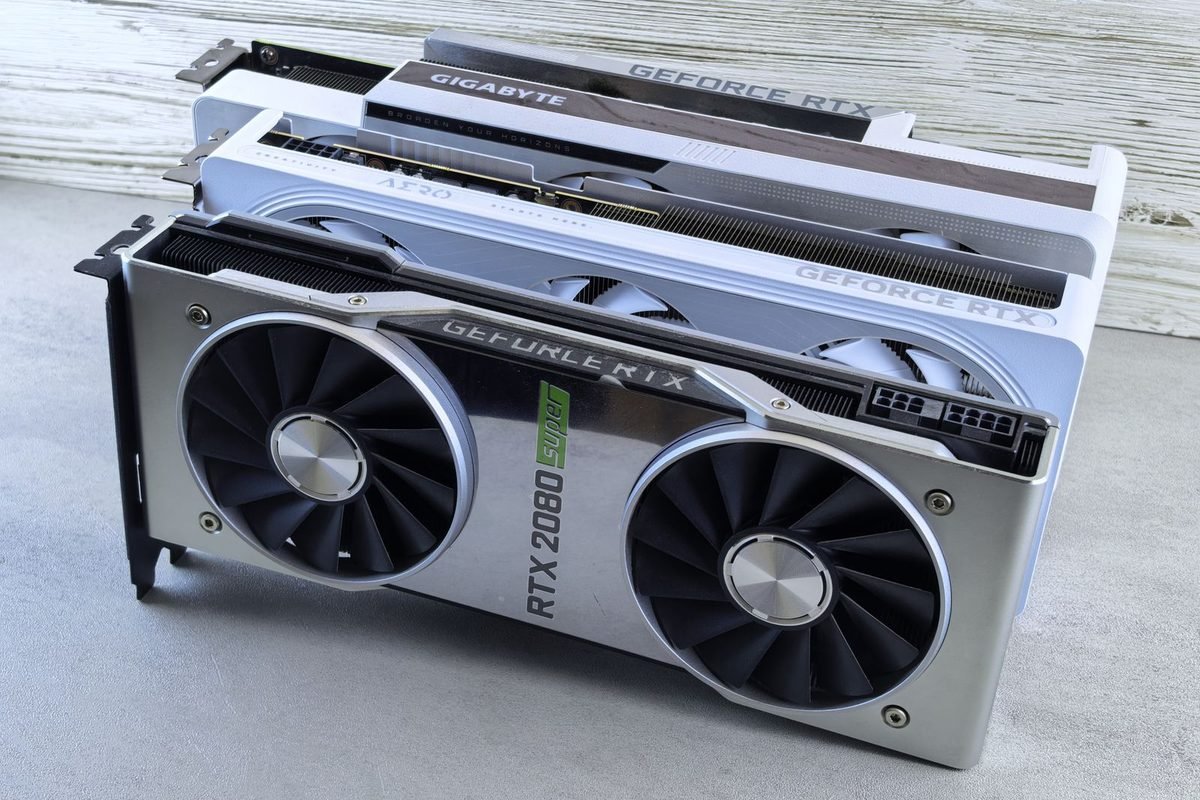
What does a graphics card actually do?
A graphics card, also called a GPU (graphics processing unit), is the part of a computer that draws the pictures you see in a game. Before choosing any card from the RTX 50 series, it helps to understand the job it does, because every number on a product page connects back to that job. This section explains the card in everyday language, so the rest of the guide makes sense even if you have never opened a computer case.
The graphics card as a specialist worker
Think of your computer as a small company. The main processor, the CPU, is the manager: it makes decisions, runs the operating system and tells every other part what to do. The graphics card is a specialist team that does one kind of work extremely fast, which is drawing millions of tiny coloured dots (pixels) on your screen many times every second. A modern game asks for a new picture dozens or hundreds of times each second, and each picture contains millions of pixels, so the job is enormous.
CPU versus GPU in one picture
The CPU has a small number of very clever workers that handle complicated tasks one after another. The GPU has thousands of simpler workers that all do small calculations at the same moment. Drawing a game picture suits the second approach, because every pixel can be worked out at the same time. That is why a computer with a fast CPU but a weak graphics card still plays games badly, and why gaming PCs spend so much of their budget on the graphics card.
Why games need a dedicated card
Many everyday computers draw pictures with a graphics section built into the main processor. That is fine for browsing, video calls and office work. Modern 3D games ask far more, so a separate (dedicated) graphics card with its own chip and its own memory takes over the heavy drawing. The RTX 50 series is a range of these dedicated cards, made by NVIDIA and sold under brand names such as ASUS, MSI, Gigabyte, Palit, Zotac and PNY.
The main parts of a graphics card
You do not need to memorise component names, but three parts explain almost every spec sheet you will read.
The GPU chip
The GPU chip is the "brain" of the card. NVIDIA designs it and a factory manufactures it. Different RTX 50 cards use different chips, and the chip determines how many calculation units the card has. A separate article, NVIDIA GPU chips explained, covers the chip codes such as GB202 and GB203 in plain English.
Video memory (VRAM)
VRAM is fast memory on the card itself. It holds the textures (the surface images on characters and buildings), lighting data and the finished frames waiting to be shown. When a game needs more VRAM than the card has, performance can fall sharply or the game can stutter. The guide on how much VRAM you need in 2026 explains this in detail.
The cooler and the circuit board
The GPU chip makes heat when it works hard, so every card carries a metal heatsink and fans. The circuit board delivers power and connects the chip to memory and to your monitor. Brands compete on cooler quality, which is why two cards with the same chip can differ in noise and temperature.
What does "RTX 50 series" actually mean?
The name looks like a code, but it follows a simple pattern. Once you can read it, you can understand most product listings in a few seconds.
Reading the name piece by piece
Take "GeForce RTX 5070 Ti" as an example. Each piece tells you something.
GeForce
GeForce is NVIDIA's brand for gaming graphics cards. Other NVIDIA brands, such as those for workstations and data centres, target different customers.
RTX
RTX is the label NVIDIA uses for cards that have dedicated hardware for ray tracing (realistic lighting) and for artificial intelligence (AI) tasks. Older GTX cards lack that hardware. The article on the difference between GTX and RTX explains why that matters.
The number: 50 and the tier digits
The first two digits, "50", show the generation, which is the 50 series. The last two digits show the tier inside that generation. A 5090 sits at the top, a 5080 is below it, and the numbers step down through 5070, 5060 and 5050. Suffixes such as "Ti" add a mid-step, so a 5070 Ti sits between a 5070 and a 5080. The page on RTX 50 series model names lists every suffix.
Why NVIDIA calls it "Blackwell"
Every NVIDIA generation has an architecture name, which is the internal design of the chip. The RTX 50 series uses an architecture called Blackwell, named after the American mathematician David Blackwell. You do not need the name to buy a card, but you will see it in reviews. The longer explainer on Blackwell architecture in simple terms covers what it changes.

Which cards are in the RTX 50 series?
NVIDIA released the range in stages during 2025 rather than all at once. The desktop line-up runs from the RTX 5050 at the bottom to the RTX 5090 at the top. The table below shows reference figures published by NVIDIA for the desktop cards. Partner cards from other brands may differ slightly, and you should always check the exact product page before you buy.
| Desktop card | Video memory | Memory type | Typical purpose |
|---|---|---|---|
| RTX 5050 | 8 GB | GDDR6 | Entry-level 1080p gaming |
| RTX 5060 | 8 GB | GDDR7 | Comfortable 1080p gaming |
| RTX 5060 Ti | 8 GB or 16 GB | GDDR7 | High-quality 1080p and some 1440p |
| RTX 5070 | 12 GB | GDDR7 | 1440p gaming |
| RTX 5070 Ti | 16 GB | GDDR7 | Strong 1440p and some 4K |
| RTX 5080 | 16 GB | GDDR7 | High-end 1440p and 4K |
| RTX 5090 | 32 GB | GDDR7 | Flagship 4K and demanding workloads |
The suggested purposes are general guidance, not promises. A card's real performance depends on the game, the settings and the rest of your computer. The site's graphics cards comparison and its ranked list of the best graphics cards for gaming in 2026 give more buying detail.
The entry cards: RTX 5050 and RTX 5060
The RTX 5050 is the most affordable desktop card in the family and the only one that uses the older GDDR6 memory type. The RTX 5060 steps up to GDDR7. Both aim at 1080p screens, the most common resolution in homes. If you are building on a tight budget, the RTX 5050 build guide shows how the rest of a computer can be chosen around one.
The middle and upper cards: 5060 Ti, 5070, 5070 Ti and 5080
These four cards cover the largest part of the market. The RTX 5060 Ti comes in two memory versions, which matters because 8 GB and 16 GB behave differently in demanding games. The RTX 5070 has 12 GB. The RTX 5070 Ti and RTX 5080 both carry 16 GB and target high-refresh 1440p and 4K gaming. For most buyers, one of these four will be the sensible answer.
The flagship: RTX 5090
The RTX 5090 is the largest card in the family, with 32 GB of GDDR7 memory and a power rating of 575 watts. It is built for 4K gaming at high settings, for very heavy creative work and for local AI tasks. It also needs a strong power supply and a roomy case. Our RTX 5090 specifications page lists the full technical sheet.
What is new compared with the RTX 40 series?
People often ask whether the 50 series is a big leap over the 40 series. The honest answer is that the biggest changes are in memory speed and in software features built on AI, while raw speed gains vary by model and by game. This section lists the changes without exaggeration.
Faster video memory
Most RTX 50 cards use GDDR7, a newer memory type with more bandwidth than GDDR6 and GDDR6X. Bandwidth is how much data can move per second, like the width of a motorway. More bandwidth helps when a game moves large textures and when you play at high resolutions. The article on GDDR7 memory explains when the extra speed shows up and when it does not.
Multi Frame Generation
Frame generation is a way to make motion look smoother by creating extra frames between the ones the game draws. Earlier RTX 40 cards could add one extra frame for every real frame. The RTX 50 series adds Multi Frame Generation, which can create up to three extra frames per real frame. This is exclusive to the 50 series. It can raise the frame counter a great deal, but it does not make the game respond faster, a point explained below.
Newer AI and ray tracing hardware
The RTX 50 chips carry fifth-generation Tensor cores, which run AI work, and fourth-generation RT cores, which handle ray tracing. These support features such as the newer DLSS 4 models and neural rendering techniques. Some of these features also run on older RTX cards through software updates, so it is worth checking exactly which part of a feature needs a 50 series card.
What did not change
The cards still need a motherboard slot, a power connector, a compatible power supply and a monitor connection. Games still depend heavily on the main processor in many titles. A new graphics card will not fix a slow processor, too little system memory or a bad cooling setup.
What do the headline features do in plain English?
Marketing pages for the RTX 50 series are full of feature names. Four of them matter most to a normal buyer.
DLSS: drawing fewer pixels and filling in the rest
DLSS stands for Deep Learning Super Sampling. The card draws the game at a lower resolution, then an AI model rebuilds a sharper image at your screen's resolution. This saves effort and raises the frame rate. DLSS 4 uses a newer type of AI model, called a transformer model, which NVIDIA says improves detail and stability. Several DLSS 4 improvements also work on earlier RTX cards, but not every part does. For a full walkthrough, read the site's guide to enabling DLSS 4 and frame generation.
Frame generation: more frames, not faster response
Frame generation adds extra frames made by AI between real ones. The picture looks smoother, but the game still reads your mouse and keyboard at the real frame rate, so the controls do not feel faster. In fast shooters, that difference matters. In slower games, it is usually pleasant.
Reflex: shaving down delay
NVIDIA Reflex is a set of tools that reduces the delay between pressing a button and seeing the result. Games must support it. It is separate from frame generation and works well alongside it.
Ray tracing: realistic light
Ray tracing simulates how light bounces around a scene, which makes reflections, shadows and lighting more realistic. It costs a lot of performance, which is why it is usually paired with DLSS. A more demanding version, path tracing, is available in a few games and is explained in the articles linked from this site's Games section.
Desktop and laptop RTX 50 cards are not the same
NVIDIA also sells RTX 50 series chips for laptops, using the same model names. A laptop RTX 5080, for example, is not equal to a desktop RTX 5080. Laptop parts run at lower power to fit thin bodies and small batteries, and memory amounts can differ too. Two laptops with the same GPU name can even perform differently if their makers set different power limits.
Why the names mislead
The shared names help marketing but confuse comparisons. A rough rule of thumb is that a laptop card performs closer to a desktop card one or two tiers down. This is a guideline, not a guarantee. When comparing laptops, look for the power rating and the memory size listed in the specification, and compare reviews of the exact model you are considering.
Which should you choose?
A desktop gives more performance for the money, easier upgrades and better cooling. A laptop gives portability and a built-in screen. If you move often, a laptop makes sense; if your computer stays on a desk, a desktop almost always offers better value.
How to choose the right RTX 50 card
You can pick a card without technical knowledge by answering three questions in order.
Step one: what is your screen?
Resolution decides how hard the card must work. A 1080p screen has about two million pixels. A 1440p screen has roughly three and a half million. A 4K screen has about eight million. More pixels means more work for the card. As a general guide, 1080p suits the 5050 to 5060 Ti, 1440p suits the 5060 Ti to 5070 Ti, and 4K suits the 5070 Ti and above. Refresh rate also matters: a 240 Hz screen asks the card to draw more pictures per second than a 60 Hz screen.
Step two: what is your budget?
Set a total budget that includes the power supply and any case changes, not just the card. Prices change often, so check current UK retailers rather than relying on any figure printed in an article. Use well-known UK retailers, keep receipts and check the warranty terms before you pay.
Step three: will it fit and run in your computer?
Check three physical facts: your power supply's wattage and connectors, your case's space for the card's length and thickness, and your motherboard's slot. A card that does not fit your case or exceeds your power supply is a costly mistake. The PCIe 5.0 explainer shows that older motherboards usually still work.
When you might not need a new card at all
Not everyone benefits from upgrading. If your current games already run smoothly at your screen's resolution and refresh rate, a new card will mostly add a bigger electricity bill. If your slowdowns come from a weak processor, too little system memory or an old hard drive, a graphics card will not cure them. A short test helps: while a demanding game runs, open a free monitoring tool and watch the graphics card's usage. If it sits near full usage and the frame rate is too low, the card is the limit and an upgrade will help. If it sits low while the frame rate is poor, look elsewhere first. This simple check can save a great deal of money and is worth doing before every upgrade.
Common beginner mistakes to avoid
A handful of errors account for most disappointment with new graphics cards.
Buying only on the biggest number
A more expensive card is not always the right card. If you play on a 1080p monitor, a 5090 will not show its strength.
Ignoring the power supply
High-end cards draw a lot of power and use a newer 16-pin power connector. Always check the card's recommended power supply.
Expecting frame generation to fix everything
Multi Frame Generation is impressive, but it works best when the game already runs at a decent rate without it. It is not a rescue for a weak card.
Forgetting the processor
A slow processor can limit a fast graphics card. This is called a bottleneck, and it is common in processor-heavy games.
Skipping driver updates
New cards rely on recent drivers. Our explainer on Game Ready and Studio drivers shows which to install.
How to read an RTX 50 product page without getting lost
A shop listing for a graphics card mixes useful facts with marketing language. Learning to separate the two takes a few minutes and can save you from buying the wrong card. Here is how to read a typical listing from top to bottom.
The first block: the name and the price
The title of a listing usually contains the brand, a product line, the GPU model and sometimes a capacity. Treat the GPU model as the most important part, because the brand and product line describe the cooler and styling more than the performance.
The model name
Look for the exact GPU name, such as "RTX 5070 Ti", and check the suffix. "Ti" is a real step up in the range, while labels like "OC", "Gaming" or "Windforce" are brand words for cooler and clock variants. Two cards with the same GPU name but different brand words normally perform within a small margin of each other.
The price and the seller
Check whether the seller is the retailer or a third party on a marketplace. A very low price for a new high-end card is a warning sign. The safest habit is to use well-known UK retailers, to read the seller's return policy and to keep your receipt.
The specification block
This is the most valuable part of the page. It lists the figures that decide whether the card suits your computer.
Memory size and type
Look for the memory amount in gigabytes and the type, such as GDDR7. Remember that the RTX 5060 Ti comes in two memory versions, so a listing for a "5060 Ti" without the amount is incomplete. Confirm it before buying.
Power rating and connectors
The listing should state the card's total power and the power connector. Compare the recommended power supply wattage with your own supply. If the card uses the newer 16-pin connector, check that your supply has the right cable or that the card comes with a suitable adapter.
Length, width and slot thickness
Measure the space inside your case. Many modern cards are long and take up three or more expansion slots. Written dimensions in millimetres are the figures to trust.
The marketing block
The bottom of a page usually repeats NVIDIA's feature names, with phrases like "supercharged" or "ultimate". This text rarely helps you choose between two cards, because every RTX 50 card shares the same feature family.
Boost clock claims
Partner cards often advertise a slightly higher boost clock than NVIDIA's reference figure. The extra speed is usually small, and actual clocks vary with temperature and power limits. It is a minor reason to choose one card over another.
Review quotes and badges
Badges such as "editor's choice" can be helpful, but only if you can find the original review. Treat unsourced badges as decoration.
A quick checklist before you click buy
- Confirm the exact GPU model and, for the 5060 Ti, the memory amount.
- Compare the card's recommended power supply with yours.
- Check the power connector type and any adapter included.
- Measure the length, width and slot thickness against your case.
- Make sure your monitor has a connection that matches the card's ports.
- Check the seller, the warranty and the return policy.
Ten words you will meet in every RTX 50 review
Reviews and videos use shorthand. These ten terms cover most of it, and the full graphics card glossary has more.
Performance words
FPS means frames per second, the number of pictures drawn each second. Frame time is the time each picture takes, and uneven frame times feel like stutter even if the average FPS looks high. Bottleneck means one part, often the processor, holds back another.
Memory and power words
VRAM is the card's own memory. TGP, or total graphics power, is the power rating of the card. Bandwidth is how fast data can move to and from memory.
Feature words
DLSS is NVIDIA's AI upscaling, frame generation creates extra frames, Reflex reduces delay, and ray tracing simulates realistic light. Knowing these four terms lets you read nearly any RTX 50 review with confidence.
Where to read next on this site
This guide is the starting point for a larger library. Each topic below has its own detailed articles.
Understand the technology
For a deeper look at the hardware, read about Blackwell, GDDR7, reading a spec sheet and the graphics card glossary. Together they cover most jargon you will meet.
Check the timeline and the names
To see when each card appeared, open the RTX 50 series launch timeline. To decode product listings, use the model names guide.
Look after your drivers
If something looks wrong after installing a card, the site's article on fixing broken RTX 5090 drivers and its driver update guide are good places to start, and the same steps apply to other cards in the family.
What this guide does not claim
This guide explains concepts and gives reference specifications. It does not publish benchmark numbers, because FPS results depend on the game version, driver, settings and test machine, and a number without those details can mislead. Where performance matters, this site's separate game guides explain how each card behaves in specific titles.
How this site approaches accuracy
Every guide in this library separates what a manufacturer states from what has been tested. Manufacturer figures, such as memory size and power rating, are quoted as reference values and described as such. Anything that depends on a specific test, such as a frame rate in a named game, is only given when the testing method is explained. If a figure cannot be sourced, the guide says so plainly instead of guessing, because a confident wrong number does more harm than an honest gap.
How to treat prices and availability
Prices, stock and release details change. NVIDIA, its partner brands and UK retailers publish the current figures. Treat anything in an article, including this one, as background and confirm details at the seller before spending money.
How to treat rumours
You will see rumours about future cards. This guide covers only cards that NVIDIA has released. For the status of the mid-range range, see the site's fact check on discontinued RTX 50 cards.
Frequently asked questions about the RTX 50 series
What is the RTX 50 series in simple terms?
The RTX 50 series is NVIDIA's 2025 family of GeForce graphics cards for gaming and creative work. It runs from the RTX 5050 to the RTX 5090, uses the Blackwell design and adds features such as Multi Frame Generation. A bigger number in the name generally means a faster, more expensive card.
Is the RTX 50 series worth buying over the RTX 40 series?
It depends on the model and the price. The 50 series adds faster memory and Multi Frame Generation, which only the new cards support. If a discounted RTX 40 card matches your budget and your screen, it can still be a sensible choice. Compare current prices and your resolution before deciding.
Which RTX 50 card is best for beginners?
Beginners are usually best served by a card matched to their screen. For a 1080p monitor, the RTX 5050, 5060 or 5060 Ti is enough. For 1440p, the RTX 5070 or 5070 Ti fits well. Choose the cheapest card that meets your screen and game needs, then leave money for the power supply.
Do RTX 50 laptops perform like desktop cards?
No. Laptop versions use the same names but run at lower power and sometimes with different memory, so they usually perform closer to a desktop card one or two tiers lower. Always compare the exact laptop model, its power rating and independent reviews rather than relying on the GPU name.
Do I need a new power supply for an RTX 50 card?
Not always. Entry cards often work with a modern supply that already meets the recommended wattage, while high-end models use a 16-pin connector and need strong supplies. Check the card's recommended wattage and connector type on its product page, and compare them with your current power supply.
Does Multi Frame Generation work on older cards?
No. Multi Frame Generation, which can add up to three generated frames per real frame, is exclusive to the RTX 50 series. Earlier RTX 40 cards support standard frame generation, which adds one extra frame, and many DLSS 4 image-quality improvements also run on older RTX cards.