
Why a launch timeline helps a buyer
A launch timeline looks like trivia, yet it helps with real decisions. Knowing when a card arrived tells you how old its design is, how long the driver team has had to polish it, and how it compares in age with the card you own now. This section explains why the order of launches matters.
Age affects drivers and stock
New cards usually receive many driver updates in their first months as NVIDIA fixes issues and tunes performance. A card that has been on sale for a year has had time to settle. Stock levels also tend to improve with age, as early shortages ease.
What age does not tell you
A launch date does not predict a card's current price, nor whether it is the right choice for your screen. It is one piece of context among several.
Age helps you compare generations
If you own an RTX 30 or RTX 40 series card, the launch dates show how many years separate your card from the RTX 50 family. Longer gaps usually mean bigger differences in features. The site's graphics cards comparison page puts several generations side by side.
What this guide covers and does not
It covers products NVIDIA has released. It does not report leaks or rumours about future products. If a later launch has happened since this page was written, NVIDIA's official site is the place to confirm it.
The big picture: how the RTX 50 series rolled out
The family arrived in waves. High-end cards led, and lower tiers followed. Laptop versions came after the first desktop cards.
Wave one: the flagship pair
NVIDIA announced the RTX 50 series in early January 2025 at the CES technology show. The RTX 5090 and RTX 5080 went on sale at the end of January. The announcement date of 6 January and the 30 January 2025 release for the RTX 5090 are listed on the site's RTX 5090 specifications page.
Why the top cards go first
Flagship cards generate attention, and building a few large, expensive chips is easier to schedule than producing huge volumes of cheaper cards. Launching the top tier first also lets the company learn from early demand.
Wave two: the upper mid-range
The RTX 5070 Ti followed on 20 February 2025, and the RTX 5070 on 5 March 2025, according to launch information NVIDIA published at the time. These cards target players who want strong 1440p performance and some 4K without paying flagship prices.
Wave three: the mainstream and entry cards
The RTX 5060 Ti, RTX 5060 and RTX 5050 arrived over the spring and summer of 2025. The RTX 5060 Ti launched in two memory versions, 16 GB and 8 GB. The exact day for each differs by market, so check NVIDIA's pages for precise dates.
Wave four: laptops
RTX 50 series laptop GPUs began appearing in laptops from the first half of 2025, with the highest tiers first. Laptop availability depends on each laptop maker, so dates vary between models.

Timeline table
The table lists the desktop cards in the order they launched. Where a precise day is not given, the month or season is shown, because the exact day varies by region and source.
| Card | Approximate launch | Memory | Notes |
|---|---|---|---|
| RTX 5090 | End of January 2025 | 32 GB GDDR7 | Announced 6 January 2025 |
| RTX 5080 | End of January 2025 | 16 GB GDDR7 | Launched with the 5090 |
| RTX 5070 Ti | 20 February 2025 | 16 GB GDDR7 | Upper mid-range |
| RTX 5070 | 5 March 2025 | 12 GB GDDR7 | Mid-range |
| RTX 5060 Ti | Spring 2025 | 8 GB or 16 GB GDDR7 | Two memory versions |
| RTX 5060 | Spring 2025 | 8 GB GDDR7 | Mainstream |
| RTX 5050 | Summer 2025 | 8 GB GDDR6 | Entry level |
How to read the table
Dates in the first rows are well documented, while the later rows are given as seasons to avoid false precision. For a precise day, open NVIDIA's product page for that card, which lists availability for your region.
Where laptops fit
Laptop versions of these chips launched later than the first desktop cards and in a different order. They are not in the table because dates depend on the laptop maker.
What each wave tells you
Each wave has its own character.
The flagship wave
The first cards set the tone. Early reviews, early drivers and early stock all shape opinions. Buyers who waited saw prices and availability settle. If you are reading this long after launch, those early issues are mostly past.
The upper mid-range wave
The 5070 Ti and 5070 broadened the family. Reviews of these cards often focused on how they compared with the previous generation's equivalents and with competitors' cards.
The mainstream wave
The RTX 5060 Ti, 5060 and 5050 are the cards most people actually buy. Their launches brought DLSS 4 and Multi Frame Generation to lower prices. The site's guide to enabling DLSS 4 and frame generation on an RTX 5060 shows the practical result.
The memory versions
The RTX 5060 Ti launched in two memory versions. Reading the gigabytes in a listing is essential, as explained in the guide to RTX 50 series model names.
How the RTX 50 launch compares with earlier generations
History offers useful context, with the usual caution that past patterns do not guarantee future events.
RTX 20 series
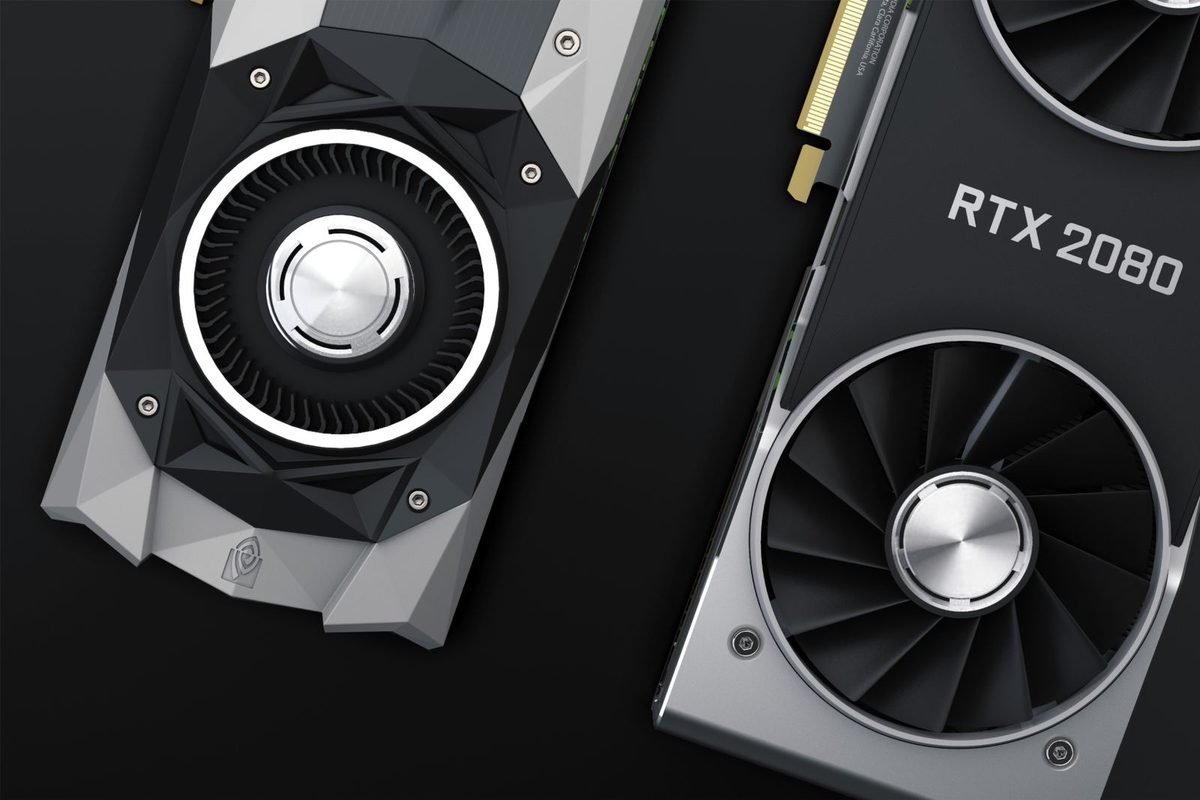
The RTX 20 series launched in September 2018 with the RTX 2080 and RTX 2080 Ti, introducing ray tracing and AI cores. Lower tiers followed over the next months.
RTX 30 series
The RTX 30 series began in September 2020 with the RTX 3080 and RTX 3090 and continued with lower tiers through 2021.
RTX 40 series
The RTX 40 series began in October 2022 with the RTX 4090, followed by the RTX 4080 and, in 2023, the RTX 4070 Ti, RTX 4070, RTX 4060 Ti and RTX 4060. In January 2024, NVIDIA added refreshed "Super" versions of several cards.
RTX 50 series
The RTX 50 series began in January 2025, a little over two years after the RTX 40 flagship. The family followed the usual pattern of high-end first, lower tiers later.
| Generation | First launch | Pattern |
|---|---|---|
| RTX 20 | September 2018 | Flagships first |
| RTX 30 | September 2020 | Flagships first |
| RTX 40 | October 2022 | Flagships first, mid-cycle refresh |
| RTX 50 | January 2025 | Flagships first, staggered tiers |
What the pattern suggests
Generations have arrived roughly two years apart. That is a historical observation, not a promise. Do not plan a purchase around a rumour. Buy when your needs and budget align, and treat any future announcement as a bonus.

Why launches are staggered
Staggering is a business and engineering choice, not an accident.
Manufacturing capacity
Chips are made on shared factory lines, and producing millions of small chips and thousands of huge chips are different schedules. Launching in waves lets NVIDIA and its partners ramp up production gradually.
Marketing and demand
Each launch gets its own attention. Spreading them keeps the family in the news for months.
Partner readiness
Board partners such as ASUS, MSI, Gigabyte and Palit must design, test and build their own cards for each GPU. The more models they make, the longer it takes to be ready.
What it means for you
If you are waiting for a specific card, check the manufacturer's announcements. Do not assume the lower tiers arrive on a fixed calendar.
How to find the launch date of any card
Do not trust memory or a single website. A quick method gives reliable answers.
- Open NVIDIA's official product page for the card.
- Look for the availability or release information for your region.
- Check a reputable review from the launch period, which lists the date and the launch price.
- Compare the manufacturer's page for the specific model you plan to buy, because partner cards sometimes arrive after the GPU.
Using a specifications database
Databases that list specifications, including this site's RTX 5090 specifications page, often include announcement and release dates. Cross-check any date that matters to a decision.
Why prices are not in this timeline
Launch prices vary by country and exchange rate, and street prices move over time. Check current UK retailers for today's price.
Are RTX 50 cards still on sale?
Buyers often wonder whether a card is still being produced or is disappearing.
Rumours versus official announcements
Rumours about discontinuation circulate regularly. The site's fact check on discontinued mid-tier RTX 50 cards shows how to separate rumour from evidence. NVIDIA's own pages and your retailer's stock status are better guides than social media posts.
What to do if a card is hard to find
Stock changes with demand and supply. Try several UK retailers, set a stock alert, and consider an equivalent card from another brand. Do not pay a premium to an unknown seller.
Choosing a card with the timeline in mind
The timeline is context for a decision, not the decision itself.
If you want maturity
Cards that have been on sale longest have the most reviews and driver history. If you value stability, that is a plus.
If you want the newest features
All RTX 50 desktop cards share the generation's features, so there is no feature advantage in a later launch within the family.
If you are upgrading from an older generation
Count the generations between your card and the RTX 50 series. The more steps, the bigger the feature jump. The plain-English RTX 50 series guide is a good place to start planning.
Where each card sits in the story
The following notes place each desktop card in context. They describe positioning, not test results.
RTX 5090
Its role
The RTX 5090 is the flagship, with 32 GB of GDDR7 memory and a rated power of 575 W. It succeeded the RTX 4090 at the top of the range.
Who it was made for
Players who want maximum settings at 4K, creators with heavy projects and people running local AI.
RTX 5080
Its role
The RTX 5080 launched alongside the flagship and sits clearly below it, with 16 GB of GDDR7.
Who it was made for
Players who want strong 4K or high-refresh 1440p performance without the flagship's size and power.
RTX 5070 Ti
Its role
Arriving in February 2025, the RTX 5070 Ti shares a chip with the RTX 5080 but enables fewer units. It also carries 16 GB of GDDR7.
Who it was made for
Buyers who want most of the high-end experience at a lower price point.
RTX 5070
Its role
The RTX 5070 launched in March 2025 with 12 GB of GDDR7. It is the entry point to the upper half of the range.
Who it was made for
1440p players who want ray tracing and DLSS 4 without stepping up to a 16 GB card.
RTX 5060 Ti
Its role
The RTX 5060 Ti launched in two memory versions. It shares a chip with the RTX 5060 but enables more units.
Who it was made for
Players who want a comfortable 1080p and light 1440p experience, with the 16 GB version offering extra headroom.
RTX 5060
Its role
The RTX 5060 is the mainstream card with 8 GB of GDDR7. It is aimed at the largest group of buyers.
Who it was made for
1080p gamers and those building a first gaming computer.
RTX 5050
Its role
The RTX 5050 is the entry card and the only desktop model with GDDR6 memory.
Who it was made for
Budget builders and esports players. The RTX 5050 build guide shows a complete system around it.
Software features that launched alongside the cards
The hardware launch came with software, and that software matters as much as the dates.
DLSS 4 and Multi Frame Generation
NVIDIA announced DLSS 4 at the same event as the RTX 50 series. Multi Frame Generation, which can create up to three extra frames per real frame, is exclusive to the new cards. Several DLSS 4 improvements also reached older RTX cards through updates.
How adoption works
Features only appear in a game when developers add support or when NVIDIA provides an override in its app. Adoption therefore grows over time, and the number of supported games rises after launch.
The NVIDIA App
The NVIDIA App has been NVIDIA's tool for drivers and game settings during this period, replacing the older GeForce Experience programme for most users. The article on Game Ready and Studio drivers explains how to use it.
Drivers
Drivers for new cards were updated frequently in the months after launch. If you buy a card later, you get the benefit of that history.
How to read launch-period reviews today
Reviews published at launch remain online, and they can mislead if you read them without context. A few habits help.
Check the driver and game versions
Launch reviews used early drivers and the game versions of the time. Later drivers and patches often changed performance. When you read an old review, treat its numbers as a snapshot, and look for newer retests if the decision matters.
Separate hardware verdicts from market verdicts
A review might say a card was poor value at its launch price. That judgement depends on prices at the time, which may have changed. Meanwhile, observations about noise, temperatures and features usually still apply.
Look for retests
Some reviewers revisit cards months later. Retests give a more accurate picture of mature drivers and typical prices.
Beware of comparisons with different settings
Some launch charts compared cards with frame generation turned on for one and off for another. If a chart does not state its settings, do not use it to compare cards. The site's article on Multi Frame Generation and DLSS 4 explains why settings must match.
Launch-day buying risks and how to avoid them
Launches create buying pressure, and the pressure creates mistakes.
Scarcity and scalpers
When a card is scarce, resellers charge more than the official price. If you are not in a hurry, waiting often brings prices closer to the official figure. If you must buy, use well-known retailers and avoid paying far above the suggested price.
Fake listings
Scam listings flourish when a product is hard to find. A very cheap new flagship from an unknown seller is a warning sign. Pay with a method that offers buyer protection, and keep the confirmation.
Wrong versions
At launch, buyers sometimes order a variant they did not intend, such as the wrong memory size. Read the title and the specification carefully, as the model names guide explains.
Early firmware and drivers
Early cards may need a firmware or driver update. Install the latest driver from the official source and follow the manufacturer's instructions.
Laptop timelines: how to check them
Laptop launches are harder to track because they depend on each maker.
Find the laptop's own release information
Look at the laptop maker's product page or a review that states the release date. The GPU's launch date only tells you when the chip was introduced, not when your specific laptop became available.
Check the configuration
A laptop may be sold with different GPUs and different power settings. Verify the exact GPU and its power rating before you buy.
Be careful with old stock
Some retailers continue to sell older laptops after new ones arrive. Compare the GPU generation in each listing, and check that you are not paying a new-model price for an older model.
Common date mistakes
People often confuse several kinds of dates.
Announcement versus release
An announcement is when a company says a product exists. The release is when you can buy it. For the flagship, the announcement was in early January 2025 and the release at the end of the month.
Reference versus partner cards
NVIDIA's Founders Edition and partner cards do not always arrive on the same day. Partner cards sometimes appear later or in waves.
Regional dates
Launch dates differ between countries. Check the UK listing, not a US date.
Driver support dates
A card's driver support begins at launch, but ends only many years later. Support end dates are announced separately by NVIDIA.
Using the timeline to judge value
A launch date is a useful input when you compare a new purchase with alternatives.
Compare against the last generation
If an RTX 40 series card is on sale at a discount, the launch timeline reminds you how much newer the RTX 50 equivalent is, and you can weigh that against Multi Frame Generation and memory differences. The guide to RTX 50 model names helps match each older card to its successor.
Compare against used cards
Used cards from earlier generations may be cheaper. Their age tells you how long driver support is likely to last, and the amount of video memory tells you how well they will cope with new games. The guide to how much VRAM you need is a useful companion.
Remember the non-technical costs
Warranty length, return rights and retailer reliability matter as much as the card's age. Keep receipts, and check terms before you buy.
What a launch timeline cannot tell you
It is easy to ask too much of dates. A timeline cannot say how fast a card is, whether it will suit your computer or what it will cost next month. It cannot predict future launches, and it cannot tell you whether a rumour is true. It is a reference for the past, useful for comparing ages and for understanding why the market looks as it does. For decisions about performance, use tested results in the games you play. For decisions about fit, use the compatibility guides and the card's specification sheet. For decisions about price, use current UK retailer listings and a price history you trust. Treat the timeline as one tool among several, and you will avoid the common mistake of treating a date as a verdict.
Five questions to ask alongside the timeline
- Does the card meet the memory needs of my games at my resolution?
- Does it fit my case and my power supply?
- Does my monitor take advantage of its performance?
- Is the price fair compared with recent offers?
- Does the seller offer a clear warranty and returns policy?
How the answers combine
A card can be new and still the wrong choice, or older and an excellent buy. The five questions bring the decision back to your own situation, which is where it belongs.
Key dates at a glance
- 6 January 2025: the RTX 50 series was announced, and the RTX 5090 listing on this site records the date.
- 30 January 2025: the RTX 5090 was released, with the RTX 5080 at the end of the same month.
- 20 February 2025: the RTX 5070 Ti went on sale.
- 5 March 2025: the RTX 5070 followed.
- Spring 2025: the RTX 5060 Ti and RTX 5060 arrived.
- Summer 2025: the RTX 5050 completed the desktop line-up.
- 2025 onward: laptop versions appeared in different laptops as makers were ready.
How to use the list
Use it to place a card you are reading about in time. If you see a review that predates the date for a card, treat it with suspicion, because it may be a rumour piece or a mislabelled page.
How to follow future announcements without being misled
New announcements will come, and the internet fills with speculation before each one. A calm method protects you.
Trust primary sources
NVIDIA publishes announcements on its own website and through its official channels. Retail partners and large review sites confirm them. Anything else is secondary.
Treat leaks as unconfirmed
Leaks are sometimes right and often wrong. Do not delay a purchase you need for a leak, and do not rush into one because of a leak either.
Check dates and prices twice
When a new product is announced, note whether the date and price quoted are for the UK or another country, and whether they include taxes.
Re-read this guide's approach
This article stays within released products and states the date of writing. When it becomes out of date, the right fix is to update it, so check the date at the top and compare with NVIDIA's official pages.
Why this cluster of guides exists
This launch timeline is the last of twelve starter guides that together explain the RTX 50 series for beginners. They begin with the plain-English overview, continue through the architecture, memory, chips, names, specifications, PCIe and drivers, and end with the vocabulary in the graphics card glossary and the history above. Reading them in order gives a complete picture; reading any single one gives a clear answer to one question. Each links to the others so you can move between topics without searching, and each avoids unverified numbers so that you can rely on what you read.
Keeping your own upgrade timeline
You can use the same idea for your own computer.
- Write down the date you bought each major part.
- Note the generation of your graphics card and processor.
- Review once a year whether your games still run well.
- Set a rough budget for the next upgrade.
- Watch official announcements, not rumours.
Why this helps
A small record stops impulse buying. When you can see that your card is three or four years old and your games are struggling, the decision is easy. When it is eighteen months old and running well, patience pays. Keeping dates also helps when claiming warranty, because retailers ask for the purchase date.
A final reminder
This article describes the launch history as of October 2026. If NVIDIA has released more products since, the official site is the place to confirm them.
Frequently asked questions about the RTX 50 series timeline
When was the RTX 50 series released?
NVIDIA announced the RTX 50 series on 6 January 2025 and released the first cards, the RTX 5090 and RTX 5080, at the end of that month. The RTX 5070 Ti and RTX 5070 followed in February and March, and the lower tiers arrived through spring and summer 2025.
Which RTX 50 card launched first?
The RTX 5090 and RTX 5080 launched first, at the end of January 2025. NVIDIA introduced the top of the range first and then added lower tiers in stages. The site's RTX 5090 specifications page lists the 30 January 2025 release date for the flagship.
When did the RTX 5060 and RTX 5050 come out?
They arrived after the higher tiers, during the spring and summer of 2025. The RTX 5060 Ti, which came in 8 GB and 16 GB versions, and the RTX 5060 launched first, followed by the entry-level RTX 5050. Check NVIDIA's pages for exact regional dates.
Did RTX 50 laptops launch at the same time as desktop cards?
No. Laptop versions began appearing in the first half of 2025, after the first desktop cards, with the highest tiers first. Availability depends on each laptop maker, so dates differ between models. Check the laptop's own listing for its release information.
How often does NVIDIA release a new generation?
Recent generations have arrived about two years apart, from the RTX 20 series in 2018 to the RTX 30 series in 2020, the RTX 40 series in 2022 and the RTX 50 series in 2025. That pattern is a history, not a promise, so do not rely on it for planning.
Should the launch date affect which card I buy?
Only as context. Launch date tells you how long a card has had driver updates and stock to settle, but your resolution, games, budget and power supply matter more. Choose by needs first, and use the timeline to understand how old the design is.