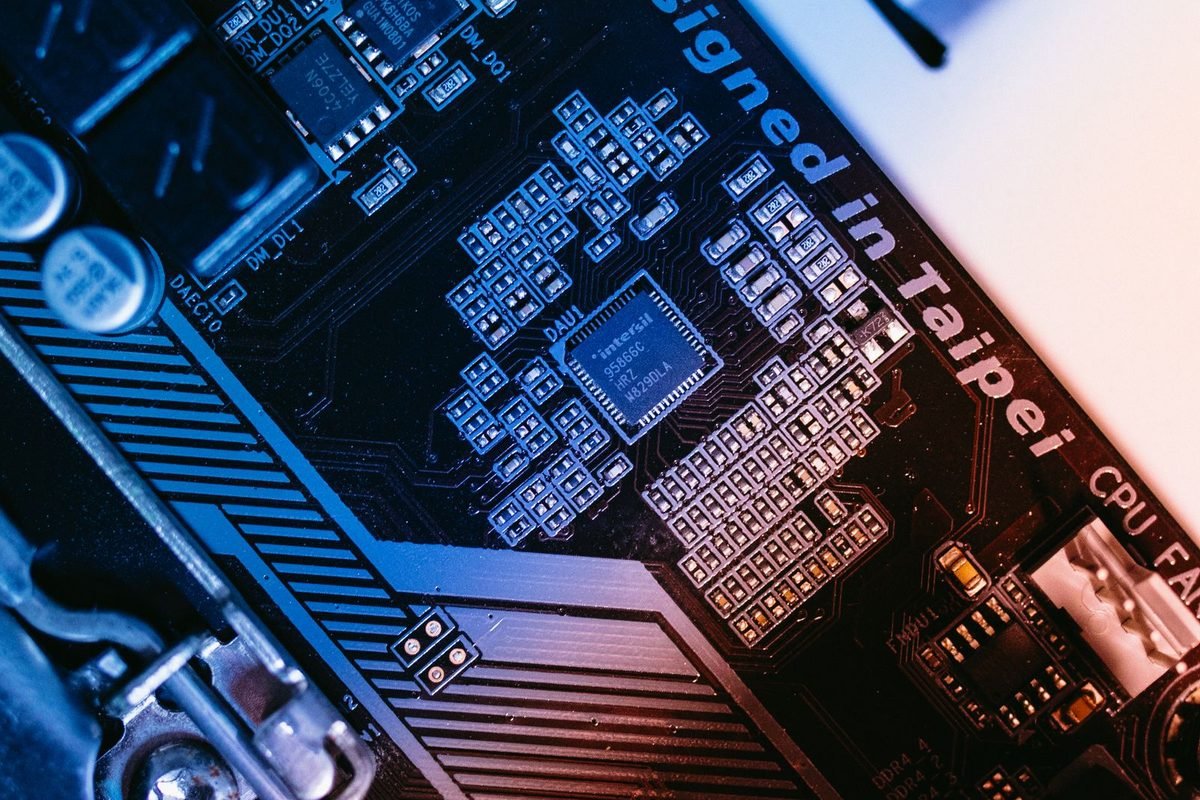
What is neural rendering?
The phrase sounds futuristic, but the underlying idea is easy to follow. This section explains it with everyday comparisons.
From fixed formulas to learned models
Traditional graphics use fixed formulas written by engineers. A formula describes how light bounces off metal or how skin scatters light, and the graphics card calculates it for every pixel. Neural rendering replaces or supports some of these formulas with small AI models trained on examples. Instead of calculating every detail from scratch, the model has learned what the result should look like and produces it quickly.
An analogy
Imagine painting a portrait. The traditional method is to mix colours and place each brushstroke carefully. The neural method is like an artist who has painted thousands of portraits and can sketch a convincing face in a few strokes. The sketch may not be identical to the careful painting, but it can be close and much faster.
Why this matters for graphics cards
Modern RTX cards contain Tensor cores that run AI models very quickly. Neural rendering uses that spare AI capacity to do jobs that would otherwise take a lot of conventional calculation.
Where AI already helps
AI is already part of graphics. DLSS Super Resolution rebuilds a sharp picture, frame generation creates extra frames and Ray Reconstruction cleans noisy lighting. Our DLSS 4 overview covers them. Neural rendering extends the idea deeper into the pipeline.
What did NVIDIA announce?
NVIDIA introduced several related technologies when it launched the RTX 50 series in 2025. The descriptions below follow NVIDIA's announcements, and game support for each varies.
Neural shaders
A shader is a small programme that tells the graphics card how to colour and light a surface. A neural shader replaces part of that programme with a small AI model. NVIDIA said that neural shaders can be used for things such as materials, textures and lighting, and that RTX 50 series hardware is built to run them efficiently. Developers can embed small neural networks directly into shaders.
Why this is different from DLSS
DLSS processes a finished or nearly finished image. Neural shaders work inside the process of building the image, at the level of individual surfaces and effects.
Neural texture compression
Textures take up a lot of video memory. Neural texture compression uses AI to store textures in a much smaller form and reconstruct them when needed. NVIDIA said it could greatly reduce the memory textures use. The benefit would be more detailed textures in the same amount of memory, or the same quality with less memory. Our guide to how much VRAM you need explains why that could matter.
RTX Mega Geometry
Modern games contain enormous numbers of tiny triangles that make up detailed objects. RTX Mega Geometry is a technology that helps ray tracing handle such dense geometry more efficiently. It is aimed at games with very detailed models.
Neural faces and similar ideas
NVIDIA also described AI techniques for rendering faces and skin more realistically. These are research-style demonstrations that developers may adopt over time.
What is real in games today?
Honesty matters here.
Mature features
DLSS Super Resolution, frame generation, Multi Frame Generation and Ray Reconstruction are available in many games today. They show that AI inside graphics works.
Emerging features
Neural shaders, neural texture compression and Mega Geometry depend on developer adoption and on tools such as software kits. Support in released games has been limited, and it grows as developers learn the techniques. The site's article on top DLSS 4 and ray tracing games lists games that use today's mature features.
How to check support
Look at a game's feature list, NVIDIA's announcements and developer notes. If a game does not mention neural features, assume it does not use them.
Why adoption takes time
Developers need to learn new tools, change their art pipelines, support several hardware types and test thoroughly. A new technique can take years to appear in many games. That is normal, and it is not a sign that the idea is weak.
Do you need an RTX 50 series card for neural rendering?
The picture is nuanced.
Hardware support
NVIDIA said RTX 50 series hardware is designed to run neural shaders efficiently, and that RTX cards from earlier generations can run some neural techniques too, since they all have Tensor cores. Performance depends on the card.
Practical advice
If you own an RTX 20, 30 or 40 series card, you do not need to rush to upgrade for neural rendering. Features appear in games slowly, and you will benefit from many of them on your current card. If you are choosing a new card, the beginner guide to the RTX 50 series can help you weigh the options.
Do not buy for promises
Choose a card for current performance, memory and price. Future software features are a bonus, and they may not arrive in the games you play.
How neural rendering fits into the graphics pipeline
A short tour of how a game draws a frame helps you see where AI could help.
The simplified pipeline
A game builds a picture in stages. First it works out where everything is, then it calculates how light falls on surfaces, then it applies textures and effects, and finally it assembles the image and adds finishing touches. Each stage uses formulas, and each is a place where an AI model could replace or assist a calculation.
Geometry
The game places shapes in the scene. Technologies such as RTX Mega Geometry help with very dense models.
Materials and textures
Surfaces get colour, shininess and fine detail. Neural shaders and neural texture compression target this stage.
Lighting
Light bounces around the scene, as in ray tracing. AI can denoise lighting, as Ray Reconstruction does, and may help estimate lighting more cheaply.
Image assembly
The final image is built, and DLSS upscales it and can generate extra frames.
Why AI suits some stages and not others
AI works best where an exact answer is expensive but an approximate answer is good enough. It works less well where precision matters, such as the logic that decides what happens in the game.

Neural texture compression in more detail
Textures are one of the biggest memory users, so the idea deserves a closer look.
The problem
High-quality textures take large amounts of video memory, and cards with 8 GB can run short, as the guide to VRAM explains. Game files also grow, and downloads become huge.
The idea
Instead of storing each texture pixel by pixel, a small AI model learns to represent a set of textures compactly. When the game needs a texture, the model reconstructs it on the fly. NVIDIA described this as a way to reduce texture memory a great deal while keeping quality.
The catch
Reconstruction takes calculation time, and developers must prepare textures in the new format. That is why adoption depends on tools and on the effort developers are willing to invest.
Who benefits
Players with cards that have limited memory could benefit most, if the technique becomes common, since it could let them use higher-quality textures than their memory would otherwise allow.
The role of Tensor cores
All of this depends on special hardware.
What Tensor cores do
Tensor cores run the matrix calculations at the heart of AI models. RTX 50 series cards have fifth-generation Tensor cores, as the Blackwell architecture guide explains.
Sharing the card's time
Tensor cores can work alongside the regular graphics cores, but they share memory and power. A game that uses neural techniques heavily must balance the load, so performance depends on how well the developer integrates them.
Why newer hardware helps
Each generation of Tensor core adds speed and support for lower-precision number formats that suit AI models. Newer cards can run bigger models with less delay.
Realistic timeline for adoption
Predicting the future is risky, but patterns from earlier technologies help.
How earlier features spread
Ray tracing took a few years to move from a handful of showcase games to a large share of major releases. DLSS followed a similar path. Neural techniques are likely to follow, starting with games from studios close to NVIDIA and spreading as engines add support.
What would speed it up
Support in major game engines, easy tools for developers and consoles adopting similar techniques would all help. If widely used engines include neural features by default, many games will gain them automatically.
What could slow it down
Differences between hardware brands, limited developer time and the need to support older cards can slow adoption.
What this means for you
Expect gradual change. A game you play in a few years may use neural techniques without announcing it, and your card may benefit.
Conventional techniques compared with neural techniques
The table sets the two approaches side by side.
| Question | Conventional approach | Neural approach |
|---|---|---|
| How results are produced | Fixed formulas calculated for each pixel | Trained models predict the result |
| Cost | Grows with detail and accuracy | Roughly fixed per use of the model |
| Predictability | High, results follow from the formula | Lower, results depend on training |
| Hardware | General graphics cores | Tensor cores plus graphics cores |
| Developer effort | Well-established tools | New tools and training pipelines |
| Typical strength | Exactness | Speed for approximate answers |
How to read the table
Neither approach is better everywhere. Games will use a mix, with formulas where exactness matters and neural models where speed and compactness matter. The art of graphics programming is choosing wisely.
Why predictability matters
Game artists need to know what their work will look like. Neural methods must be trained and tested carefully so that they behave reliably in every scene.
What it means for different kinds of players
Different players have different reasons to care.
Players with 8 GB cards
Neural texture compression could help with memory limits if it spreads. For now, manage memory with settings, as the VRAM guide explains.
Players with high-end cards
You already have headroom, and neural features may bring higher fidelity in a few showcase games first. Enjoy them as they appear.
Laptop players
Laptop chips are power limited, so techniques that deliver quality cheaply are valuable. Neural rendering could help over time, but today's laptop owners should focus on DLSS.
Console and handheld comparisons
Other platforms also explore AI techniques. The trend towards AI in graphics is industry-wide, not limited to one brand.
How to evaluate marketing claims about neural graphics
Announcements are exciting, and a few habits keep you grounded.
Separate demonstration from release
A technology demonstration shows what is possible under ideal conditions. A released game shows what developers shipped. Look for the second.
Check the date and the status
A feature announced years ago may still be unavailable. Look for current game lists and developer statements.
Look for independent testing
Reputable reviewers test features in real games, and their findings tell you what is real. Be wary of claims based only on company slides.
Ask what the feature costs
Every technique has a cost in performance, memory or developer effort. If a claim mentions only benefits, look further.
Software tools and developer support
Understanding the developer side explains the slow rollout.
Software kits
NVIDIA provides software kits for developers to use neural techniques, and updates them as the technology matures. Developers choose whether to adopt them, based on time, budget and audience.
Game engines
Major engines can add support, which brings features to many games at once. Watch for announcements from engine makers.
Standards
Industry graphics interfaces are evolving to support neural techniques in a common way. If standards mature, features will be easier to bring to different hardware.
Why this affects players
Broader standards mean more games and more hardware benefit, not just one brand.
Neural rendering and the rest of your setup
Graphics cards work with the rest of your computer.
Video memory and bandwidth
Neural techniques can reduce memory use, but they also add work. A balanced card helps. The guide to GDDR7 memory explains bandwidth.
Power and cooling
AI calculations use power, so keep your cooling healthy. The guide to thermal and power limits explains how to read temperatures.
Drivers and software
New features arrive through drivers and developer updates. Keep your drivers current, as the guide to Game Ready and Studio drivers advises.
Four example players
These illustrations show how people can think about the topic.
The curious enthusiast
This player reads about neural shaders, enjoys the demos and keeps buying cards on performance. They treat the features as a bonus.
The budget buyer
This player has 8 GB of video memory and wonders whether neural texture compression will help. They choose a card on today's needs, and hope for future benefits.
The competitive player
This player does not care about neural rendering, because competitive games prize frame rate and low delay. They use DLSS and Reflex.
The creator
This player uses AI tools for creative work and watches neural graphics research with interest. They benefit from Tensor cores in their software today.
The shared lesson
Each looked at current needs first and treated future features as optional.
A buyer's checklist for AI graphics features
If AI features influence your purchase, use this list to stay practical.
- Check which features your favourite games use today, such as DLSS and Ray Reconstruction.
- Check that the card you are considering supports them.
- Compare raw performance and video memory, which matter every day.
- Treat announced features as possible bonuses, not as guarantees.
- Consider the price, warranty and your power supply and case.
- Read independent reviews that test real games.
How to use the list
Give most weight to the first three items, which describe what you will use immediately. The last items protect you from overspending on promises.
Questions to ask developers and communities
If you want to know whether a favourite game will adopt new features, there are friendly ways to ask.
Where to look
Official forums, social media pages and patch notes are the best places. Developers sometimes share roadmaps, and community managers answer questions.
How to ask
Be polite and specific. Ask whether the studio plans to support particular features, and thank them for their work. A constructive tone gets better answers.
What not to expect
Studios cannot promise features, and plans change. Treat any reply as information, not a contract.
Looking back: what history tells us about new graphics features
Every major graphics feature began as a promise, and examining the pattern helps set expectations.
Hardware transform and lighting
Early cards added hardware for geometry calculations, which developers first used sparingly and later took for granted. It took a few years to become universal.
Programmable shaders
Programmable shaders let developers write their own effects. Their arrival changed games dramatically, but only after developers learned to use them well.
Real-time ray tracing
Ray tracing began in showcase titles with large performance costs and became part of mainstream releases as hardware improved and upscaling arrived.
The common pattern
Each feature started in a few games, became cheaper with each hardware generation and eventually became standard. Neural rendering seems to be on the same path.
What this means for you
If you buy a card today, you will likely see neural features in a handful of games over the next few years, and more later. That is a reason to keep your drivers current and to enjoy new releases, not a reason to expect an overnight transformation.
Ethics, jobs and the artist's role
Whenever AI enters creative work, questions arise about artists and quality.
Tools, not replacements
In graphics, neural techniques are mostly tools that help artists and engineers get results more cheaply. The art direction, characters, worlds and stories still come from people. A game's look depends on creative choices that no model makes for it.
Quality control
Because neural models are trained, studios must test them carefully so that surprising artefacts do not creep in. Good studios treat these tools as they treat any other technology: with care and iteration.
Transparency
Players benefit when studios and manufacturers are clear about what a feature does. Look for honest descriptions, and be sceptical of claims that sound magical.
Your role as a player
Your feedback matters. If a feature makes a game look worse, say so politely, and if it makes a game look better, say that too. Developers listen to clear, constructive comments.
Frequently confused terms
A few terms are easy to mix up.
AI, machine learning and neural networks
AI is the broad idea of computers doing tasks that seem intelligent. Machine learning is a method where models learn from examples. A neural network is a particular kind of model. In graphics articles, the three terms often appear loosely together.
Rendering and shading
Rendering is the whole process of drawing the picture. Shading is the part that works out the colour and lighting of surfaces. Neural shading therefore sits inside rendering.
Training and inference
Training is the heavy process, done by NVIDIA or a studio, where a model learns from data. Inference is when the finished model runs on your card to produce results. Your computer only does inference.
Why this distinction helps
It explains why neural features can run on a home card: the expensive learning has already been done elsewhere.
A closing reflection on curiosity
Graphics technology moves at a pace that can feel overwhelming. You do not need to follow every announcement. Pick the ideas that interest you, learn them well and let the rest pass by. The AI features available today already improve many games, and the future ones will arrive in their own time. In the meantime, the best investment is a well-chosen card, a good monitor, a clean installation and a habit of testing settings in the games you love.
Where to read more on this site
For the features you can use now, start with the DLSS 4 overview, the guide to Multi Frame Generation and the explanation of ray tracing versus path tracing. They show how AI and lighting work together in today's games, which is the best foundation for understanding whatever neural techniques arrive next.
Be kind to your future self
Technology advice ages quickly. When you read about neural rendering in a year or two, expect some of today's details to have changed, and remember that the habits in this guide, such as testing in your own games, trusting independent sources and buying for present needs, will still apply. Revisit the topic when a game you love announces support, and you will understand the announcement in a way many people will not.
Keep notes on what you try
If you test new graphics features as they arrive, keep a short log with the game, the feature, your settings and the result. After a few months, you will have a personal record of what actually helps on your own computer, which is worth more than any announcement.
Practical steps you can take today
You do not need to wait for neural rendering to benefit from AI in graphics.
- Use DLSS Super Resolution in games that support it, to raise frame rates.
- Try Ray Reconstruction in ray-traced games for cleaner lighting.
- Try frame generation on supported cards if your base frame rate is healthy.
- Keep your driver and the NVIDIA App up to date.
- Read release notes for new features.
Where to learn how
The guides to enabling DLSS in any game and Ray Reconstruction show the steps.
A balanced view of the hype
Technology news swings between excitement and scepticism. A balanced view helps.
Reasons for optimism
AI has already improved graphics through DLSS, and there is no reason it cannot improve materials, textures and lighting too. The hardware exists, and the research is active.
Reasons for caution
Developers have limited time, and not every game benefits from every technique. Some features may remain niche, and some may take longer than hoped.
A sensible attitude
Be curious, stay informed and keep your wallet guided by present needs. If a neural feature becomes common, you will notice it in the games you play, and you will be glad you did not rush.
Myths about neural rendering
Myth: neural rendering is just a marketing word
It describes real techniques. The marketing may be ahead of adoption, but the research and the tools are genuine.
Myth: it will make every game look photoreal overnight
Change will be gradual, and game art still matters more than any one technique.
Myth: older RTX cards cannot benefit
Many neural techniques can run on earlier RTX cards with Tensor cores, though performance varies.
Myth: you must upgrade now
There is no need. Choose hardware for today's needs, and enjoy new features as they appear.
Summary
Neural rendering uses small AI models inside the graphics pipeline to help draw materials, textures and lighting, building on the AI already used in DLSS. NVIDIA announced neural shaders, neural texture compression and RTX Mega Geometry with the RTX 50 series, and RTX 50 hardware is designed to run them efficiently. Game support is still limited, so the practical benefits arrive slowly and depend on developers. DLSS, frame generation and Ray Reconstruction are the mature, available features today. Choose a card for its current performance, memory and price, keep your software current and treat neural rendering as an exciting extra. For a wider view of the family, read the DLSS 4 overview and the graphics card glossary.
Short glossary for this article
- Neural network: a model made of layers of simple calculations, trained on examples.
- Shader: a small programme that tells the card how to colour and light a surface.
- Neural shader: a shader that includes a small AI model.
- Tensor core: hardware that runs AI calculations quickly.
- Texture compression: storing textures in a smaller form.
- Mega Geometry: NVIDIA's technology for ray tracing very detailed models.
Frequently asked questions about neural rendering
What is neural rendering?
Neural rendering uses small trained AI models inside the graphics pipeline to help draw parts of a scene, such as textures, materials and lighting. It extends the idea behind DLSS, which uses AI to upscale and generate frames, deeper into the process of building the picture. Support in games is still growing.
What are neural shaders?
Neural shaders are shader programmes that include small AI models for tasks such as materials and lighting. NVIDIA announced them with the RTX 50 series and said the hardware runs them efficiently. Developers must add them to games, so they are not yet widespread.
Is neural rendering the same as DLSS?
No. DLSS uses AI to upscale images, generate frames and clean ray-traced lighting. Neural rendering describes AI used inside the drawing process itself, for surfaces and effects. DLSS is the more mature example of AI in graphics, and neural rendering builds on the same hardware.
Do I need an RTX 50 card to use neural rendering?
Not necessarily. All RTX cards have Tensor cores, and NVIDIA said some neural techniques can run on earlier RTX cards, though RTX 50 hardware is designed for them. Game support is limited today, so there is no need to upgrade solely for these features.
What is neural texture compression?
It is a technique that uses AI to store textures in a much smaller form and reconstruct them when needed, so games can use less video memory or richer textures. NVIDIA announced it as part of its neural rendering work, and games must adopt it before it benefits players.
Should I buy a graphics card for neural rendering?
No. Support in games is still arriving, and a card should be chosen for its present performance, memory and price. If neural rendering becomes common, you may benefit on your current RTX card, and RTX 50 cards are designed to run it efficiently.