The 575 W number
The rating is the first thing buyers see, and the most misunderstood.
What total graphics power means
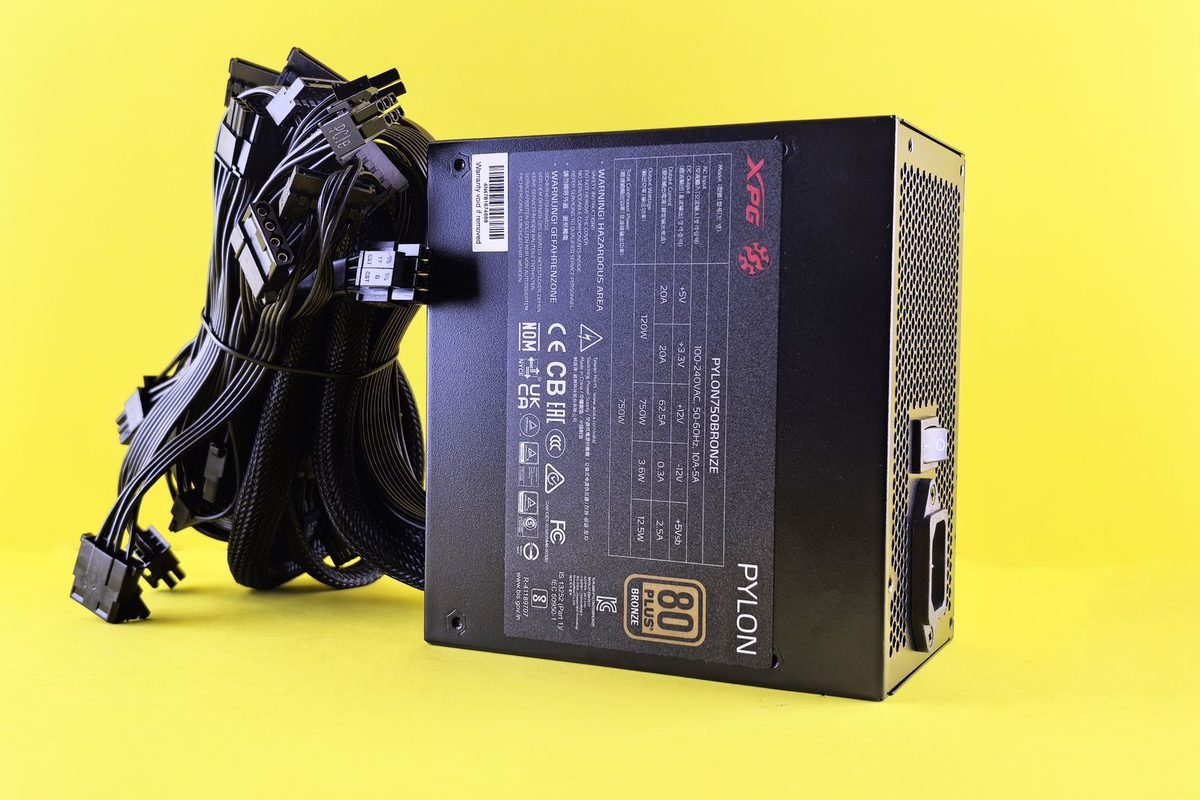
Total graphics power, or TGP, is the board power target the card's firmware aims to maintain under heavy load. For the RTX 5090 it is 575 W. It covers the GPU, memory, voltage regulation and fans. It is a design limit, not a constant draw, and the card often sits below it.
Where the card sits in the family
The RTX 5090 uses the GB202 die with 170 SMs, 21,760 CUDA cores, 32 GB of GDDR7 on a 512-bit bus and 1,792 GB/s of bandwidth. Next to it, the RTX 5080 is rated at 360 W and the RTX 5070 Ti at 300 W. The model guide lists the whole family.
Why the rating is so high
A large die with many SMs and a wide memory interface needs a lot of power at high clocks. The design aims for maximum performance, so the limit is set near the edge of what the cooler and connector can deliver.
| Card | TGP | Relative score | Watts per point |
|---|---|---|---|
| RTX 5090 | 575 W | 100 | 5.75 |
| RTX 5080 | 360 W | 66 | 5.45 |
| RTX 5070 Ti | 300 W | 57 | 5.26 |
| RTX 5070 | 250 W | 45 | 5.56 |
Typical draw versus the rating
The card does not run at 575 W all the time.
Factors that set draw
Resolution and settings determine how busy the SMs are. Ray tracing and path tracing draw the most. A frame cap reduces work when the game could run faster than the monitor. A processor-limited game leaves the GPU idle part of each frame.
Rough patterns
At 4K with ray tracing, the card commonly runs close to its limit. At 1440p in a capped competitive game, it may draw a fraction of that. Desktop idle sits in the tens of watts. Because setups differ, measure your own system with a power meter or the card's reported board power.
Peak versus average
The average over a minute may be lower than the peak over a few milliseconds. Transients are short bursts that exceed the average and are the reason supplies need margin.
Measuring properly
Use the overlay for board power, and a wall power meter for total system draw. The difference shows the rest of the system, plus supply losses.
Sizing the power supply
A simple method protects you.
Add the components
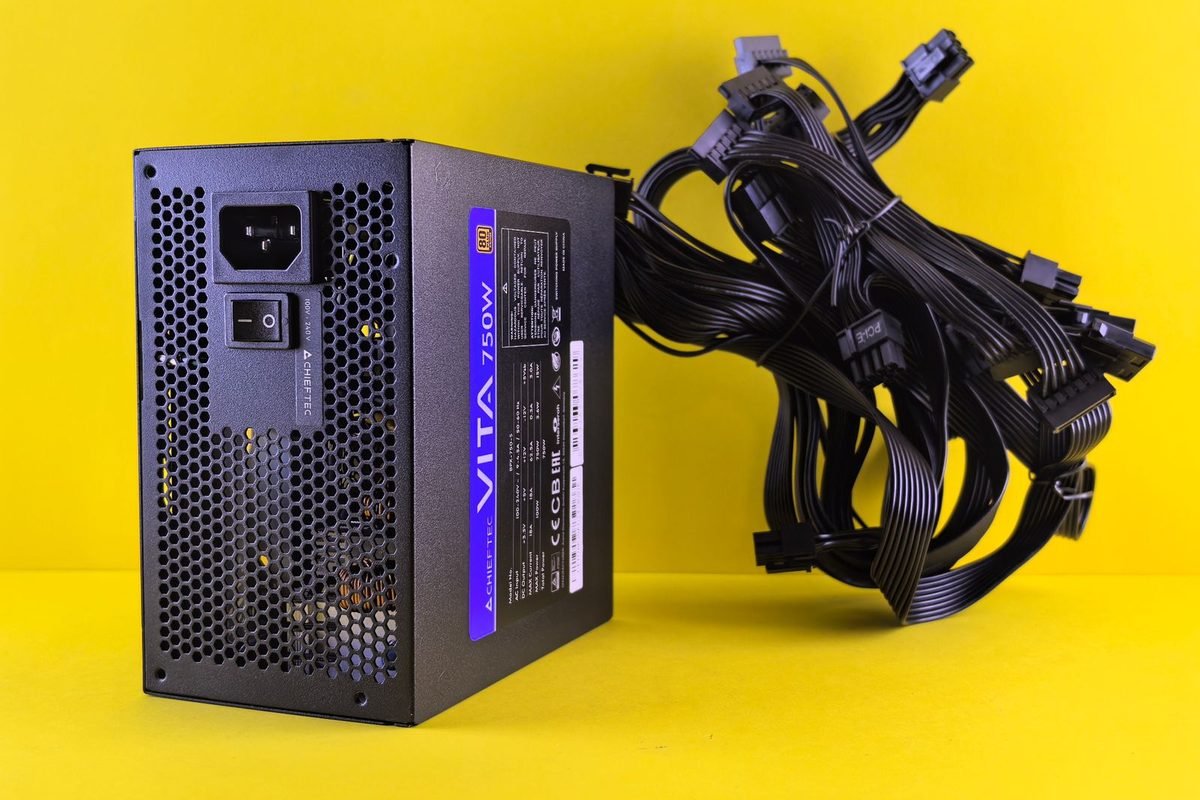
Estimate the processor's maximum power, the GPU's 575 W, and 100 to 150 W for the motherboard, memory, drives and fans. A high-end system might total 900 to 1,000 W under combined load, though gaming rarely loads everything at once.
Add margin
Choose a supply with comfortable headroom above the combined figure. A 1,000 W or 1,200 W unit is a typical retailer recommendation for the RTX 5090, but check the guidance for your exact card and processor. The guide to high-wattage supplies explains quality tiers.
Quality over wattage alone
A supply must handle transients and keep voltage steady. Look for a modern ATX 3.x design with a native 12V-2x6 cable, good protections and independent test results.
Efficiency
Supplies are most efficient at 40 to 60 percent load. A larger unit may run cooler and quieter at typical loads.
Connector and cable care
High current demands good contact.
The 12V-2x6 connector
The connector carries up to 600 W through a small plug. Full insertion is essential, because a partial connection raises resistance and heat. Push the plug until it is flush and the latch clicks.
Bending
Avoid sharp bends close to the plug. Leave a few centimetres of straight cable before any bend. The GPU cable guide provides illustrated advice.
Inspect regularly
Check for discolouration or melted plastic. Stop using a damaged cable, and replace it with an approved one.
Energy cost maths
Electricity bills are easy to estimate.
The formula
Energy in kilowatt-hours equals power in kilowatts multiplied by hours. Cost equals energy multiplied by the price per kilowatt-hour. For a card drawing 500 W for 10 hours a week, energy is 0.5 times 10, which is 5 kWh per week. At a hypothetical 30 pence per kWh, that is £1.50 a week.
Annual example
Over 52 weeks, the same use totals 260 kWh, about £78 at the same price. A frame cap or undervolt that cuts draw by 100 W saves 52 kWh, about £15.60 a year. These are illustrative numbers, so use your own tariff and hours.
| Average draw | Hours per week | Energy per year | Cost at 30p per kWh |
|---|---|---|---|
| 300 W | 10 | 156 kWh | About £47 |
| 400 W | 10 | 208 kWh | About £62 |
| 500 W | 10 | 260 kWh | About £78 |
| 500 W | 20 | 520 kWh | About £156 |
Beyond the card
The rest of the system, the monitor and cooling add to the bill. Total wall draw matters more than the card alone.
Heat and air conditioning
In summer, every watt of heat also adds load to cooling. Reducing draw helps comfort.
Transient spikes explained
Instantaneous power can exceed average power.
Why spikes occur
When the load changes abruptly, such as at the start of a heavy frame, current demand jumps within microseconds. Capacitors on the card absorb part of it, and the rest comes from the supply. Short spikes above the rating are possible.
What protects the system
ATX 3.x supplies are designed to handle excursions above the nominal rating for short periods. Overcurrent protection triggers only when the excursion is too large or long.
Signs of a weak supply
Random shutdowns under heavy load, especially when the card ramps up, point to a supply that cannot cope. Try a larger quality unit.
Cables and spikes
Thin or damaged cables increase voltage drop. Use quality cables of the right gauge.
Reducing draw without losing much
Frame cap
Cap at your monitor's refresh rate. If a game would otherwise run at 200 frames per second on a 144 Hz display, the cap cuts load substantially.
DLSS and frame generation
Rendering fewer pixels reduces power. Multi Frame Generation raises displayed frames without proportional power rises. The Multi Frame Generation guide explains it.
Power limit
Reducing the limit to 80 percent trims peak power. Performance falls by less than power does.
Undervolt
A voltage-curve undervolt often saves tens of watts at a near-identical clock. The method is covered in the RTX 5080 undervolt guide, and it applies in principle to the RTX 5090.
| Method | Effort | Typical effect |
|---|---|---|
| Frame cap | Low | Big in light games |
| DLSS | Low | Moderate to large |
| Power limit | Low | Moderate |
| Undervolt | Medium | Large with near-zero speed loss |
Where the power goes inside the card
Understanding the budget explains why draw varies.
The GPU core
The 170 SMs, caches and fixed-function blocks consume the largest share. Dynamic power scales with clock and the square of voltage, so the top of the voltage-frequency curve is expensive.
Memory
Thirty-two gigabytes of GDDR7 on a 512-bit bus at 28 Gbps draws a significant amount of power, and the memory controllers add to it. Memory overclocks raise draw.
Voltage regulation
Power stages convert 12 V to the core voltage with some loss, usually five to ten percent. High-quality stages lose less.
Fans, display and miscellaneous
Fans, RGB lighting and the display engine use a small fraction.
Idle and low-load draw
At idle, the card draws far below the rating. Multi-monitor setups and high refresh rates raise idle draw. Video playback uses modest power through the media engines.
Workload-by-workload expectations
Different tasks stress the card differently.
Esports and capped games
Light on the SMs. Draw stays moderate, often a small fraction of the rating.
4K rasterised gaming
Heavy but steady. Draw is high, though a frame cap can reduce it.
Ray tracing and path tracing
The most demanding. Draw approaches the limit.
Creative and AI workloads
Rendering, video encoding and AI inference can hold the card near its limit for hours. Thermal and supply planning matter.
| Workload | Relative draw | Notes |
|---|---|---|
| Idle desktop | Very low | Fans may stop |
| Video playback | Low | Media engines |
| Capped esports | Low to moderate | Frame cap helps |
| 4K raster | High | Often near limit |
| Path tracing | Highest | At limit |
| Rendering or AI | Highest, sustained | Hours at limit |
Comparison with the previous generation
Rating comparison
The previous flagship had a lower rating, so the RTX 5090 asks more of the supply and case. The site's chart gives the RTX 4090 a score of 76 against 100 for the RTX 5090.
Efficiency
Dividing board power by chart score gives watts per point. If the RTX 4090 is rated at 450 W, that works out to about 5.92 watts per point, compared with 5.75 for the RTX 5090. The figures are close, so the newer card gains most of its extra speed from higher power, with a small efficiency improvement. These numbers rely on the rating, not on measured power.
Practical meaning
An upgrade from an RTX 4090 brings more performance and new features such as Multi Frame Generation, but it also brings more heat and a more demanding supply requirement.
Thermal and acoustic consequences
Heat output
A card drawing 575 W releases about as much heat as a small space heater. In a small room, the temperature rises noticeably during long sessions.
Cooler demands
Partner coolers are very large. Make sure the case has room, and that airflow is good. Read the RTX 5080 temperature guide for the methods, which scale to this card.
Noise
Higher draw means higher fan speeds. An undervolt and a well-tuned curve make a significant difference.
Room considerations
Place the computer where heat can disperse. Avoid enclosed cabinets.
Supply technology in more detail
Not all 1,000 W supplies are equal.
ATX 3.x and PCIe 5.x standards
Modern standards define how a supply handles short excursions above its rating. A compliant unit tolerates brief spikes, often up to twice the rating for very short periods, depending on the specification version. This is why a supply that meets the standard is a better partner for a high-power card than an older unit of the same wattage.
Rails and protections
Single-rail designs deliver all 12 V power through one rail, which suits high-power GPUs. Protections include overcurrent, overvoltage, short-circuit and over-temperature. Good units trigger protections only in fault conditions.
Hold-up time and ripple
Hold-up time determines how long the supply can keep outputs steady during a brief mains interruption. Low ripple keeps voltage clean for sensitive components. Independent tests publish these numbers.
Efficiency ratings
Ratings such as 80 PLUS Gold and Platinum describe efficiency at set loads. Higher ratings waste less energy as heat, and they often come with better components.
Warranty
Premium units come with warranties of 10 years or more. Warranty length reflects the manufacturer's confidence.
| Feature | Why it matters for a 575 W GPU |
|---|---|
| ATX 3.x compliance | Handles excursions above the rating |
| Native 12V-2x6 cable | Removes adapters, improves reliability |
| Single 12 V rail | Simple, high current delivery |
| Independent test results | Confirms ripple and hold-up |
| Long warranty | Indicates quality |
Choosing wattage by system type
Gaming system with a mid-range processor
A processor drawing 100 to 150 W under gaming, 575 W for the card and 100 W for other parts totals about 800 W at peak. A 1,000 W supply gives 25 percent margin.
Gaming system with a flagship processor
A processor that draws 200 W or more under load raises the total to roughly 900 W. A 1,000 to 1,200 W unit gives comfortable margin.
Workstation with heavy multi-core loads
When the processor and GPU are both loaded for hours, total draw approaches the sum. A 1,200 W or higher unit is sensible.
Overclocked systems
Overclocks add power at both processor and GPU. Add 10 to 20 percent to your estimate.
The cost of oversizing
A larger unit costs more and may be less efficient at idle. A modest margin of 20 to 30 percent is a good balance.
Cable choices in practice
Native cables
Modern supplies offer native 12V-2x6 cables. They remove the need for adapters and have fewer connections to fail.
Adapters
If you use an adapter, choose the one supplied with the card, and connect all of the 8-pin connectors to separate ports on the supply where possible, instead of using daisy-chained cables. Check the card's manual for the specific number required.
Cable length and routing
Keep the cable tidy and avoid tension on the connector. Use a cable comb or clip if it helps, but do not clamp the cable tightly near the plug.
Right-angle adapters
Right-angle connectors can help in tight cases by reducing side pressure on the plug. Use certified products only.
Monitoring power in practice
Software readings
The driver reports board power. Treat it as an estimate. It is good for comparing settings.
Wall meters
A plug-in meter shows total system draw and cost. Use it to see the effect of changes.
Logging
Log board power during a session. The pattern reveals how often the card hits its limit and how much a frame cap helps.
Example approach
Run your usual game for 20 minutes uncapped and then capped. Compare average power and temperature. Many players are surprised at the difference.
Summary tips before you buy
Evaluate whether your use justifies 575 W. If you play at 4K with demanding settings, work with large AI models or render professionally, the RTX 5090 is the only card in the family with 32 GB of memory and this level of performance. If you play at 1440p, a smaller card does the job with much lower power, heat and cost. Match the card to the workload, and plan the supply, case and cooling to fit.
Planning the whole system
Processor choice
Pair the card with a processor that avoids bottlenecks. The guide to CPU and system bottlenecks explains diagnosis.
Case selection
Choose a case with room for a thick card, front airflow and a clear cable path.
Motherboard
A PCIe 5.0 x16 slot suits the card, and PCIe 4.0 works with a small penalty in most games.
Monitor
A 4K high-refresh display uses the card's capacity. A lower-resolution monitor leaves it idle. Match the screen to the card.
Power limit and undervolt on a flagship
Large savings are possible because the top of the curve is steep.
Why the flagship benefits most
At 575 W, the card runs far past the efficient point of its curve. Cutting the limit to 450 W might cost around five to ten percent of performance, a much smaller loss than the 22 percent power saving. The exact figures depend on the sample and workload, so test them.
A step-by-step approach
Start with the power limit slider and test at 90, 80 and 70 percent. Record performance and power at each step. Then try a voltage-curve undervolt at a lower power target for better efficiency. The RTX 5070 tuning guide explains the curve editor.
Interpreting results
If lowering the limit by 20 percent costs only five percent in frame rate, the efficiency gain is substantial. If you can reach your monitor's refresh rate anyway, the lower setting is a free win.
Safety
Lowering power is safer than raising it. Check stability after changes anyway, because voltage and clock points shift.
| Power limit | Illustrative power | Illustrative performance |
|---|---|---|
| 100 percent | 575 W | 100 |
| 90 percent | About 517 W | About 97 to 98 |
| 80 percent | About 460 W | About 93 to 95 |
| 70 percent | About 403 W | About 87 to 90 |
These figures illustrate the shape of the curve and are not measurements.
Environmental and household considerations
Circuits and sockets
A high-end PC draws well within the capacity of a standard UK socket, but avoid daisy-chained extension leads and cheap multi-way adapters. Use a quality surge-protected strip rated for the load.
Uninterruptible power supplies
If you use a UPS, check that its rating covers the peak draw of the system, and prefer pure sine wave models for active power factor correction supplies.
Room heat
A system drawing 800 W under load adds heat comparable to a small heater. Ventilate the room in summer, or accept shorter sessions.
Noise in the room
Large coolers at high speeds are audible. Place the case so that sound is directed away, and consider headphones.
Scenarios: which setup suits which buyer
Scenario one: 4K 144 Hz enthusiast
The buyer wants maximum settings with ray tracing. The RTX 5090 with DLSS and Multi Frame Generation drives the monitor. Supply: quality 1,200 W. Tuning: a mild undervolt to control noise.
Scenario two: creative professional
The buyer renders and works with AI models that need 32 GB. Sustained loads demand a strong supply, good airflow and a case with front mesh. A power limit of 80 to 90 percent trims heat for little loss.
Scenario three: small-form-factor attempt
A compact case struggles with 575 W. Consider a smaller card, or choose a power limit and a high-quality model with a smaller footprint.
Scenario four: shared household circuit
Where multiple devices share circuits, choose lower limits and avoid running other heavy appliances at the same time.
Scenario five: upgrade from RTX 4090
The buyer must check that the existing supply and cable suit the new card, and that the case airflow handles the extra heat.
Frequently asked follow-up questions
Do I need a new supply for the RTX 5090?
Not necessarily, if yours is a quality ATX 3.x unit with enough capacity and a proper cable. Older or marginal supplies should be replaced. Verify the capacity against your whole system, check for a native cable, and replace units that are old, unbranded or without modern protections.
Does undervolting void the warranty?
Software undervolting stays inside the card's limits, and many brands accept it. Read your warranty terms to be sure. Software undervolting stays within the limits the firmware allows, and many partner brands accept it, but terms differ, so read your warranty and avoid hardware modifications or unofficial firmware.
Is the RTX 5090 efficient?
On the crude measure of rated watts per chart point, it is close to the smaller cards. Real efficiency depends on settings, and a tuned RTX 5090 can be very efficient. Tuning with a power limit or undervolt improves efficiency considerably for little speed loss.
What happens if the supply is too small?
The system may shut down or restart under heavy load. Replace it with a larger quality unit. Expect random shutdowns or restarts under heavy load, particularly when the card ramps up. Replace it with a larger quality unit and check the cable connection first.
Safety checklist
Before installing
Turn off and unplug the system. Ground yourself. Handle the card by its edges.
During installation
Seat the card firmly, secure it with brackets and support heavy cards to prevent sag. Connect the power cable fully.
After installation
Run a heavy game for 20 minutes. Check temperatures, connector warmth and stability. Inspect the cable.
Ongoing
Check the connector every few months. Look for discolouration or movement.
Long-term running costs and value
Total cost of ownership
Add purchase price, a possible new supply, a case upgrade and electricity. Over three years, an RTX 5090 used 15 hours a week at 450 W average consumes about 1,053 kWh, or around £316 at a hypothetical 30 pence per unit. A frame cap and tuning can reduce that by a third.
Efficiency habits
Switch the system off or to sleep when idle. Use the monitor's power-saving features. Set sensible limits for idle processes.
Resale
High-end cards retain value, but prices change quickly. Do not count on a particular figure.
Budget for the supply
When comparing prices, include any supply or cable upgrades. They are part of the true cost.
What to do if something goes wrong
Random shutdowns
Note when they happen. If under heavy GPU load, suspect the supply or cable. Test with a different supply if possible, and check that the connector is fully seated.
Burning smell or visible damage
Switch off at the wall immediately and unplug. Do not use the system again until the cause is found. Contact the card and supply manufacturers.
Warm connector
Mild warmth is normal under load. A hot connector, too hot to touch comfortably, is not. Power down and inspect.
Artefacts or crashes under load
Reduce the power limit to test whether supply or cooling is at fault. If the problem disappears, investigate those causes.
Documentation
Keep photos, logs and receipts. They help warranty claims.
Quick reference: planning numbers
| Item | Planning figure |
|---|---|
| Card rating | 575 W |
| Other components | 100 to 150 W |
| Processor under gaming | 100 to 200 W |
| Suggested supply | Quality 1,000 to 1,200 W |
| Margin target | 20 to 30 percent above peak |
| Cable | Native 12V-2x6, fully seated |
Use the table as a starting point, then check the manufacturer's guidance for your exact card and processor.
One more tip: log before you tune
Record a baseline first. Without a record of stock power, temperature and clocks, you cannot tell what any later change achieved. Ten minutes of logging at the start saves hours of guessing later.
A last word on sensible expectations
The RTX 5090 is a remarkable and demanding card. It rewards good planning: a quality supply, a roomy well-ventilated case, a secure cable and sensible limits. With those in place, it behaves like any other component in your system, and the headline 575 W figure becomes a ceiling you rarely meet and can easily lower when you wish.
Myths about high-power cards
Myth: the card will always use its full rating
It will not. Usage depends on load.
Myth: a bigger supply wastes electricity
A larger supply can be more efficient at moderate load.
Myth: the connector will melt if I look at it wrong
Issues arise from poor insertion, damaged cables or sharp bends. Follow best practice and the risk is low.
Myth: you must use the original adapter
Native cables from modern supplies work well when they are approved for the connector.
Summary
The RTX 5090 is rated at 575 W, but actual draw depends on the workload, settings and caps. Size the power supply for the whole system with margin for transients, use a quality ATX 3.x unit and a fully seated 12V-2x6 cable, and cut draw with caps, DLSS, power limits or undervolting. Check the connector periodically, keep airflow healthy, and estimate costs with a simple kilowatt-hour calculation. For related reading, see the RTX 5080 4K settings guide and the RTX 5070 Ti versus RTX 5080 comparison.
Frequently asked questions about RTX 5090 power consumption
How much power does the RTX 5090 use?
The RTX 5090 has a 575 W total graphics power rating. Typical gaming draw varies and is often lower, especially with frame caps or lighter games. At 4K with ray tracing, it can sit close to the limit. Idle draw is far lower.
What power supply do I need for an RTX 5090?
Retailers commonly suggest 1,000 W or more, but sizing depends on your processor and other parts. Add component maximums, include margin for transient spikes and choose a quality ATX 3.x supply with a native 12V-2x6 cable. Check the product page for your model.
Does the RTX 5090 draw 575 W all the time?
No. It reaches the limit only under heavy loads such as 4K ray tracing. In capped, lighter or processor-limited games it draws much less, and at idle it draws a small fraction of the rating. Light loads draw far less, and idle draw is lower still.
Can I reduce the RTX 5090's power draw?
Yes. Use frame caps, DLSS, a lower power limit or a voltage-curve undervolt. These cut heat and noise as well, and often cost little performance. Test for stability after any tuning. Test stability afterwards and keep a stock profile as a fallback for safety.
Are transient spikes a problem?
They can be if the supply is weak. Modern ATX 3.x supplies are designed to tolerate brief excursions above the rating. Choose a unit with margin and quality protections to avoid unexpected shutdowns. Check that cables are fully seated and undamaged as well.
Is it safe to use the adapter that came with the card?
Adapters supplied with the card are designed for it, but they need full insertion and gentle bends. A native 12V-2x6 cable from the supply is preferable where available. Never use damaged or unapproved adapters. Replace any adapter that looks damaged, and check the seating again.