Can my PC run it?
Test your own GPU, CPU and settings
Kingdom Come: Deliverance II is an Action/Adventure/RPG game by Warhorse Studios. This guide covers the official requirements, estimated FPS on 28 graphics cards, VRAM needs, CPU and RAM, best settings and laptop performance.

Everything Steam lists for Kingdom Come: Deliverance II, then what it means for real hardware.
Published by the developer on Steam and subject to change with patches.
The minimum card (NVIDIA GeForce GTX 1060 (6GB)) is aimed at playable frame rates at low settings, while the recommended card (NVIDIA GeForce RTX 4070) targets a comfortable experience at higher settings. In our model the recommended card reaches about 80 FPS at 1080p High, so it is a sensible target for 1080p rather than 1440p or 4K.
The lowest graphics card we tested that reaches each target in Kingdom Come: Deliverance II, plus the first desktop RTX 50 card that does.
| Target | Lowest card tested | First RTX 50 card | Also reaches it |
|---|---|---|---|
| Playable, 30 FPS | GTX 1060 6GB | RTX 5050 | GTX 1660 Super, RTX 2060, RX 6600 |
| 1080p 60 FPS, Medium | RTX 4060 | RTX 5060 | Arc B580, RTX 5060, RTX 4060 Ti 8GB |
| 1080p 60 FPS, High | RTX 3070 | RTX 5060 Ti 16GB | RTX 5060 Ti 16GB, RX 7700 XT, RTX 4070 |
| 1440p 60 FPS, High | RTX 4070 Super | RTX 5070 | RTX 5070, RX 9070, RTX 4070 Ti Super |
| 1440p 100 FPS, High | RTX 4090 | RTX 5090 | RTX 5090 |
| 4K 60 FPS, High with upscaling | RTX 4070 Ti Super | RTX 5070 Ti | RX 9070 XT, RTX 5070 Ti, RTX 4080 Super |
| 4K 60 FPS, Ultra with upscaling | RTX 4090 | RTX 5090 | RTX 5090 |
Cards across NVIDIA, AMD and Intel are included. Add your own processor, memory and settings in the can my PC run it checker, or see whether your processor limits you in the bottleneck checker.
Estimated frame rates for 28 graphics cards from NVIDIA, AMD and Intel. Switch resolution below.
| Graphics card | 1080p | 1440p | 4K | 1440p upscaled | 4K upscaled |
|---|---|---|---|---|---|
| RTX 5090 32 GB | 121 | 121 | 80 | 121 | 120 |
| RTX 4090 24 GB | 121 | 107 | 62 | 121 | 92 |
| RTX 5080 16 GB | 121 | 88 | 50 | 121 | 76 |
| RX 7900 XTX 24 GB | 121 | 86 | 49 | 121 | 74 |
| RTX 4080 Super 16 GB | 121 | 83 | 47 | 121 | 71 |
| RTX 5070 Ti 16 GB | 116 | 75 | 43 | 113 | 65 |
| RX 9070 XT 16 GB | 116 | 75 | 43 | 113 | 65 |
| RTX 4070 Ti Super 16 GB | 110 | 71 | 41 | 106 | 61 |
| RX 9070 16 GB | 103 | 66 | 38 | 100 | 57 |
| RTX 5070 12 GB | 100 | 64 | 28 | 96 | 46 |
| RTX 4070 Super 12 GB | 95 | 61 | 27 | 92 | 43 |
| RX 7800 XT 16 GB | 91 | 59 | 34 | 88 | 51 |
| RTX 3080 10GB 10 GB | 83 | 51 | 18 | 80 | 29 |
| RTX 4070 12 GB | 80 | 51 | 22 | 77 | 36 |
| RX 7700 XT 12 GB | 76 | 49 | 22 | 74 | 35 |
| RTX 5060 Ti 16GB 16 GB | 70 | 45 | 26 | 68 | 39 |
| RTX 3070 8 GB | 63 | 27 | 10 | 45 | 16 |
| RTX 4060 Ti 8GB 8 GB | 60 | 26 | 9 | 42 | 15 |
| RTX 5060 8 GB | 58 | 25 | 9 | 41 | 14 |
| Arc B580 12 GB | 55 | 35 | 15 | 53 | 25 |
| RTX 4060 8 GB | 50 | 22 | 8 | 35 | 12 |
| RTX 5050 8 GB | 43 | 19 | 7 | 30 | 11 |
| RX 7600 8 GB | 43 | 19 | 7 | 30 | 11 |
| RTX 3060 12GB 12 GB | 40 | 26 | 11 | 39 | 18 |
| RX 6600 8 GB | 37 | 16 | 6 | 26 | 9 |
| RTX 2060 6 GB | 22 | 9 | 4 | 15 | 6 |
| GTX 1660 Super 6 GB | 18 | 8 | 4 | 13 | 5 |
| GTX 1060 6GB 6 GB | 12 | 5 | 2 | 8 | 4 |
Estimated on High settings with a fast processor. The last two columns use Quality upscaling (DLSS, FSR or XeSS, if the game offers it). Compare two cards directly in the GPU comparison tool.
Estimated graphics memory use on High settings. Running short causes stutter even on a fast GPU.
| Your VRAM | 1080p Low | 1080p High | 1440p High | 4K High |
|---|---|---|---|---|
| 6 GB | Tight | Not enough | Not enough | Not enough |
| 8 GB | Fine | Tight | Not enough | Not enough |
| 12 GB | Fine | Fine | Tight | Not enough |
| 16 GB | Fine | Fine | Fine | Tight |
| 24 GB | Fine | Fine | Fine | Fine |
Is 8GB enough? It is tight at 1080p and tight or short at 1440p. Is 12GB enough? It is tight at 1440p and tight or short at 4K. Check other settings in the VRAM calculator and read how much VRAM you need for gaming.
Which processors keep a fast graphics card busy in this game.
Steam lists Intel Core i5-8400, AMD Ryzen 5 2600 as the minimum and Intel Core i7-13700K, AMD Ryzen 7 7800X3D as recommended. The table shows the most frames each processor can prepare in our model, regardless of graphics settings.
| Processor | Max FPS it can feed | Good for 100+ FPS? |
|---|---|---|
| Ryzen 7 9800X3D | 139 | Yes |
| Ryzen 7 7800X3D | 121 | Yes |
| Core i7-14700K | 104 | Yes |
| Ryzen 5 7600 | 89 | Mostly |
| Core i5-14600K | 94 | Mostly |
| Ryzen 5 5600 | 70 | Mostly |
| Core i5-12400F | 66 | Mostly |
| Ryzen 5 3600 | 51 | Limits fast GPUs |
| Core i3-12100F | 51 | Limits fast GPUs |
If your processor caps frames below what your graphics card can draw, upgrading the GPU will not help. Test your own pairing in the bottleneck checker and read our system bottlenecks guide.
What Steam lists for memory and disk space.
Steam notes that an SSD is needed or strongly advised, so install it on a solid-state drive for loading times and streaming of the world. Work out your total with the RAM calculator: it adds Windows, a browser and any streaming to the game's own needs.
A starting point for several popular cards. Each cell is the highest preset that still reaches 60 FPS.
| Graphics card | 1080p at 60 FPS | 1440p at 60 FPS | 4K at 60 FPS |
|---|---|---|---|
| RTX 3060 12GB | UltraPerformance upscaling, ~64 FPS | MediumBalanced upscaling, ~60 FPS | Not reachedtry a lower target |
| RTX 4060 | UltraPerformance upscaling, ~66 FPS | MediumBalanced upscaling, ~70 FPS | Not reachedtry a lower target |
| RTX 5060 | UltraBalanced upscaling, ~64 FPS | MediumQuality upscaling, ~70 FPS | LowPerformance upscaling, ~63 FPS |
| RTX 5070 | Ultranative, ~77 FPS | UltraQuality upscaling, ~74 FPS | HighPerformance upscaling, ~64 FPS |
| RTX 5070 Ti | Ultranative, ~89 FPS | UltraQuality upscaling, ~87 FPS | UltraPerformance upscaling, ~67 FPS |
| RX 7800 XT | Ultranative, ~70 FPS | UltraQuality upscaling, ~68 FPS | HighPerformance upscaling, ~71 FPS |
Settings assume the game offers an upscaler; check the graphics menu. Get a personal recommendation, including frame generation, in the best settings generator, or compare modes in the DLSS and frame generation estimator.
Estimated FPS on RTX 50 laptop GPUs at typical power limits.
| Laptop GPU | Typical power | 1080p High | 1440p High |
|---|---|---|---|
| RTX 5050 Laptop 8 GB | 70 W | 30 | 13 |
| RTX 5060 Laptop 8 GB | 80 W | 42 | 18 |
| RTX 5070 Laptop 8 GB | 85 W | 48 | 21 |
| RTX 5070 Ti Laptop 12 GB | 100 W | 60 | 39 |
| RTX 5080 Laptop 16 GB | 115 W | 77 | 49 |
| RTX 5090 Laptop 24 GB | 125 W | 99 | 64 |
Laptop GPUs lose performance at lower power limits (TGP), and thin designs often cannot sustain them. Try different wattages in the laptop TGP estimator.
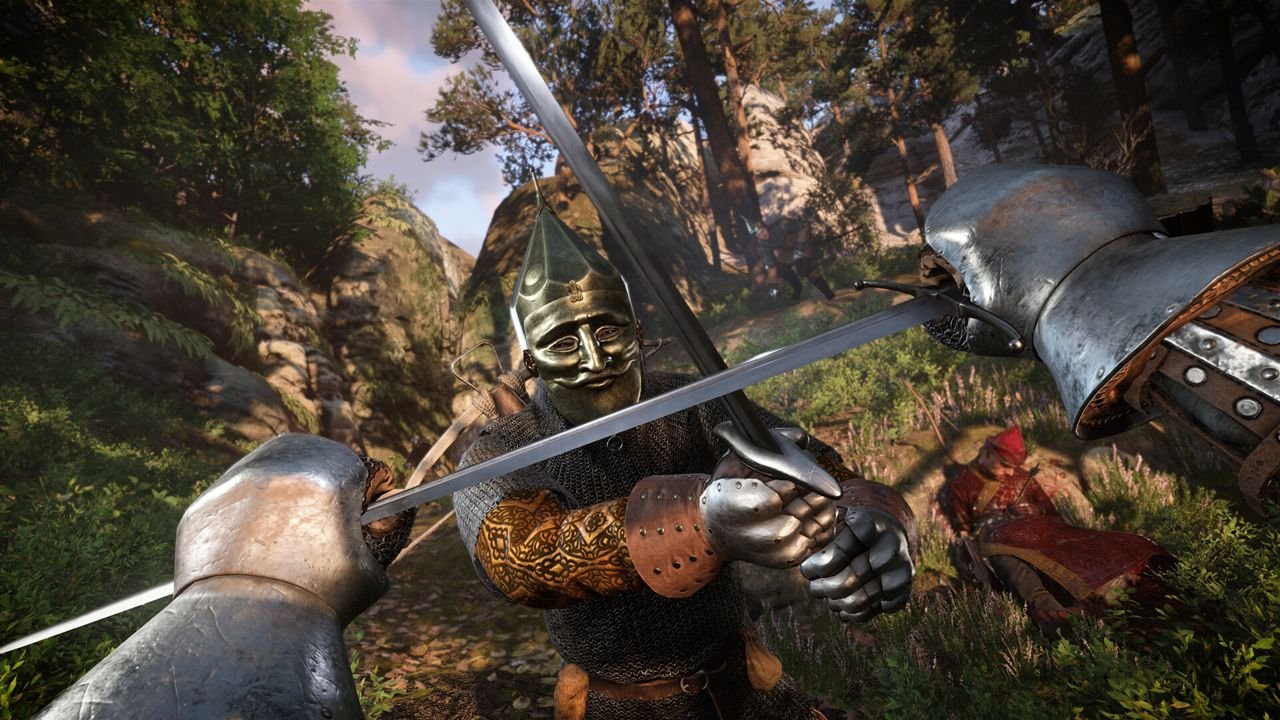
Screenshots and artwork are promotional images from the Kingdom Come: Deliverance II Steam store page and belong to Warhorse Studios and Deep Silver.
Facts come from the public Steam store page. We have not tested the game on every card, so frame rates on this page are modelled estimates.
Short answers to the most common questions about running Kingdom Come: Deliverance II on PC.
Steam lists Kingdom Come: Deliverance II with NVIDIA GeForce GTX 1060 (6GB), AMD Radeon RX 580 as the minimum graphics card and NVIDIA GeForce RTX 4070, AMD Radeon RX 7800 XT as the recommended one. The recommended processor is Intel Core i7-13700K, AMD Ryzen 7 7800X3D, and memory is 16 GB RAM at minimum and 32 GB RAM recommended. Storage needed is 100 GB available space.
Compare your graphics card with the table above, or enter your exact parts in our can my PC run it checker. In our estimates the first card to reach 60 FPS at 1080p on High settings is the RTX 3070.
In our estimates the RTX 3070 is the lowest card we tested that holds 60 FPS at 1080p on High settings, and the RTX 5060 Ti 16GB is the first desktop RTX 50 card to do so.
Our estimates put the RTX 4070 Super as the lowest card to reach 60 FPS at 1440p on High settings. The first desktop RTX 50 card to do it is the RTX 5070.
Our estimate is about 58 FPS at 1080p and 25 FPS at 1440p on High settings. It has 8 GB of VRAM, which is tight for this game at 1440p, so lowering texture quality or using upscaling helps.
Yes, in our estimates: about 64 FPS at 1440p on High settings, and about 96 FPS with Quality upscaling. Real results vary with drivers, the scene and your processor.
For 4K you want a high-end card with upscaling. In our estimates the RTX 5070 Ti is the first desktop RTX 50 card to reach 60 FPS at 4K on High with Quality upscaling.
We estimate about 8 GB at 1080p, 10.4 GB at 1440p and 14.4 GB at 4K on High settings. So 8GB is tight at 1080p and tight or short at 1440p. Treat it as a guide and leave some memory spare.
Our estimate is 8 GB at 1080p, 10.4 GB at 1440p and 14.4 GB at 4K on High settings. That is derived from the publisher recommended specs, so it is a guide rather than a measurement.
Steam recommends Intel Core i7-13700K, AMD Ryzen 7 7800X3D and lists Intel Core i5-8400, AMD Ryzen 5 2600 as the minimum. In our estimates Core i5-12400F, Ryzen 5 5600, Core i5-14600K, Ryzen 5 7600 and faster can keep a card fed above 60 FPS here.
Steam lists 16 GB RAM as the minimum and 32 GB RAM as recommended. With Windows and a browser or chat app open, the recommended amount is the safer choice.
Steam lists an SSD as required or strongly advised. Plan for 100 GB available space of free space.
In our estimates these laptop GPUs reach 60 FPS at 1080p on High settings at typical power limits: RTX 5080 Laptop, RTX 5090 Laptop. Laptop results depend on the power limit (TGP) and cooling.
Start on High, turn on the best upscaling mode available in the graphics menu, then lower the heaviest settings such as shadows and volumetric effects. The settings table above shows a starting point for several graphics cards.
Test your own GPU, CPU and settings
Get the best preset for your target FPS
See the memory it needs on your card
Compare every upscaling mode
Put up to three cards side by side
Find out if your CPU holds you back
Independent site. Not affiliated with or endorsed by Warhorse Studios, Deep Silver, Valve, NVIDIA, AMD or Intel. Game names, images and trademarks belong to their owners. Frame rates, VRAM and CPU figures are modelled estimates, not benchmarks.