
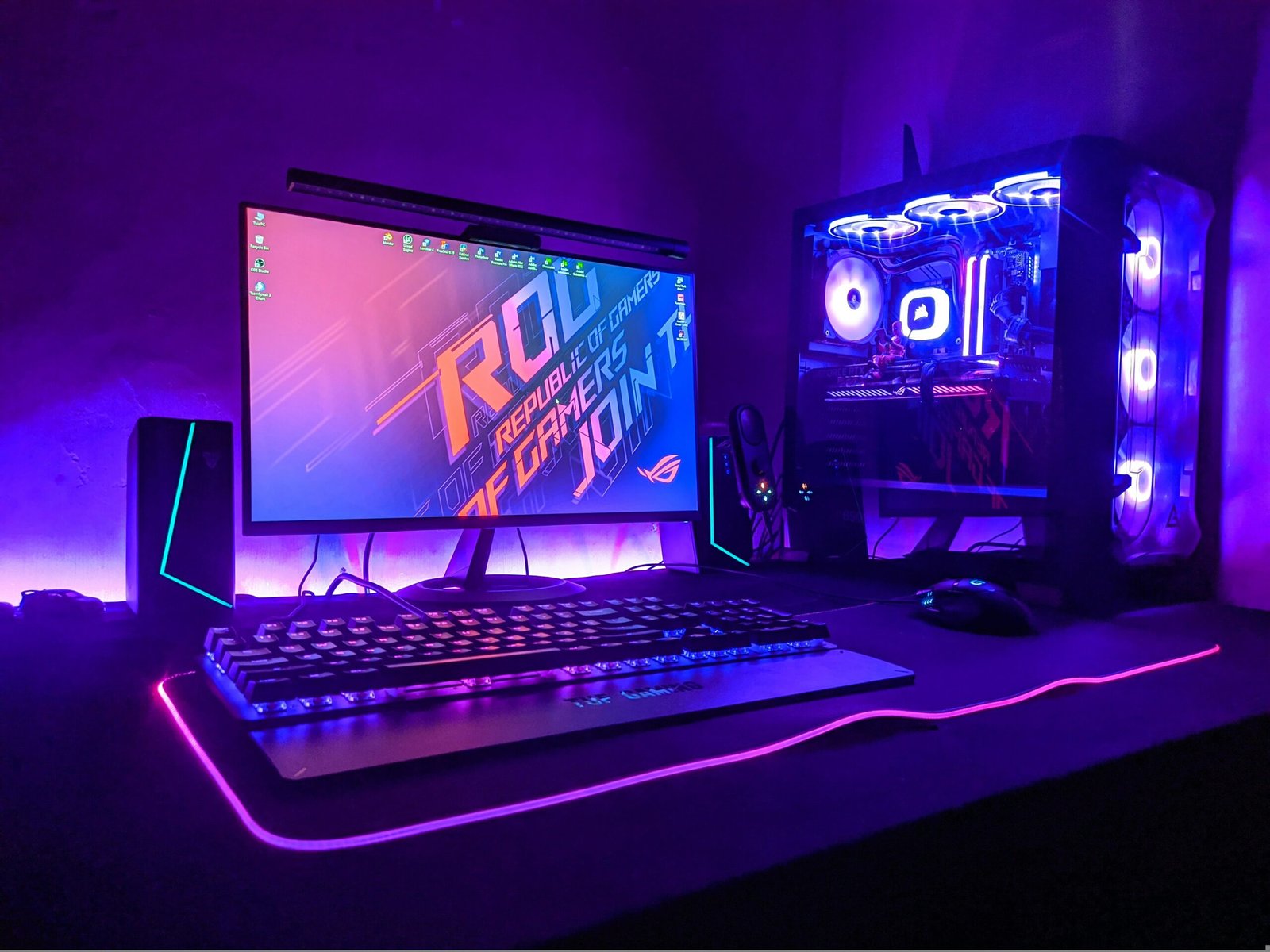
Why Build a Gaming PC Around the RTX 5050 in 2025
Building a gaming PC around the RTX 5050 in 2025 makes perfect sense for gamers who want next-gen features like DLSS 4, advanced ray tracing, and solid 1080p to 1440p performance without breaking the bank. Positioned as the entry card in NVIDIA’s RTX 50-series lineup, the RTX 5050 targets gamers who value efficiency, frame stability, and affordability.
While flagship GPUs such as the RTX 5080 and RX 9900 deliver monstrous 4K frame rates, the RTX 5050 focuses on the realistic needs of most UK players achieving high FPS at popular resolutions while consuming less power and requiring a smaller PSU. Early leaks and performance previews suggest that the RTX 5050 will comfortably outperform the older RTX 4060, bringing improved ray-tracing throughput, tensor core efficiency, and DLSS 4 frame generation to the mainstream.
In a typical £850–£900 gaming PC build, this GPU becomes the centrepiece offering an ideal blend of price, performance, and feature set for gamers who want to explore DLSS 4 and ray-traced lighting without spending flagship money. Whether you’re aiming for fluid 144 Hz esports sessions or cinematic horror titles like Alan Wake 2 and Silent Hill F, the RTX 5050 promises modern visuals and smooth frame delivery at a budget-friendly cost.
Moreover, the card’s low power draw and compact cooling make it perfect for mid-tower builds, small form-factor systems, or first-time builders who want an easy, efficient setup. For UK gamers concerned about rising energy costs, the RTX 5050 also offers excellent performance-per-watt, making it not only powerful but economical over time.
What “Under £900” Actually Gets You
When you plan a gaming PC build around the RTX 5050 for under £900, you’re entering the sweet spot where performance meets value. This budget is ideal for achieving 1080p Ultra or 1440p High gameplay with modern features such as DLSS 4, ray tracing, and lightning-fast load times all without sacrificing build quality or upgrade potential.
A sub-£900 budget typically includes a mid-tier CPU like the Ryzen 5 7600 or Intel i5-13400F, 16 GB of DDR5 memory, and a 1 TB NVMe SSD for smooth load speeds across titles like Fortnite, Cyberpunk 2077, and Alan Wake 2. Pairing these with a reliable 650–750 W PSU ensures headroom for efficiency and future GPU upgrades.
At this price point, builders can expect a machine capable of averaging 120–150 FPS at 1080p or 80–100 FPS at 1440p, depending on game optimisation and use of DLSS 4. Even with ray tracing on, the RTX 5050’s new-generation cores handle dynamic lighting and reflections smoothly, delivering excellent visual fidelity for horror, adventure, and shooter games alike.
It’s also important to note that in 2025, £900 stretches further than ever for gaming PCs. Modern entry-level motherboards (B650/B760) include PCIe Gen 5 and DDR5 support, giving builders a foundation that will last multiple upgrade cycles. Meanwhile, cases and coolers in this price bracket have improved airflow and acoustics — ideal for quieter gaming sessions or story-driven titles like Silent Hill F, where immersion matters as much as frame rate.
In short, “under £900” no longer means compromise. It means strategic balance allocating most of your budget toward the GPU and pairing it with components that won’t bottleneck your performance or limit future upgrades.
Core Build Components Breakdown
A successful RTX 5050 gaming PC build under £900 is all about choosing the right components that balance power, efficiency, and upgrade potential. Each part in the list below has been selected to make the most of NVIDIA’s latest DLSS 4 and ray-tracing capabilities, while ensuring your system stays cool, quiet, and future-ready for upcoming 2025 releases.
| Component | Recommended Option | Why It Fits |
|---|---|---|
| GPU | NVIDIA GeForce RTX 5050 | The centrepiece of this build — efficient Blackwell architecture, full DLSS 4 support, and advanced ray-tracing cores. Excellent for 1080p and strong 1440p gaming. |
| CPU | AMD Ryzen 5 7600 or Intel Core i5-13400F | Both CPUs deliver superb gaming performance without overspending. The Ryzen 5 offers PCIe 5.0 support and lower power draw; the Intel i5 has strong all-core performance for streaming or multitasking. |
| Motherboard | B650 (AM5) or B760 (LGA1700) | Midrange boards with DDR5 and M.2 slots for fast storage. They provide excellent stability and long-term compatibility for future upgrades. |
| RAM | 16 GB DDR5 (6000 MHz) | Dual-channel memory ensures smoother gameplay and reduced frame-time spikes. DDR5 future-proofs your setup for newer titles that demand more bandwidth. |
| Storage | 1 TB NVMe SSD (PCIe 4.0) | Fast load speeds for modern games and Windows 11. Ideal balance between size and performance — games like Cyberpunk 2077 can exceed 100 GB, so 1 TB ensures breathing room. |
| PSU | 650 W – 750 W 80+ Gold | Stable, efficient power delivery. A good PSU ensures clean performance and supports GPU upgrades like the RTX 5060 or RX 8800 XT later on. |
| Case | Airflow Mid-Tower (Fractal Pop Air / NZXT H5 Flow) | Designed for temperature control and quiet operation. Great airflow is vital to avoid thermal throttling during long gaming sessions. |
| Cooling | Stock Cooler or Budget Tower (DeepCool AK400 / Thermalright Assassin 120) | Keeps the CPU cool with minimal noise — important for horror or story-based gaming where silence enhances immersion. |
This build keeps focus on efficiency and harmony between parts, not overkill specs. By allocating the bulk of your budget to the GPU and CPU, you ensure high frame rates in the most demanding games, while components like the SSD and RAM maintain seamless responsiveness.
Additionally, most modern cases and PSUs now include native 12V-2×6 connectors for the RTX 50-series, simplifying cable management and ensuring full power compatibility. It’s a small but future-proofing detail worth considering during your build.
RTX 5050 Performance Expectations
When planning a gaming PC around the RTX 5050, understanding what kind of performance you can expect is key to setting realistic expectations. While this GPU sits in the budget-to-midrange segment of NVIDIA’s 50-series lineup, it still carries the DLSS 4 engine, 8 GB of GDDR6 VRAM, and new ray-tracing cores built on the efficient Blackwell architecture giving it the muscle to deliver smooth gameplay across 1080p and even 1440p resolutions.
In typical benchmarks across modern titles, the RTX 5050 is projected to perform slightly above the RTX 4060 and close to AMD’s RX 7600 XT, especially in ray-traced workloads where DLSS 4 can nearly double effective frame rates.
Here’s what performance might look like for a balanced £850–£900 build featuring the RTX 5050:
| Game Settings | Resolution | Expected FPS (Average) | Ray Tracing ON (DLSS 4 Quality) |
|---|---|---|---|
| 1080p – Ultra | 1920×1080 | 120–160 FPS | 95–120 FPS |
| 1440p – High | 2560×1440 | 85–110 FPS | 70–90 FPS |
| 4K – Medium | 3840×2160 | 60–70 FPS | 55–65 FPS |
These figures place the RTX 5050 as a true 1080p powerhouse and a capable 1440p performer ideal for players of fast-paced shooters, horror adventures, and cinematic single-player titles. Thanks to DLSS 4, the GPU can reconstruct ultra-sharp images while maintaining a near-native quality, offering higher performance without noticeable quality loss.
In addition, ray tracing — which was once reserved for high-end GPUs becomes genuinely playable here. Games like Alan Wake 2, Cyberpunk 2077, and Resident Evil 4 Remake will run with ray-traced lighting and reflections at smooth, consistent frame rates when DLSS is enabled.
Thermals and efficiency also shine in this class. With a TDP around 150–170 W, the RTX 5050 remains cool and quiet, perfect for compact or airflow-focused cases. It’s the kind of card that performs strongly without demanding massive power supplies or noisy fans — a crucial point for gamers who value immersion.
In short, the RTX 5050 gives you a taste of next-gen visuals — ray tracing, DLSS 4, and 1440p capability — all within a budget-friendly, energy-efficient package.
Suggested RTX 5050 Builds (Under £900)
To make the most of the RTX 5050, your supporting components must balance cost, performance, and upgrade flexibility. Below are two optimized build configurations — one tuned for value-focused gamers and another for balanced future-ready setups both staying under £900 (around $1000 equivalent).
Build A — Tight Budget (~£800 / $900)
This configuration focuses on maximum price-to-performance efficiency while maintaining solid thermals and gaming stability. Ideal for 1080p Ultra and 1440p High gameplay.
| Component | Model / Recommendation | Why It Fits |
|---|---|---|
| GPU | NVIDIA RTX 5050 | Excellent 1080p/1440p performer with DLSS 4 |
| CPU | AMD Ryzen 5 7600 | 6 cores, great gaming performance, efficient power draw |
| Motherboard | B650 Micro-ATX | Future-ready (DDR5, PCIe 5.0) without overspending |
| RAM | 16 GB DDR5 (2×8 GB, 6000 MHz) | Fast dual-channel kit for smooth multitasking |
| Storage | 1 TB NVMe Gen 4 SSD | Quick load times for modern titles |
| PSU | 650 W 80+ Gold | Efficient, reliable power delivery |
| Case | Airflow-focused mid-tower | Keeps GPU/CPU temps under control |
| Cooling | Stock cooler or budget tower | Quiet operation, minimal cost |
Expected performance: Around 130–150 FPS at 1080p Ultra or 85–100 FPS at 1440p High in most modern games. Ray tracing on with DLSS Quality gives around 70–90 FPS in AAA titles.
Build B — Balanced Setup (~£900 / $1000)
This build leans into future-proofing and smoother multitasking, ideal for gamers who plan to stream, mod, or play AAA titles at higher resolutions.
| Component | Model / Recommendation | Why It Fits |
|---|---|---|
| GPU | NVIDIA RTX 5050 | Core component — great RT & DLSS 4 features |
| CPU | Intel Core i5-13600KF | 14-core hybrid design for gaming + productivity |
| Motherboard | B760 ATX | Excellent VRM quality and DDR5 support |
| RAM | 32 GB DDR5 (2×16 GB, 6000 MHz) | Ready for next-gen multitasking and heavy titles |
| Storage | 1 TB NVMe Gen 4 SSD | Ultra-fast load times |
| PSU | 750 W 80+ Gold | Headroom for upgrades |
| Case | Mid-tower with mesh panels | Keeps system cool and silent |
| Cooling | 120 mm tower cooler | Better thermals and noise control |
Expected performance: Roughly 140–160 FPS at 1080p High, 90–110 FPS at 1440p Ultra, and 60 FPS+ at 4K Medium with DLSS 4 enabled.
Quick Summary
- Build A suits players who want a clean, affordable setup with no wasted spending.
- Build B gives room to grow — ideal for gamers who’ll upgrade CPU or GPU in the next 2–3 years.
Both builds showcase how the RTX 5050 delivers next-gen visuals without breaking the £900 ceiling — proof that 2025’s budget gaming can still look and feel premium.
Compatibility & Assembly Checklist (RTX 5050 Build)
Before you begin assembling your RTX 5050 gaming PC, double-check every component for compatibility and stability. A well-matched build not only ensures smoother gaming but also prevents expensive mistakes during setup. Here’s your complete checklist for a hassle-free build:
CPU & Motherboard Compatibility
- AMD Builds: If you’ve chosen a Ryzen 5 7600, ensure your B650 motherboard supports AM5 socket. Most boards will ship BIOS-ready for Ryzen 7000 CPUs, but always confirm on the retailer’s page or manufacturer’s site.
- Intel Builds: For Intel i5-13400F / i5-13600KF, pick a B760 motherboard with an LGA1700 socket. BIOS updates are rarely required for 13th/14th Gen CPUs, but check release notes to be safe.
💡 Tip: A mismatched CPU and socket is the #1 beginner mistake — verify this before buying any parts.
Power Supply & GPU Connectors
- RTX 5050 uses a standard 8-pin or new 12V-2×6 connector (depending on model).
- Your PSU should be 650–750 W, 80+ Gold rated to ensure efficient power delivery and silent operation.
- Modular PSUs help with cable management and airflow — worth the few extra pounds.
💡 Tip: Avoid cheap PSUs — power instability can damage the GPU or cause crashes mid-game.
Case Fit & Airflow
- Measure GPU clearance: most RTX 5050 cards will be around 260–280 mm long.
- Choose an airflow-optimised mid-tower case (mesh front panel preferred).
- Ensure room for cable routing behind the motherboard tray — at least 20 mm clearance for tidy builds.
💡 Tip: Good airflow = better thermals + quieter operation — crucial for long gaming sessions.
Cooling & Thermal Management
- Stock coolers are fine for Ryzen 5 or i5 chips, but if you plan extended gaming or overclocking, invest in a 120 mm tower cooler or AIO liquid cooler.
- Apply thermal paste correctly — a pea-sized amount at the centre of the CPU is sufficient.
- Position your case fans to create front-to-back airflow (intake at front, exhaust at rear/top).
Tip: Keep CPU temps under 80°C and GPU temps below 75°C for optimal lifespan and performance.
BIOS, RAM & Storage Setup
- Use dual-channel RAM (two sticks) for better performance — check motherboard manual for correct slots.
- Update your BIOS after first boot if your system feels unstable.
- Ensure NVMe SSD is in the primary M.2 slot (usually labelled M.2_1) for full Gen 4 speed.
Tip: Enable XMP (Intel) or EXPO (AMD) in BIOS to get full RAM speed — it’s off by default.
Assembly & Cable Management
- Assemble on a clean, static-free surface — avoid carpets.
- Connect front panel headers carefully (refer to motherboard diagram).
- Route cables behind the motherboard tray to keep airflow smooth and your build looking neat.
- Use Velcro ties or zip ties for extra tidiness.
Tip: Don’t overtighten screws — just snug is enough.
Pre-Boot & Driver Setup
- Before installing Windows, check all fans spin, lights power on, and system reaches BIOS.
- After Windows installation, install the latest NVIDIA drivers for RTX 5050 and chipset drivers from your motherboard’s site.
- Update GPU drivers regularly for DLSS 4, ray tracing, and performance optimisations.
Tip: Create a System Restore Point after your first stable setup — saves time if a future driver causes instability.
Compatibility Wrap-Up
Building an RTX 5050 system under £900 is easy if you verify your socket, power, and clearance before buying. Take your time with cable management and cooling — a quiet, efficient setup enhances immersion and keeps your budget rig running like a premium build.
Which RTX 5050 Build Is Right for You?
Choosing the right RTX 5050 setup depends on your gaming goals, monitor resolution, and upgrade plans. Whether you’re chasing esports-level FPS, cinematic visuals, or a quiet all-day gaming rig, this guide helps you pick the best configuration for your budget — all under £900.
Esports & 1080p Gamers The Budget Build Champion
If you mainly play Fortnite, Valorant, Apex Legends, or Counter-Strike 2, the budget RTX 5050 build is the sweet spot. It delivers 144–200 FPS in competitive titles at 1080p High, while keeping total cost around £800.
💡 Recommended Setup:
- CPU: Ryzen 5 7600 or Intel i5-13400F
- Motherboard: B650 / B760
- RAM: 16 GB DDR5 (5600 MHz)
- GPU: RTX 5050 (8 GB)
- Storage: 1 TB NVMe SSD
- PSU: 650 W 80+ Gold
- Case: Mesh mid-tower
💬 Why it fits: This combo balances price and performance, keeping frame times smooth and temperatures low. The RTX 5050’s DLSS 4 lets you crank visuals up without breaking your FPS targets.
AAA & Story-Driven Gamers The Balanced 1440p Build
If your evenings are spent in cinematic worlds like Cyberpunk 2077, Alan Wake 2, or Hogwarts Legacy, this build is ideal. You’ll enjoy 70–100 FPS at 1440p High with ray tracing toggled on and DLSS 4 helping sustain smooth visuals.
Recommended Setup:
- CPU: Intel i5-13600KF or Ryzen 5 7600X
- Motherboard: B760 / B650
- RAM: 32 GB DDR5 (6000 MHz)
- GPU: RTX 5050
- Storage: 1 TB Gen 4 NVMe SSD
- PSU: 750 W 80+ Gold
- Cooling: 120 mm tower cooler or small AIO
Why it fits: The stronger CPU helps maintain 1% lows in heavier games, and the 32 GB of RAM prevents stutters when multitasking or running detailed open-world environments.
Future Upgraders — The Smart Long-Term Build
If you’re building now but planning to upgrade to an RTX 5060 or 5070 later, this setup prioritises platform longevity. It uses high-end components where it matters — motherboard, PSU, and RAM — while keeping total spend near £900.
Recommended Setup:
- CPU: Ryzen 5 7600 (AM5 platform = upgrade path ready)
- Motherboard: B650 with BIOS Flashback
- RAM: 32 GB DDR5 (EXPO enabled)
- GPU: RTX 5050
- PSU: 750 W Gold Modular
- Case: High-airflow chassis with space for future GPUs
💬 Why it fits: AM5 will support multiple future Ryzen generations, meaning your next upgrade could be as simple as dropping in a new CPU or GPU. The RTX 5050 gives great short-term performance without limiting your next move.
Summary — Pick Your Path
| Gamer Type | Recommended Build | Performance Target | Price (Approx.) |
|---|---|---|---|
| Esports / 1080p | Budget Build | 144–200 FPS | £800 |
| AAA / 1440p | Balanced Build | 70–100 FPS | £900 |
| Future Upgrader | Smart Build | 80–120 FPS (scalable) | £850–£900 |
If you’re chasing maximum frames for every pound, go for the Budget RTX 5050 Build — efficient, quiet, and esports-ready.
If you crave cinematic 1440p immersion, the Balanced Build gives you more visual headroom and upgrade comfort.
And if you’re thinking ahead, the Future-Proof Build keeps your platform ready for the next few GPU cycles — a smart move in 2025’s fast-evolving PC landscape.
UK Buying Tips for Your RTX 5050 Build (2025 Edition)
Building a budget-friendly RTX 5050 gaming PC under £900 in the UK isn’t just about picking parts — it’s about where and how you buy them. Prices, VAT, and warranty conditions can vary significantly between UK retailers. Here’s how to maximise every pound (£) of your build budget while ensuring long-term reliability and value.
Compare Prices Across Trusted UK Retailers
Don’t settle for the first listing — UK hardware pricing fluctuates weekly. Always cross-check these top retailers:
- Scan.co.uk – Great for bundle deals (CPU + motherboard) and 3-year warranties.
- Overclockers UK – Known for RTX 50-series availability and build bundles.
- Ebuyer & Box.co.uk – Often offer flash sales on storage and PSUs.
- Amazon UK – Convenient for next-day delivery, but always verify the seller is Amazon or an authorised reseller.
💡 Pro Tip: Use PCPartPicker (UK Region) to track total cost, power draw, and compatibility before checkout.
Look for Bundle & Combo Deals
UK retailers often run CPU + Motherboard combo offers, especially on AMD platforms.
Example: Ryzen 5 7600 + B650 board bundle might save £40–£60 versus separate purchases — enough to upgrade your SSD or cooling.
Also watch for:
- RAM + SSD bundles (Corsair, Crucial, or Kingston kits)
- RTX 5050 + PSU deals — some pre-order bundles include 80+ Gold units at a discount
💬 Why this matters: Every saved pound can go into a better case or quieter cooling — improving both performance and immersion.
Choose a Reliable PSU & Cooling Solution
UK homes often deal with varying power quality, so don’t skimp here. Pick a Gold-rated modular PSU (Corsair, Seasonic, be quiet!, Fractal) with at least 650–750 W and 12V-2×6 connector support for RTX 50 GPUs.
For cooling:
- Budget air coolers like DeepCool AK400 or Thermalright Peerless Assassin 120 keep temps quiet.
- Avoid cheap cases with poor airflow — choose ones with mesh fronts like Fractal Pop Air or NZXT H5 Flow.
💡 Noise Tip: In horror or story-driven games, quiet cooling makes a big difference to immersion.
Reuse & Upgrade Smartly
You don’t always need to start from scratch.
If you already have:
- A quality PSU (650 W+) → reuse it.
- A case with 360 mm GPU clearance → keep it.
- A recent NVMe SSD → use it as secondary storage.
This could easily shave £100–£150 off your total build cost — money you can redirect into RAM or GPU headroom.
Don’t Forget Driver & BIOS Updates
When assembling your RTX 5050 build:
- Download latest NVIDIA drivers optimised for DLSS 4 titles.
- Update motherboard BIOS (especially B650/B760 boards) for CPU stability.
- Keep Windows 11 tuned for Hardware Accelerated GPU Scheduling (HAGS) — improves frame pacing in ray-traced titles.
💬 Why it matters: Proper driver setup can add 5–10% extra performance without spending an extra pound.
Timing Your Purchase — The Smart Way
For the best value:
- Buy mid-week (Tue–Thu) – price drops are most common.
- Watch for Boxing Day / Amazon Prime sales – ideal for RAM, SSD, and PSU upgrades.
- Pre-order RTX 5050 from reputable UK retailers – early adopters often get bundle bonuses or launch discounts.
Final Thought:
Building your RTX 5050 rig in the UK doesn’t need to exceed your £900 ceiling if you buy smart. Use bundle offers, check power efficiency, and prioritise airflow and acoustics. Each decision adds up to not just better FPS, but a smoother, quieter gaming experience you’ll love every night.
The RTX 5050 combines DLSS 4, ray-tracing support, and efficient power draw, making it ideal for affordable builds that still deliver next-gen visuals. It offers near RTX 4060-level performance while costing significantly less, giving you more FPS per pound spent.
Yes the RTX 5050 comfortably runs most modern titles at 1080p Ultra and 1440p High settings. With DLSS 4 enabled, it can push frame rates beyond 100 fps in well-optimised games, offering smooth visuals without frame drops.
Absolutely. DLSS 4 uses advanced frame generation and AI upscaling to multiply effective frame rates while maintaining crisp detail. It’s one of the biggest advantages NVIDIA holds over similarly priced AMD cards — perfect for maximising smoothness in fast-paced or cinematic titles.
A 650 W 80+ Gold PSU is sufficient for most RTX 5050 systems, ensuring stable power delivery and quiet operation. If you plan on future upgrades (like a more powerful CPU or GPU), a 750 W unit adds extra headroom for only a few extra pounds.
Both platforms work well. The Ryzen 5 7600 offers excellent gaming efficiency and AM5 upgrade potential, while Intel’s i5-13400F or i5-13600KF gives slightly stronger multicore performance. Choose whichever combo offers better value in UK bundles.
The RTX 5050 is expected to feature 8 GB of GDDR6 VRAM, which is ideal for 1080p gaming and acceptable for most 1440p titles. Combined with DLSS 4, it handles texture-heavy scenes smoothly — though 12 GB+ GPUs will still lead in 4K workloads.
In rasterised performance, both are quite close, but the RTX 5050 leads in ray-tracing and DLSS performance. AMD’s RX 7600 might edge it slightly in non-RT titles, but NVIDIA’s AI and frame generation features make the RTX 5050 the more balanced and future-proof option overall.
Definitely. Modern PC parts are plug-and-play friendly, with labelled connectors and excellent online support. As long as you follow a build guide and handle components carefully, assembling an RTX 5050 rig is straightforward — a great first build for 2025.
At least 3–5 years for 1080p and 1440p gaming. With DLSS 4 and ray-tracing hardware onboard, it’ll handle upcoming titles well into the next generation — especially if paired with a modern CPU and fast DDR5 memory.
