Can my PC run it?
Test your own GPU, CPU and settings for this game
Looking at LEGO Batman: Legacy of the Dark Knight, an Action/Adventure release from TT Games. We work through the official specs, estimate frame rates on 28 GPUs, size up the VRAM and processor needs and suggest settings and laptop options.

Where it lands among 937 modelled titles, and how that plays out for entry, mid-range and high-end cards.
With a demand score of 38, LEGO Batman: Legacy of the Dark Knight asks more of a GPU than 93% of the 937 games in our list. We call that demanding.
We take the recommended GPU Steam names (RTX 2070 SUPER) and translate it into a 1080p High demand figure. The result ranks games well, but individual frame rates will vary.
Processor demand is rated separately: LEGO Batman: Legacy of the Dark Knight scores 50 on our CPU scale, higher than 97% of the games we model.
The official specs for LEGO Batman: Legacy of the Dark Knight, compared with real GPUs and processors.
Published by the developer on Steam and subject to change with patches.
At the bottom end, Steam gives GTX 960. That card manages roughly 31 FPS at 1080p on Low in our estimates, falling to close to 17 FPS on High.
At the recommended level Steam lists RTX 2070 SUPER. We estimate 94 FPS at 1080p and 61 FPS at 1440p on High. That is above 60 FPS at 1080p, so the recommended spec reads as a comfortable 1080p target.
On the CPU side the recommended entry is Intel Core i7-12700, which our model rates at roughly 100 FPS of frame preparation for LEGO Batman: Legacy of the Dark Knight.
You will need 16 GB RAM of RAM at minimum or 16 GB RAM to match the recommended spec, plus 50 GB available space on your drive.
From a 30 FPS floor to 4K, here is the card each target asks for in LEGO Batman: Legacy of the Dark Knight.
| Target | Lowest card tested | First RTX 50 card | Also reaches it |
|---|---|---|---|
| Playable, 30 FPS at 1080p Low | GTX 1060 6GB | RTX 5050 | GTX 1660 Super, RTX 2060, RX 6600 |
| 1080p 60 FPS, Medium | GTX 1660 Super | RTX 5050 | RTX 2060, RX 6600, RTX 3060 12GB |
| 1080p 60 FPS, High | RX 6600 | RTX 5050 | RTX 3060 12GB, RX 7600, RTX 5050 |
| 1440p 60 FPS, High | Arc B580 | RTX 5060 | RTX 5060, RTX 4060 Ti 8GB, RTX 3070 |
| 1440p 100 FPS, High | RX 7800 XT | RTX 5070 | RTX 4070 Super, RTX 5070, RX 9070 |
| 4K 60 FPS, High with upscaling | RTX 5060 Ti 16GB | RTX 5060 Ti 16GB | RX 7700 XT, RTX 4070, RTX 3080 10GB |
| 4K 60 FPS, Ultra with upscaling | RX 7800 XT | RTX 5070 | RTX 4070 Super, RTX 5070, RX 9070 |
The lowest card we tested that holds 60 FPS at 1080p on High is the RX 6600, and the first desktop RTX 50 card to do it is the RTX 5050.
Moving up to 1440p, the Arc B580 is the lowest card that holds 60 FPS on High, and the RTX 5060 is the first RTX 50 option.
For 4K, upscaling does most of the work: with Quality upscaling the RTX 5060 Ti 16GB is the first RTX 50 card to reach 60 FPS on High.
The table covers NVIDIA, AMD and Intel cards. Add your own processor, memory and settings in the can my PC run it checker or look for a CPU bottleneck with the bottleneck checker.
Projected frame rates for 28 GPUs from NVIDIA, AMD and Intel. Pick a resolution to redraw the bars.
Top to bottom, the RTX 5090 averages about 162 FPS at 1440p (137 FPS at 4K) against 48 FPS for the RTX 5050 at 1440p. Where you land depends on the card and resolution you choose.
| Graphics card | 1080p | 1440p | 4K | 1440p upscaled | 4K upscaled |
|---|---|---|---|---|---|
| RTX 5090 32 GB | 162 | 162 | 137 | 162 | 162 |
| RTX 4090 24 GB | 162 | 162 | 105 | 162 | 158 |
| RTX 5080 16 GB | 162 | 150 | 86 | 162 | 129 |
| RX 7900 XTX 24 GB | 162 | 147 | 84 | 162 | 126 |
| RTX 4080 Super 16 GB | 162 | 141 | 81 | 162 | 122 |
| RTX 5070 Ti 16 GB | 162 | 128 | 74 | 162 | 111 |
| RX 9070 XT 16 GB | 162 | 128 | 74 | 162 | 111 |
| RTX 4070 Ti Super 16 GB | 162 | 121 | 69 | 162 | 104 |
| RX 9070 16 GB | 162 | 114 | 65 | 162 | 98 |
| RTX 5070 12 GB | 162 | 110 | 63 | 162 | 95 |
| RTX 4070 Super 12 GB | 162 | 105 | 60 | 157 | 90 |
| RX 7800 XT 16 GB | 156 | 101 | 58 | 151 | 87 |
| RTX 3080 10GB 10 GB | 142 | 92 | 53 | 138 | 79 |
| RTX 4070 12 GB | 136 | 88 | 51 | 132 | 76 |
| RX 7700 XT 12 GB | 131 | 84 | 48 | 127 | 73 |
| RTX 5060 Ti 16GB 16 GB | 119 | 77 | 44 | 116 | 66 |
| RTX 3070 8 GB | 108 | 70 | 34 | 105 | 54 |
| RTX 4060 Ti 8GB 8 GB | 102 | 66 | 32 | 99 | 51 |
| RTX 5060 8 GB | 99 | 64 | 31 | 96 | 50 |
| Arc B580 12 GB | 94 | 61 | 35 | 91 | 52 |
| RTX 4060 8 GB | 85 | 55 | 26 | 83 | 43 |
| RTX 5050 8 GB | 74 | 48 | 23 | 72 | 37 |
| RX 7600 8 GB | 74 | 48 | 23 | 72 | 37 |
| RTX 3060 12GB 12 GB | 68 | 44 | 25 | 66 | 38 |
| RX 6600 8 GB | 63 | 40 | 19 | 61 | 31 |
| RTX 2060 6 GB | 57 | 33 | 11 | 53 | 19 |
| GTX 1660 Super 6 GB | 48 | 28 | 10 | 45 | 16 |
| GTX 1060 6GB 6 GB | 31 | 18 | 6 | 29 | 10 |
These estimates use the High preset with a fast processor. The last two columns use Quality DLSS, FSR or XeSS-style upscaling (DLSS, FSR or XeSS, if the game offers it). Anything over 360 FPS is capped at 360+ for display. Put two cards side by side in the GPU comparison tool.
Twelve popular cards, with a plain-English verdict for each.
| Graphics card | 1080p | 1440p | 4K | Verdict |
|---|---|---|---|---|
| GTX 1060 6GB | 31 | 18 | 6 | Best kept to Low settings, with about 31 FPS at 1080p on High. |
| RTX 2060 | 57 | 33 | 11 | Around 57 FPS at 1080p on High, so lower a few settings for 60 FPS. |
| RTX 3060 12GB | 68 | 44 | 25 | Native 1440p gives 44 FPS, and Quality upscaling brings it to about 66 FPS. |
| RTX 4060 | 85 | 55 | 26 | Best at 1440p with upscaling: 83 FPS against 55 FPS natively. |
| RTX 5060 | 99 | 64 | 31 | Handles 1440p at about 64 FPS, with 4K out of reach natively (31 FPS). |
| RTX 5060 Ti 16GB | 119 | 77 | 44 | Treat 4K as an upscaling job: 44 FPS native, 66 FPS upscaled. |
| RTX 5070 | 162 | 110 | 63 | Native 4K works here at about 63 FPS, with no upscaling needed. |
| RX 7800 XT | 156 | 101 | 58 | Treat 4K as an upscaling job: 58 FPS native, 87 FPS upscaled. |
| RTX 5070 Ti | 162 | 128 | 74 | Native 4K works here at about 74 FPS, with no upscaling needed. |
| RTX 5080 | 162 | 150 | 86 | Comfortable at 4K on High, around 86 FPS before any upscaling. |
| RTX 4090 | 162 | 162 | 105 | Reaches 105 FPS at 4K on High, so native 4K is realistic. |
| RTX 5090 | 162 | 162 | 137 | Holds roughly 137 FPS at 4K, so resolution is not the limit. |
Think of the verdict column as a starting point. It judges every card on High settings, so a modest result can often be improved by dropping one preset or using upscaling.
The step from an RTX 5060 (64 FPS at 1440p) to an RTX 5070 (110 FPS) is close to 71% in our model, a useful yardstick when choosing between the two.
Settings that hold 60 FPS at 1080p, 1440p and 4K, worked out for this game.
At 1080p, RTX 3060 12GB, RTX 4060, RTX 5060 hold 60 FPS natively on High in our model, so you can leave upscaling off and spend the headroom on settings.
Pick your card in the table for the preset and DLSS, FSR or XeSS-style upscaling mode that keep 1080p above 60 FPS.
| Card | Best preset | Upscaling | Est. FPS |
|---|---|---|---|
| GTX 1660 Super | Ultra | Balanced upscaling | 65 |
| RTX 3060 12GB | Ultra | Quality upscaling | 79 |
| RTX 4060 | Ultra | Native | 66 |
| RTX 5060 | Ultra | Native | 77 |
1440p is straightforward on RTX 5060, RTX 5070, RTX 5070 Ti, which hold 60 FPS on High natively here, so you only need DLSS, FSR or XeSS-style upscaling for extra smoothness.
Start from the preset that still manages 60 FPS, then raise one setting at a time. The table gives the best preset for each card.
| Card | Best preset | Upscaling | Est. FPS |
|---|---|---|---|
| RTX 4060 | Ultra | Quality upscaling | 63 |
| RTX 5060 | Ultra | Quality upscaling | 74 |
| RTX 5070 | Ultra | Native | 85 |
| RTX 5070 Ti | Ultra | Native | 99 |
At 4K, RTX 5070 Ti, RTX 4080 Super, RTX 5080 hold 60 FPS natively on High in our model, so you can leave upscaling off and spend the headroom on settings.
Pick your card in the table for the preset and DLSS, FSR or XeSS-style upscaling mode that keep 4K above 60 FPS.
| Card | Best preset | Upscaling | Est. FPS |
|---|---|---|---|
| RTX 5070 Ti | Ultra | Quality upscaling | 85 |
| RTX 4080 Super | Ultra | Native | 62 |
| RTX 5080 | Ultra | Native | 66 |
| RTX 5090 | Ultra | Native | 105 |
What each step up the RTX 50 range adds at 1440p on High settings.
| Step | Before (1440p FPS) | After (1440p FPS) | Gain |
|---|---|---|---|
| RTX 5050 to RTX 5060 | 48 | 64 | +35% |
| RTX 5060 to RTX 5060 Ti 16GB | 64 | 77 | +20% |
| RTX 5060 Ti 16GB to RTX 5070 | 77 | 110 | +43% |
| RTX 5070 to RTX 5070 Ti | 110 | 128 | +17% |
| RTX 5070 Ti to RTX 5080 | 128 | 150 | +17% |
| RTX 5080 to RTX 5090 | 150 | 162 | +8% |
Our model finds the best value step at RTX 5060 Ti 16GB to RTX 5070, about 43% faster at 1440p, and the weakest at RTX 5080 to RTX 5090, close to 8%.
Each step costs more than the last, so weigh the percentage against the price. The gain in LEGO Batman: Legacy of the Dark Knight usually shrinks as you climb, which is typical of GPUs.
Compare options directly in the upgrade value calculator or the GPU price to performance calculator.
What the game is likely to want from graphics memory on High. Too little VRAM hurts smoothness whatever the GPU speed.
| Your VRAM | 1080p Low | 1080p High | 1440p High | 4K High |
|---|---|---|---|---|
| 6 GB | Fine | Fine | Not enough | Not enough |
| 8 GB | Fine | Fine | Fine | Not enough |
| 12 GB | Fine | Fine | Fine | Fine |
| 16 GB | Fine | Fine | Fine | Fine |
| 24 GB | Fine | Fine | Fine | Fine |
Expect roughly 5 GB of VRAM at 1080p, 6.5 GB at 1440p and 9.0 GB at 4K on High. Remember that this is an estimate derived from the recommended GPU.
Texture settings have the biggest effect on VRAM. In our model Medium textures cut 1440p use from 6.5 GB to about 5.5 GB.
Run your own numbers in the VRAM calculator and see how much VRAM you need for gaming.
How much frame rate each processor can prepare in this game.
| Processor | Max FPS it can feed | Good for 100+ FPS? |
|---|---|---|
| Ryzen 7 9800X3D | 186 | Yes |
| Ryzen 7 7800X3D | 162 | Yes |
| Core i7-14700K | 139 | Yes |
| Core i5-14600K | 126 | Yes |
| Ryzen 5 7600 | 120 | Yes |
| Ryzen 5 5600 | 94 | Mostly |
| Core i5-12400F | 89 | Mostly |
| Ryzen 5 3600 | 68 | Mostly |
| Core i3-12100F | 68 | Mostly |
Steam names Intel Core i5-10600K as the minimum processor and Intel Core i7-12700 as the recommended one. The table shows the most frames each chip can prepare in our model, regardless of graphics settings.
This is a CPU-leaning game by our measure (ahead of 97% of the 937 we model), so do not skimp on the processor when you upgrade the GPU.
As a reference, a Core i5-12400F can prepare close to 89 FPS here in our model. If your graphics card can draw more than that, you will be CPU-limited.
Test your own pairing in the bottleneck checker and read system bottlenecks guide.
Seven real CPU and GPU combinations, and which part limits each one.
| Build | 1080p | 1440p | Limited by (1440p) |
|---|---|---|---|
| RTX 4060 with Core i3-12100F | 68 | 55 | Graphics card |
| RTX 5060 with Ryzen 5 5600 | 94 | 64 | Graphics card |
| RTX 5060 Ti 16GB with Core i5-12400F | 89 | 77 | Graphics card |
| RTX 5070 with Ryzen 5 7600 | 120 | 110 | Graphics card |
| RTX 5070 Ti with Core i5-14600K | 126 | 126 | Graphics card |
| RTX 5080 with Ryzen 7 7800X3D | 162 | 150 | Graphics card |
| RTX 5090 with Ryzen 7 9800X3D | 186 | 186 | Processor |
In 1 of the seven builds the processor, not the graphics card, sets the 1440p frame rate in LEGO Batman: Legacy of the Dark Knight. The first is the RTX 5090 with Ryzen 7 9800X3D, which the CPU holds near 186 FPS while the card could draw about 238.
The best-balanced pairing is the RTX 5070 Ti with Core i5-14600K: its processor ceiling (about 126 FPS) sits close to what the card can draw (close to 128 FPS) at 1440p, so neither part is wasted.
None of these is a shopping list. They show how the balance shifts as you move up the range, and the bottleneck checker lets you try your own pair.
The memory and storage Steam asks for, and how to read it.
For RAM, expect 16 GB RAM at minimum and 16 GB RAM recommended. Allow for the operating system and background apps, which means 16 GB is a sensible floor.
On disk, plan for about 50 GB free. At 100 Mbps with typical overhead that is roughly 1 h 18 min to download, or close to 16 min at 500 Mbps.
On drives: Steam does not insist on an SSD, though one will shorten loads.
Work out your total in the RAM calculator, which counts Windows, background apps and streaming on top of the game. Estimate the wait with the download time calculator.
Where to begin for a handful of common cards. Cells list the highest-quality preset that keeps 60 FPS.
| Graphics card | 1080p at 60 FPS | 1440p at 60 FPS | 4K at 60 FPS |
|---|---|---|---|
| RTX 3060 12GB | UltraQuality upscaling, ~79 FPS | HighQuality upscaling, ~66 FPS | LowQuality upscaling, ~69 FPS |
| RTX 4060 | Ultranative, ~66 FPS | UltraQuality upscaling, ~63 FPS | MediumQuality upscaling, ~63 FPS |
| RTX 5060 | Ultranative, ~77 FPS | UltraQuality upscaling, ~74 FPS | MediumQuality upscaling, ~74 FPS |
| RTX 5070 | Ultranative, ~131 FPS | Ultranative, ~85 FPS | UltraQuality upscaling, ~73 FPS |
| RTX 5070 Ti | Ultranative, ~153 FPS | Ultranative, ~99 FPS | UltraQuality upscaling, ~85 FPS |
| RX 7800 XT | Ultranative, ~120 FPS | Ultranative, ~78 FPS | UltraQuality upscaling, ~67 FPS |
Read each cell as a recommended starting point for LEGO Batman: Legacy of the Dark Knight: the preset first, then the DLSS, FSR or XeSS-style upscaling mode and the estimated result.
An upscaler is assumed throughout; confirm the game has one in its graphics options. For advice matched to your own PC, use the best settings generator and compare DLSS, FSR or XeSS-style upscaling modes in the DLSS and frame generation estimator.
Estimated FPS on RTX 50 laptop GPUs at typical power limits.
| Laptop GPU | Typical power | 1080p High | 1440p High |
|---|---|---|---|
| RTX 5050 Laptop 8 GB | 70 W | 51 | 33 |
| RTX 5060 Laptop 8 GB | 80 W | 72 | 46 |
| RTX 5070 Laptop 8 GB | 85 W | 82 | 53 |
| RTX 5070 Ti Laptop 12 GB | 100 W | 103 | 66 |
| RTX 5080 Laptop 16 GB | 115 W | 131 | 85 |
| RTX 5090 Laptop 24 GB | 125 W | 162 | 110 |
Among RTX 50 laptop GPUs, RTX 5060 Laptop, RTX 5070 Laptop, RTX 5070 Ti Laptop, RTX 5080 Laptop, RTX 5090 Laptop clear 60 FPS at 1080p on High at typical wattage, with RTX 5070 Ti Laptop, RTX 5080 Laptop, RTX 5090 Laptop also holding 60 FPS at 1440p.
Laptop GPUs lose performance at lower power limits (TGP), and thin designs often cannot sustain them. Check the exact wattage of the model you are buying.
Try different wattages in the laptop TGP estimator.
General guidance for this kind of game, chosen from the Steam genres and features.
These are general tips for demanding games of this type, not claims about how LEGO Batman: Legacy of the Dark Knight itself is built. Use them as a prompt for what to test.
These promotional screenshots from the Steam page give a feel for the look you are paying for in graphics terms. Use them to judge how much detail the game shows before you tune your settings.
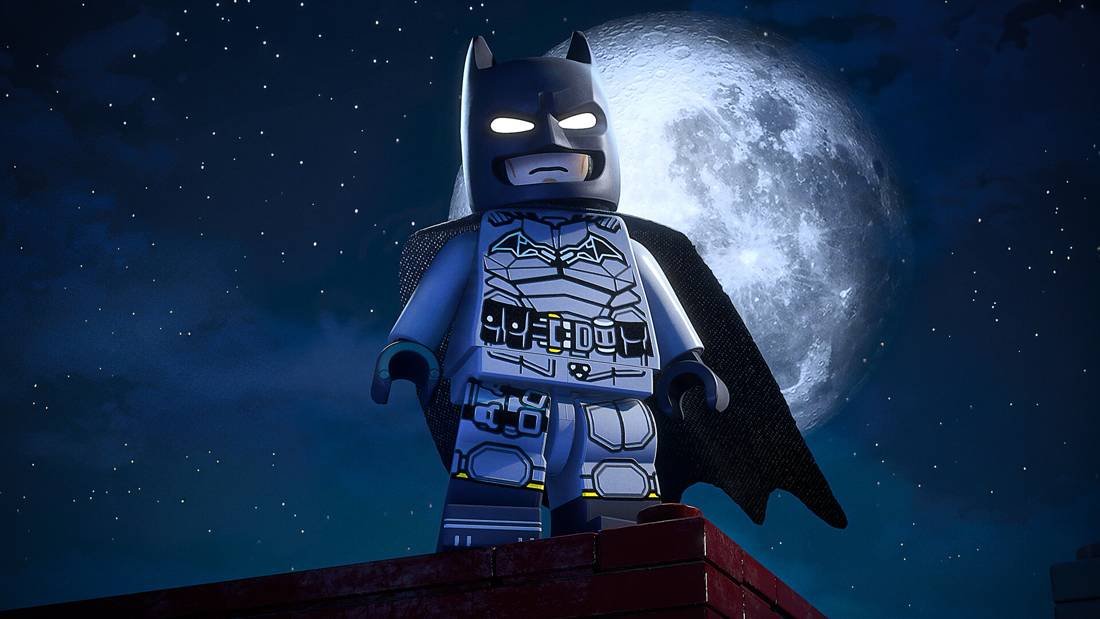
Screenshots and artwork are promotional images from the LEGO Batman: Legacy of the Dark Knight Steam store page and belong to TT Games and Warner Bros. Games, Warner Bros. Interactive Entertainment.
Other guides from this collection.
These guides sit closest to LEGO Batman: Legacy of the Dark Knight in our data, either because they share genres or because they are about as hard to run. The demand scores use one common scale.
On Steam the game sits at Overwhelmingly Positive: 95% positive across 6,894 reviews at the time of checking (2026-11-02). Larger communities tend to share more settings guides and fixes.
It was out for about 6 months when we wrote this guide, so expect patches and driver updates to move the numbers a little over time.
Facts come from the public Steam store page. We have not tested the game on every card, so frame rates on this page are modelled figures.
A short, honest note on how the numbers are produced.
Here is what feeds the estimates: demand 38 from the recommended card, CPU score 50 (from the listed processor line), and a 1080p High VRAM figure of 5 GB (estimated from the demand score).
Each card is scored against the game demand, then scaled for resolution, quality preset and DLSS, FSR or XeSS-style upscaling. If a card has less VRAM than the game wants, the estimate drops, and a processor ceiling stops frame rates running away.
Nothing on this page is a measured benchmark. Expect real frame rates to differ with drivers, updates and your own system, and treat the tables as a guide.
The questions players ask most about LEGO Batman: Legacy of the Dark Knight on PC.
Expect to need at least NVIDIA GeForce GTX 960, 4 GB or AMD Radeon RX 6400, 4 GB or Intel Arc A580, 8 GB, ideally NVIDIA GeForce RTX 2070 SUPER, 8 GB or AMD Radeon RX 6650 XT, 8 GB or Intel Arc B580, 12 GB. Steam pairs that with Intel Core i7-12700 or AMD Ryzen 7 5800X, and memory of 16 GB RAM (minimum) or 16 GB RAM (recommended). Storage needed is 50 GB available space.
Start with the card-by-card verdicts, then run your own parts through the checker. The lowest card we tested at 60 FPS on 1080p High is the RX 6600.
According to our estimates the RX 6600 is the lowest card we tested that holds 60 FPS at 1080p on High, and the RTX 5050 is the first desktop RTX 50 card to do so.
For a smooth 1440p you want the Arc B580 at minimum, and among RTX 50 cards the RTX 5060 is the first that gets there.
Expect roughly 99 FPS at 1080p and 64 FPS at 1440p on High. With 8 GB of memory, 1440p is comfortable, so you can usually raise the settings.
Roughly 110 FPS at 1440p on High, rising to around 162 FPS with Quality DLSS, FSR or XeSS-style upscaling. Drivers, the area you play in and your CPU will move that.
Treat 4K as an upscaling job. The RTX 5060 Ti 16GB is the first current RTX 50 card to hold 60 FPS at 4K on High with Quality upscaling in our model.
Memory use comes out at roughly 5 GB (1080p), 6.5 GB (1440p) and 9.0 GB (4K) on High, which makes 8GB fine at 1080p and fine at 1440p. Leave some spare capacity.
High settings come out at roughly 5 GB, 6.5 GB and 9.0 GB for 1080p, 1440p and 4K. These are derived from the publisher recommended specs.
The recommended processor is Intel Core i7-12700 or AMD Ryzen 7 5800X and lists Intel Core i5-10600K or AMD Ryzen 5 1600 as the minimum. In the model, Core i3-12100F, Ryzen 5 3600, Core i5-12400F, Ryzen 5 5600 and faster keep a GPU fed above 60 FPS in this game.
Memory runs from 16 GB RAM to 16 GB RAM. Allowing for Windows and everyday apps, 16 GB is a sensible target.
No SSD requirement is listed, though faster storage still helps loading. Plan for 50 GB available space of free space.
At typical wattage, RTX 5060 Laptop, RTX 5070 Laptop, RTX 5070 Ti Laptop, RTX 5080 Laptop, RTX 5090 Laptop reach 60 FPS at 1080p on High in our model. Power limit and cooling decide how close a real laptop gets.
A sound recipe: High preset, DLSS, FSR or XeSS-style upscaling on, then cut the most demanding settings step by step. The best settings table lists where each card should begin.
It lands on 38 in our graphics demand scale (ahead of 93% of 937 games), a demanding result. The CPU score of 50 beats 97% of the set.
For multiplayer, a consistent frame rate usually matters more than visual extras. Pick a preset that holds your monitor refresh rate, using the verdict and settings tables as a guide.
Test your own GPU, CPU and settings for this game
Get the best preset for your target FPS
See the memory it needs on your card
See what each DLSS, FSR or XeSS-style upscaling mode gains
Set two or three cards head to head
Find out if your CPU holds you back
Independent site. Not affiliated with or endorsed by TT Games, Warner Bros. Games, Warner Bros. Interactive Entertainment, Valve, NVIDIA, AMD or Intel. Game names, images and trademarks belong to their owners. Frame rates, VRAM and CPU figures are modelled figures, not benchmarks.