Can my PC run it?
Enter your exact parts and settings on this title
Leafy Games developed Idols of Ash, an Adventure, Indie and Simulation title that has been out for about 7 months. Below you will find the published system requirements, modelled FPS for 28 graphics cards, graphics memory estimates, CPU and RAM guidance and a settings plan.

Where it lands among 937 modelled titles, with a look at what that means for each class of card.
With a demand score of 15, Idols of Ash asks more of a GPU than 53% of the 937 games in our list. We call that moderately demanding.
Behind the number is the publisher recommended card, GTX 1060, converted to an equivalent 1080p High workload. That makes the score comparable between games, though not exact for any single one.
On the CPU side, Idols of Ash scores 46, ahead of 96% of the 937 modelled games.
Official minimum and recommended specs for Idols of Ash, translated into frame rates.
These are the developer figures on Steam, and patches can change them.
Steam names Intel HD 5000 (Shader Model 3) as the minimum graphics card. Expect around 39 FPS at 1080p Low, or about 22 FPS if you raise the preset to High.
Step up to the recommended GTX 1060 and the model returns roughly 79 FPS at 1080p and 51 FPS at 1440p. That is above 60 FPS at 1080p, so the recommended spec reads as a comfortable 1080p target.
Steam asks for Intel Core i7 (9th Gen) at the recommended level. That class of processor tops out near 102 FPS in Idols of Ash in our modelling.
Memory is listed as 4 GB RAM at minimum and 8 GB RAM recommended, with 1 GB available space needed on disk.
Which card hits which target in Idols of Ash, from a 30 FPS floor to 4K.
| Target | Lowest card tested | First RTX 50 card | Also reaches it |
|---|---|---|---|
| Playable, 30 FPS at 1080p Low | GTX 1060 6GB | RTX 5050 | GTX 1660 Super, RTX 2060, RX 6600 |
| 1080p 60 FPS, Medium | GTX 1060 6GB | RTX 5050 | GTX 1660 Super, RTX 2060, RX 6600 |
| 1080p 60 FPS, High | GTX 1060 6GB | RTX 5050 | GTX 1660 Super, RTX 2060, RX 6600 |
| 1440p 60 FPS, High | GTX 1660 Super | RTX 5050 | RTX 2060, RX 6600, RTX 3060 12GB |
| 1440p 100 FPS, High | RX 6600 | RTX 5050 | RTX 3060 12GB, RX 7600, RTX 5050 |
| 4K 60 FPS, High with upscaling | GTX 1660 Super | RTX 5050 | RTX 2060, RX 6600, RTX 3060 12GB |
| 4K 60 FPS, Ultra with upscaling | RX 6600 | RTX 5050 | RTX 3060 12GB, RX 7600, RTX 5050 |
The lowest card we tested that holds 60 FPS at 1080p on High is the GTX 1060 6GB, and the first desktop RTX 50 card to do it is the RTX 5050.
For a smooth 1440p on High you want at least the GTX 1660 Super. Within the RTX 50 range that means the RTX 5050 or above.
At 4K, expect to lean on upscaling. The RTX 5050 is the first desktop RTX 50 card to hit 60 FPS on High once Quality upscaling is switched on.
Cards across NVIDIA, AMD and Intel are included. To test your own parts, open the can my PC run it checker or look for a CPU bottleneck with the bottleneck checker.
Projected frame rates for 28 GPUs from NVIDIA, AMD and Intel. Use the buttons to change resolution.
In our model the RTX 5090 delivers about 176 FPS at 1440p and 176 FPS at 4K, while the RTX 5050 manages 121 FPS at 1440p. The spread tells you how much the card matters for Idols of Ash.
| Graphics card | 1080p | 1440p | 4K | 1440p upscaled | 4K upscaled |
|---|---|---|---|---|---|
| RTX 5090 32 GB | 176 | 176 | 176 | 176 | 176 |
| RTX 4090 24 GB | 176 | 176 | 176 | 176 | 176 |
| RTX 5080 16 GB | 176 | 176 | 176 | 176 | 176 |
| RX 7900 XTX 24 GB | 176 | 176 | 176 | 176 | 176 |
| RTX 4080 Super 16 GB | 176 | 176 | 176 | 176 | 176 |
| RTX 5070 Ti 16 GB | 176 | 176 | 176 | 176 | 176 |
| RX 9070 XT 16 GB | 176 | 176 | 176 | 176 | 176 |
| RTX 4070 Ti Super 16 GB | 176 | 176 | 176 | 176 | 176 |
| RX 9070 16 GB | 176 | 176 | 165 | 176 | 176 |
| RTX 5070 12 GB | 176 | 176 | 160 | 176 | 176 |
| RTX 4070 Super 12 GB | 176 | 176 | 152 | 176 | 176 |
| RX 7800 XT 16 GB | 176 | 176 | 147 | 176 | 176 |
| RTX 3080 10GB 10 GB | 176 | 176 | 133 | 176 | 176 |
| RTX 4070 12 GB | 176 | 176 | 128 | 176 | 176 |
| RX 7700 XT 12 GB | 176 | 176 | 123 | 176 | 176 |
| RTX 5060 Ti 16GB 16 GB | 176 | 176 | 112 | 176 | 168 |
| RTX 3070 8 GB | 176 | 176 | 101 | 176 | 152 |
| RTX 4060 Ti 8GB 8 GB | 176 | 167 | 96 | 176 | 144 |
| RTX 5060 8 GB | 176 | 163 | 93 | 176 | 140 |
| Arc B580 12 GB | 176 | 153 | 88 | 176 | 132 |
| RTX 4060 8 GB | 176 | 139 | 80 | 176 | 120 |
| RTX 5050 8 GB | 176 | 121 | 69 | 176 | 104 |
| RX 7600 8 GB | 176 | 121 | 69 | 176 | 104 |
| RTX 3060 12GB 12 GB | 173 | 111 | 64 | 167 | 96 |
| RX 6600 8 GB | 158 | 102 | 59 | 153 | 88 |
| RTX 2060 6 GB | 144 | 93 | 53 | 139 | 80 |
| GTX 1660 Super 6 GB | 122 | 79 | 45 | 118 | 68 |
| GTX 1060 6GB 6 GB | 79 | 51 | 29 | 77 | 44 |
All numbers are for High settings and a fast processor. Upscaled columns assume the Quality mode of whichever upscaler the game provides. Figures above 360 FPS are shown as 360+. For a head-to-head, open the GPU comparison tool.
Twelve popular cards, with a plain-English verdict for each.
| Graphics card | 1080p | 1440p | 4K | Verdict |
|---|---|---|---|---|
| GTX 1060 6GB | 79 | 51 | 29 | Best at 1440p with upscaling: 77 FPS against 51 FPS natively. |
| RTX 2060 | 144 | 93 | 53 | Needs upscaling for 4K: about 80 FPS with Quality upscaling, 53 FPS without. |
| RTX 3060 12GB | 173 | 111 | 64 | Reaches 64 FPS at 4K on High, so native 4K is realistic. |
| RTX 4060 | 176 | 139 | 80 | Holds roughly 80 FPS at 4K, so resolution is not the limit. |
| RTX 5060 | 176 | 163 | 93 | Reaches 93 FPS at 4K on High, so native 4K is realistic. |
| RTX 5060 Ti 16GB | 176 | 176 | 112 | Comfortable at 4K on High, around 112 FPS before any upscaling. |
| RTX 5070 | 176 | 176 | 160 | Reaches 160 FPS at 4K on High, so native 4K is realistic. |
| RX 7800 XT | 176 | 176 | 147 | Holds roughly 147 FPS at 4K, so resolution is not the limit. |
| RTX 5070 Ti | 176 | 176 | 176 | Native 4K works here at about 176 FPS, with no upscaling needed. |
| RTX 5080 | 176 | 176 | 176 | Comfortable at 4K on High, around 176 FPS before any upscaling. |
| RTX 4090 | 176 | 176 | 176 | Holds roughly 176 FPS at 4K, so resolution is not the limit. |
| RTX 5090 | 176 | 176 | 176 | Holds roughly 176 FPS at 4K, so resolution is not the limit. |
The table reads the model results as plain advice. Older cards such as the GTX 1060 and RTX 2060 are measured against the same High settings, so a poor result there usually means "drop to Medium", not "cannot run".
Between the RTX 5060 (163 FPS at 1440p) and the RTX 5070 (176 FPS) there is roughly a 8% difference in Idols of Ash.
A 60 FPS plan for each resolution, built from the model and tailored to this game.
1080p is straightforward on GTX 1660 Super, RTX 3060 12GB, RTX 4060, which hold 60 FPS on High natively here, so you only need DLSS, FSR or XeSS-style upscaling for extra smoothness.
Use the table as a starting point: it shows the highest preset that still manages 60 FPS for each card at 1080p.
| Card | Best preset | Upscaling | Est. FPS |
|---|---|---|---|
| GTX 1660 Super | Ultra | Native | 94 |
| RTX 3060 12GB | Ultra | Native | 133 |
| RTX 4060 | Ultra | Native | 166 |
| RTX 5060 | Ultra | Native | 176 |
For 1440p play, RTX 4060, RTX 5060, RTX 5070 clear 60 FPS on High without any upscaling on our figures, which leaves room to raise individual settings.
Use the table as a starting point: it shows the highest preset that still manages 60 FPS for each card at 1440p.
| Card | Best preset | Upscaling | Est. FPS |
|---|---|---|---|
| RTX 4060 | Ultra | Native | 107 |
| RTX 5060 | Ultra | Native | 125 |
| RTX 5070 | Ultra | Native | 176 |
| RTX 5070 Ti | Ultra | Native | 176 |
4K is straightforward on RTX 5070 Ti, RTX 4080 Super, RTX 5080, which hold 60 FPS on High natively here, so you only need DLSS, FSR or XeSS-style upscaling for extra smoothness.
Each row below is the best-looking combination that still holds 60 FPS at 4K in our modelling.
| Card | Best preset | Upscaling | Est. FPS |
|---|---|---|---|
| RTX 5070 Ti | Ultra | Native | 144 |
| RTX 4080 Super | Ultra | Native | 158 |
| RTX 5080 | Ultra | Native | 168 |
| RTX 5090 | Ultra | Native | 176 |
The gain from each rung of the RTX 50 ladder at 1440p using the High preset.
| Step | Before (1440p FPS) | After (1440p FPS) | Gain |
|---|---|---|---|
| RTX 5050 to RTX 5060 | 121 | 163 | +35% |
| RTX 5060 to RTX 5060 Ti 16GB | 163 | 176 | +8% |
| RTX 5060 Ti 16GB to RTX 5070 | 176 | 176 | +0% |
| RTX 5070 to RTX 5070 Ti | 176 | 176 | +0% |
| RTX 5070 Ti to RTX 5080 | 176 | 176 | +0% |
| RTX 5080 to RTX 5090 | 176 | 176 | +0% |
The biggest single step in Idols of Ash is RTX 5050 to RTX 5060, worth roughly 35% at 1440p in our modelling. The smallest is RTX 5060 Ti 16GB to RTX 5070 at roughly 0%.
Treat the gains as a guide for value. Higher steps cost more per extra frame, so the sensible choice depends on the resolution and refresh rate you actually play at.
Compare options directly in the upgrade value calculator or the GPU price to performance calculator.
What the game is likely to want from graphics memory on High. Too little VRAM hurts smoothness whatever the GPU speed.
| Your VRAM | 1080p Low | 1080p High | 1440p High | 4K High |
|---|---|---|---|---|
| 6 GB | Fine | Fine | Fine | Tight |
| 8 GB | Fine | Fine | Fine | Fine |
| 12 GB | Fine | Fine | Fine | Fine |
| 16 GB | Fine | Fine | Fine | Fine |
| 24 GB | Fine | Fine | Fine | Fine |
The model gives 3 GB at 1080p High, rising to 3.9 GB at 1440p and 5.4 GB at 4K. It is an estimate derived from the recommended GPU, not a measurement.
Dropping texture quality is the quickest way to save memory: stepping from High to Medium trims the estimate to about 3.3 GB at 1440p.
Run your own numbers in the VRAM calculator and see how much VRAM you need for gaming.
How much frame rate each processor can prepare in this game.
| Processor | Max FPS it can feed | Good for 100+ FPS? |
|---|---|---|
| Ryzen 7 9800X3D | 202 | Yes |
| Ryzen 7 7800X3D | 176 | Yes |
| Core i7-14700K | 151 | Yes |
| Core i5-14600K | 137 | Yes |
| Ryzen 5 7600 | 130 | Yes |
| Ryzen 5 5600 | 102 | Yes |
| Core i5-12400F | 97 | Mostly |
| Ryzen 5 3600 | 74 | Mostly |
| Core i3-12100F | 74 | Mostly |
The published CPU range runs from Intel Core i3 (7th Gen) to Intel Core i7 (9th Gen). We turn that into a frame-rate ceiling for nine popular processors in the table.
Idols of Ash is one of the more processor-hungry games in our list (higher than 96%), so a fast CPU pays off, especially at 1080p and 1440p where the GPU is not the limit.
As a reference, a Core i5-12400F can prepare roughly 97 FPS here in our modelling. If your graphics card can draw more than that, you will be CPU-limited.
See whether your parts match in the bottleneck checker and the system bottlenecks guide.
How seven common processor and GPU pairs behave in this game.
| Build | 1080p | 1440p | Limited by (1440p) |
|---|---|---|---|
| RTX 4060 with Core i3-12100F | 74 | 74 | Processor |
| RTX 5060 with Ryzen 5 5600 | 102 | 102 | Processor |
| RTX 5060 Ti 16GB with Core i5-12400F | 97 | 97 | Processor |
| RTX 5070 with Ryzen 5 7600 | 130 | 130 | Processor |
| RTX 5070 Ti with Core i5-14600K | 137 | 137 | Processor |
| RTX 5080 with Ryzen 7 7800X3D | 176 | 176 | Processor |
| RTX 5090 with Ryzen 7 9800X3D | 202 | 202 | Processor |
Look for the Processor label below: 7 of the seven pairings carry it. With RTX 4060 and Core i3-12100F the chip caps frames near 74 FPS even though the card is good for about 139 FPS.
If you want neither part to idle, RTX 5060 with Ryzen 5 5600 comes closest at 1440p, with a CPU ceiling near 102 FPS and a card good for about 163 FPS.
None of these is a shopping list. They show how the balance shifts as you move up the range, and the bottleneck checker lets you try your own pair.
What Steam lists for memory and disk space, and what it means in practice.
Memory first. Steam sets 4 GB RAM as the minimum and 8 GB RAM as the recommended amount. With Windows, a browser and a chat app open, 16 GB leaves comfortable headroom.
On disk, plan for about 1 GB free. At 100 Mbps with typical overhead that is roughly 2 min to download, or roughly 0 min at 500 Mbps.
There is no SSD requirement on the page, but faster storage never hurts.
Size your memory with the RAM calculator: it adds Windows, a browser and any streaming to the game's own needs. Estimate the wait with the download time calculator.
A starting point for several popular cards. Each cell is the highest preset that still manages 60 FPS.
| Graphics card | 1080p at 60 FPS | 1440p at 60 FPS | 4K at 60 FPS |
|---|---|---|---|
| RTX 3060 12GB | Ultranative, ~133 FPS | Ultranative, ~86 FPS | UltraQuality upscaling, ~74 FPS |
| RTX 4060 | Ultranative, ~166 FPS | Ultranative, ~107 FPS | Ultranative, ~62 FPS |
| RTX 5060 | Ultranative, ~176 FPS | Ultranative, ~125 FPS | Ultranative, ~72 FPS |
| RTX 5070 | Ultranative, ~176 FPS | Ultranative, ~176 FPS | Ultranative, ~123 FPS |
| RTX 5070 Ti | Ultranative, ~176 FPS | Ultranative, ~176 FPS | Ultranative, ~144 FPS |
| RX 7800 XT | Ultranative, ~176 FPS | Ultranative, ~176 FPS | Ultranative, ~113 FPS |
Read each cell as a recommended starting point for Idols of Ash: the preset first, then the DLSS, FSR or XeSS-style upscaling mode and the estimated result.
These tables assume the game includes an upscaler, so look in its graphics menu. For advice matched to your own PC, use the best settings generator and compare DLSS, FSR or XeSS-style upscaling modes in the DLSS and frame generation estimator.
Modelled laptop results at the power limits laptops usually ship with.
| Laptop GPU | Typical power | 1080p High | 1440p High |
|---|---|---|---|
| RTX 5050 Laptop 8 GB | 70 W | 129 | 83 |
| RTX 5060 Laptop 8 GB | 80 W | 176 | 118 |
| RTX 5070 Laptop 8 GB | 85 W | 176 | 134 |
| RTX 5070 Ti Laptop 12 GB | 100 W | 176 | 168 |
| RTX 5080 Laptop 16 GB | 115 W | 176 | 176 |
| RTX 5090 Laptop 24 GB | 125 W | 176 | 176 |
Among RTX 50 laptop GPUs, RTX 5050 Laptop, RTX 5060 Laptop, RTX 5070 Laptop, RTX 5070 Ti Laptop, RTX 5080 Laptop, RTX 5090 Laptop clear 60 FPS at 1080p on High at typical wattage, with RTX 5050 Laptop, RTX 5060 Laptop, RTX 5070 Laptop, RTX 5070 Ti Laptop, RTX 5080 Laptop, RTX 5090 Laptop also holding 60 FPS at 1440p.
Laptop GPUs lose performance at lower power limits (TGP), and thin designs often cannot sustain them. Check the exact wattage of the model you are buying.
Explore different TGP values in the laptop TGP estimator.
General guidance for this kind of game, chosen from the Steam genres and features.
Steam lists Idols of Ash under Adventure, Indie, Simulation, so these general tips apply. They are hedged guidance rather than facts about the game's engine.
Below are screenshots supplied for the Steam store page. Compare them with your own game to see how much quality a preset or DLSS, FSR or XeSS-style upscaling mode gives up.
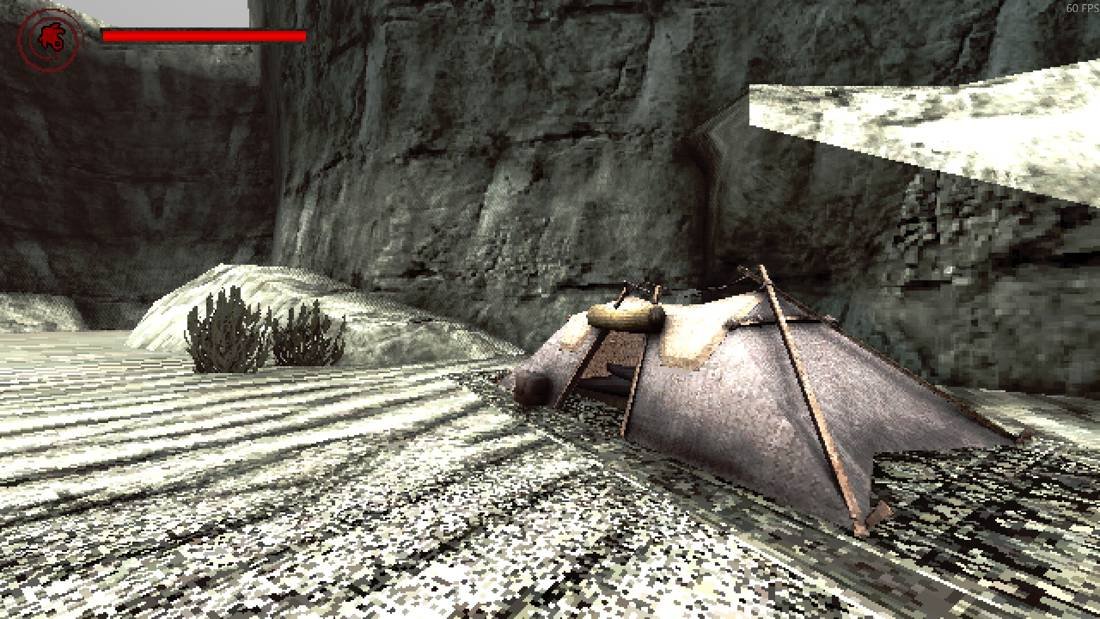
Screenshots and artwork are promotional images from the Idols of Ash Steam store page and belong to Leafy Games.
Other guides from this collection.
Not sure about Idols of Ash? Compare it with these games, picked for similar demand and overlapping genres, each with its own full guide.
Steam user reviews put Idols of Ash at Overwhelmingly Positive (97% positive from 2,601 reviews, checked 2026-11-02). It is a measure of popularity and sentiment, not of technical performance.
Idols of Ash has been out for about 7 months, which means drivers and patches are likely still changing its performance. Re-check settings after major updates.
Details here come from Steam's public store listing. We have not tested the game on every card, so frame rates on this page are modelled figures.
A short, honest note on how the numbers are produced.
The inputs for Idols of Ash are a graphics demand of 15 (taken from the recommended card), a processor score of 46 (from the listed processor line) and 3 GB of VRAM at 1080p High (estimated from the demand score).
In short: card performance divided by game demand, adjusted for resolution, preset and DLSS, FSR or XeSS-style upscaling, reduced when VRAM is short and capped by processor speed.
All FPS, VRAM and CPU figures are modelled. They are meant for comparing hardware and settings, and your own testing should have the last word.
The questions players ask most about Idols of Ash on PC.
On the Steam page the entry card is Intel HD 5000 (Shader Model 3) and the recommended card is NVIDIA GeForce GTX 1060, with Intel Core i7 (9th Gen) or AMD Ryzen 5 5600 as the processor and RAM of 4 GB RAM at minimum (8 GB RAM recommended). Storage needed is 1 GB available space.
Start with the card-by-card verdicts, then run your own parts through the checker. The lowest card we tested at 60 FPS on 1080p High is the GTX 1060 6GB.
Aim for the GTX 1060 6GB or better for 1080p at 60 FPS on High; the RTX 5050 is the first current RTX 50 card to manage it.
The GTX 1660 Super is the lowest card we tested that holds 60 FPS at 1440p on High, with the RTX 5050 the first RTX 50 option.
Expect roughly 176 FPS at 1080p and 176 FPS at 1440p on High. With 16 GB of memory, 1440p is comfortable, so you can usually raise the settings.
Expect close to 176 FPS at native 1440p on High, or about 176 FPS upscaled. Your processor and drivers can shift the result.
The RTX 5050 is the entry point for 4K here, and only with Quality DLSS, FSR or XeSS-style upscaling switched on.
Expect 3 GB at 1080p, 3.9 GB at 1440p and 5.4 GB at 4K. That leaves 8GB fine for 1080p and fine for 1440p, so keep a margin.
Plan on about 3 GB at 1080p, 3.9 GB at 1440p and 5.4 GB at 4K on High. It is derived from the publisher recommended specs, not a measured value.
Steam recommends Intel Core i7 (9th Gen) or AMD Ryzen 5 5600 and lists Intel Core i3 (7th Gen) or AMD Ryzen 5 2600 as the minimum. By our estimates Core i3-12100F, Ryzen 5 3600, Core i5-12400F, Ryzen 5 5600 and faster can keep a card fed above 60 FPS here.
The listing asks for 4 GB RAM minimum and 8 GB RAM recommended memory. In real use, 16 GB is a sensible target.
Steam does not state an SSD requirement, but an SSD is recommended for loading times. Plan for 1 GB available space of free space.
By our estimates these laptop GPUs reach 60 FPS at 1080p on High at typical power limits: RTX 5050 Laptop, RTX 5060 Laptop, RTX 5070 Laptop, RTX 5070 Ti Laptop, RTX 5080 Laptop, RTX 5090 Laptop. Results depend on the power limit (TGP) and cooling.
Begin on High, switch on DLSS, FSR or XeSS-style upscaling if it is available, and trim the costliest options first. The table in the settings section shows a good place to start for each card.
Graphics demand is 15 (53% of the 937 modelled games sit below it) and CPU demand is 46 (96% below), so we class it as moderately demanding.
Check the upgrade section: it shows what each step up gains at 1440p in this game, which is the best way to weigh cost against benefit.
Enter your exact parts and settings on this title
Get the best preset for your target FPS
Find out if your graphics memory is enough
Compare every DLSS, FSR or XeSS-style upscaling mode
Compare up to three GPUs
Find out if your CPU holds you back
Independent site. Not affiliated with or endorsed by Leafy Games, Leafy Games, Valve, NVIDIA, AMD or Intel. Game names, images and trademarks belong to their owners. Frame rates, VRAM and CPU figures are modelled figures, not benchmarks.