
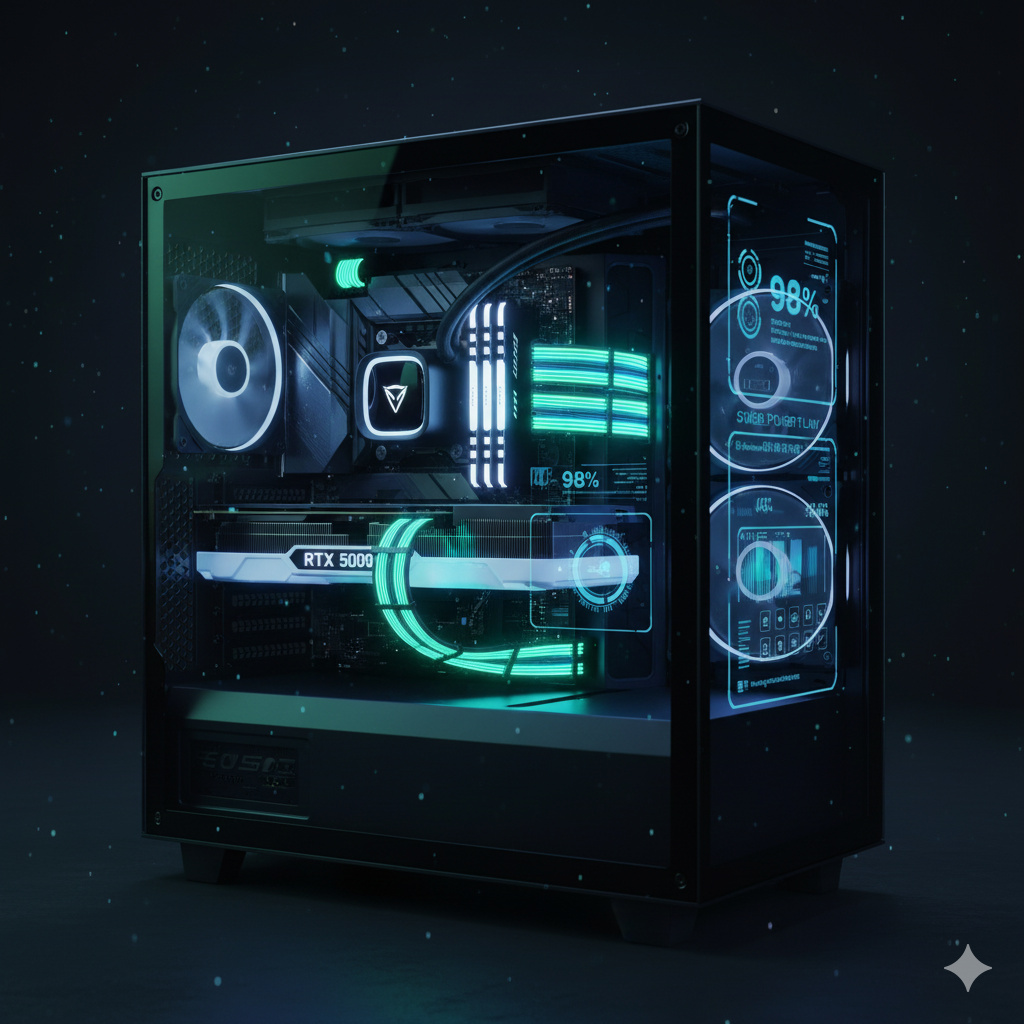
ntroduction: Why PSU Choice Defines Your 4K Gaming Experience
When building a 4K, ultra-performance gaming rig powered by GPUs like the RTX 5090 or RTX 4090, your power supply (PSU) is more than just another component—it’s the heartbeat of system stability. The PSU determines how efficiently your system draws, regulates, and delivers power during intense gaming, overclocking, or AI-rendering sessions.
In 2025, high-end GPUs and CPUs—such as the RTX 5090 and Intel Core i9-14900K—can draw upwards of 600–700W combined under peak load, with transient spikes exceeding 800W. That means even the best-built systems can experience power instability, throttling, or shutdowns if the PSU isn’t properly rated or designed to handle these dynamic spikes.
A 1000W–1300W PSU offers the perfect balance of performance headroom and efficiency for modern 4K builds. These units ensure smooth voltage regulation, accommodate 12VHPWR connectors, and support PCIe 5.0 standards—essential for next-gen graphics and AI workloads.
The Power Equation in Modern Gaming Systems
Today’s flagship GPUs no longer operate within fixed power envelopes. Power demand fluctuates dramatically with DLSS 3.5 frame generation, ray tracing, and AI-enhanced rendering—all of which introduce high transient loads. That’s why the PSU you choose must combine high transient response capability, low ripple output, and premium capacitors that maintain voltage integrity under sudden load changes.
Equally important is efficiency certification. A Platinum or Titanium-rated PSU not only reduces waste heat and fan noise but also improves system longevity. Lower operating temperatures and higher conversion efficiency mean your expensive GPU and CPU are always running within safe, stable parameters.
Why the Right PSU Future-Proofs Your Build
Choosing a high-quality power supply is an investment in reliability. Modern PSUs in the 1000–1300W range feature:
- Native 12VHPWR connectors (safer for RTX 5090s than adapters)
- Digital monitoring systems for voltage, current, and temperature
- Hybrid cooling modes for silent operation under light loads
- Overvoltage, OCP, and surge protections built for longevity
As power standards evolve and GPUs become more power-hungry, a robust PSU ensures you won’t need to upgrade when the next generation of GPUs (or even AI accelerators) arrives.
“A stable, efficient PSU isn’t about wattage—it’s about control, precision, and protection. The right 1000–1300W PSU keeps your 4K gaming experience smooth, silent, and safe.”
Up next: we’ll dive deeper into how PSU wattage and transient loads affect real-world gaming performance—and how to calculate the perfect power budget for your build.
Understanding PSU Wattage for High-End GPUs (2025 Edition)
How Much Power Does a 4K Gaming Rig Really Need?
When configuring a 4K gaming system built around an RTX 5090 or RTX 4090, it’s not just about meeting the GPU’s rated power draw—it’s about managing dynamic load behavior. Modern GPUs can spike far beyond their listed TGP (Total Graphics Power) for milliseconds, stressing underpowered PSUs and causing system instability or black screens under load.
For instance, the RTX 5090 can pull up to 600W sustained, with transient spikes approaching 750–800W when running ray-traced workloads or AI frame generation. Pair that with a Core i9-14900K, which may draw 250–300W under heavy overclocks, and you already exceed 900W total draw—without accounting for cooling pumps, SSDs, and motherboard components.
That’s why experts recommend a PSU with at least 25–30% headroom above peak load. This ensures stable voltage regulation, prevents power-limit throttling, and protects sensitive components from transient surges.
Real-World Wattage Planning: RTX 5090 Builds
| Component | Typical Draw | Peak Draw | Notes |
|---|---|---|---|
| RTX 5090 GPU | 550–600W | 750W+ | Transient spikes during heavy gaming or AI rendering |
| Intel i9-14900K CPU | 220–300W | 350W | Higher under AVX or OC workloads |
| Motherboard + RAM + SSDs | 100–150W | 200W | Includes NVMe and RGB lighting |
| Cooling (AIO/Fans/Pumps) | 40–80W | 100W | Depends on cooling configuration |
| Total System Estimate | 900–1,100W | 1,300W+ | Safe zone: 1200–1300W PSU |
A 1000W PSU can technically handle many single-GPU setups, but for overclocking, AI workloads, or long gaming sessions at 4K 240Hz, a 1200W or 1300W PSU is ideal. It minimizes thermal stress and ensures that capacitor aging (which reduces effective wattage over time) doesn’t compromise long-term reliability.
Transient Load Management & Ripple Suppression
High-end PSUs feature advanced control circuitry that stabilizes voltage rails during these momentary spikes. Look for models that include:
- High transient response (1ms recovery)
- Low ripple (<15mV) on the +12V rail
- Multi-rail OCP protection for balanced current delivery
Brands like Seasonic, Corsair, and ASUS ROG use digital DSP controllers and Japanese capacitors rated for 105°C, ensuring superior transient handling and minimal ripple—critical for sensitive GPUs and VRMs.
Headroom and Efficiency: The Sweet Spot
Running a PSU near its maximum capacity continuously increases heat, fan noise, and component wear. The optimal performance band for most Platinum/Titanium-rated PSUs is between 50–70% load—where efficiency peaks (up to 94–96%) and thermal stress remains minimal.
So if your RTX 5090-based system typically pulls 800W under gaming, a 1200W PSU keeps you comfortably in the 65% load zone—ideal for both performance and longevity.
Key Insight
“Aim for 25–30% wattage headroom. It’s not wasted power—it’s stability insurance against transient spikes and future upgrades.”
Efficiency Ratings: Gold vs Platinum vs Titanium — Power, Heat & Long-Term Value
Why PSU Efficiency Ratings Matter in High-End 4K Builds
When pushing an RTX 5090 or RTX 4090 at 4K resolution, every watt counts. Efficiency ratings—80 Plus Gold, Platinum, and Titanium—measure how effectively a power supply converts AC power from the wall into clean, usable DC power for your system. Higher efficiency means less energy lost as heat, lower fan noise, and longer component life—all critical for high-performance and overclocked rigs.
In essence:
Higher efficiency = Cooler, quieter, more reliable performance.
Understanding the 80 Plus Certification Levels
| Efficiency Level | Typical Load Efficiency (115V) | Heat Output | Ideal For |
|---|---|---|---|
| 80 Plus Gold | ~90% @ 50% Load | Moderate | Balanced gaming builds |
| 80 Plus Platinum | ~92% @ 50% Load | Low | 24/7 operation, silent rigs |
| 80 Plus Titanium | ~94%+ @ 50% Load, ~90% @ 10% Load | Minimal | Extreme efficiency & AI workloads |
A Gold-rated PSU is the entry point for reliable efficiency, but Platinum and Titanium units deliver measurable thermal and acoustic advantages, especially in high-wattage systems (1000W–1300W) where even a few percent of wasted energy translates to tens of watts of heat.
For instance, at 1000W load:
- Gold PSU wastes ~100W as heat
- Platinum PSU wastes ~80W
- Titanium PSU wastes ~60W
That 40W difference means lower case temperatures, less fan ramping, and more consistent GPU boost clocks—a subtle but real performance benefit during sustained gaming or rendering sessions.
Thermal and Acoustic Benefits
Efficiency isn’t just about saving electricity—it shapes your entire thermal environment. A cooler PSU means:
- Reduced internal heat transfer to GPUs and storage drives
- Slower fan curves, enhancing acoustic performance
- Improved capacitor lifespan, maintaining consistent voltage output over years
High-end models like the Corsair AX1600i and Be Quiet! Dark Power 13 1000W Titanium feature hybrid fan modes that remain completely silent below 40–50% load—ideal for quiet, RGB-heavy builds or workstations running at night.
The ROI of Efficiency: Saving Power and Protecting Components
While Titanium PSUs cost more upfront, they often pay for themselves over time. Running at higher efficiency reduces electricity use and extends component life. For gamers who run their systems 5–8 hours daily or creators with 24/7 uptime, that’s a meaningful reduction in power costs and wear.
Over three years, a Titanium-rated PSU can save 100–150 kWh compared to a Gold model—translating to real savings, especially in regions with high energy prices.
Choosing the Right Rating for Your Build
- Gold → Great for balanced single-GPU setups
- Platinum → Recommended for RTX 5090 / i9-14900K rigs
- Titanium → Ideal for silence-focused, overclocked, or dual-GPU configurations
If you’re investing in flagship hardware, the PSU should match its caliber. Efficiency and build quality go hand in hand—a stable PSU preserves performance consistency, prevents coil whine, and minimizes power waste.
Key Insight
“A Platinum or Titanium PSU doesn’t just save energy—it elevates system stability, thermal control, and performance consistency.”
12VHPWR & Cable Safety — Powering RTX 5090 Systems the Right Way
The Evolution of GPU Power Delivery
With the rise of next-gen GPUs like the RTX 5090, NVIDIA’s shift to the 12VHPWR connector marked a major evolution in power delivery. This new 16-pin standard (12 power pins + 4 signal pins) replaces multiple 8-pin connectors, capable of delivering up to 600W through a single cable. While compact and efficient, it also demands precision and care—poor connections can lead to thermal failures or even cable melting.
For high-end 4K gaming builds drawing close to a kilowatt under load, understanding 12VHPWR safety is critical to maintaining system stability and component longevity.
Native 12VHPWR vs. Adapter Cables
| Connection Type | Power Capacity | Reliability | Risk Factors | Recommended For |
|---|---|---|---|---|
| Native 12VHPWR Cable | 600W+ | Very High | Minimal (if fully seated) | Premium PSUs (Seasonic, Corsair, ASUS ROG) |
| Adapter Cable (3x/4x 8-pin to 16-pin) | 450–600W | Moderate | High if bent or loosely inserted | Temporary use only |
| ATX 3.1 Native PSU Cable | 600–675W | Very High | None (meets latest specs) | RTX 5090/4090 builds, PCIe 5.1 readiness |
Native cables directly connected to ATX 3.1 or PCIe 5.0-compliant PSUs offer lower resistance, better thermal control, and reduced connector stress. Adapters, on the other hand, introduce potential contact-point variance—especially if cables are bent within 35mm of the connector, a known cause of localized overheating in early RTX 4090 setups.
Proper Cable Management and Insertion Best Practices
To avoid connector stress or incomplete seating:
- Always click until fully latched—you should hear/feel a firm snap.
- Maintain at least 35–40mm clearance before bending the cable.
- Avoid tight turns or cable combs that strain the connector.
- Use native modular PSU cables rated for 600W+ when possible.
- Inspect for discoloration or soft plastic after extended use—early signs of overheating.
Leading PSUs such as the Seasonic Vertex PX-1300 and ASUS ROG Thor 1200P II include reinforced native 12VHPWR cables with upgraded insulation and strain relief, specifically engineered for high-load RTX cards.
Thermal Safeguards and Intelligent Monitoring
Modern high-end PSUs often include digital telemetry and thermal sensors that monitor cable and connector behavior. Units like the Corsair AX1600i can detect abnormal power draw or connector temperature variations—preventing catastrophic failures before they happen.
Some models even integrate OLED displays (e.g., ASUS ROG Thor) for real-time wattage monitoring, helping enthusiasts visually confirm load behavior during gaming or stress testing.
12VHPWR in the ATX 3.1 Era
The updated ATX 3.1 specification (2024–2025) tightens power excursion standards and mandates stronger 12V rail regulation. This ensures that PSUs can sustain 200% transient spikes for milliseconds—an essential safeguard for the RTX 5090’s demanding load profile. Investing in a PSU certified for ATX 3.1 guarantees future compatibility with upcoming GPUs and PCIe 5.1 devices.
Key Insight
“Always prefer native 12VHPWR cables from ATX 3.1-certified PSUs. The difference isn’t just safety—it’s sustained, stable performance under the RTX 5090’s most demanding loads.”
Top 1000–1300W PSUs (2025 Buyer’s List)
Expert Picks for RTX 5090, 4K, and AI-Ready Gaming Builds
Choosing the right high-wattage PSU can make or break a flagship system. In this section, we’ve curated and analyzed the best 1000–1300W PSUs of 2025—engineered for RTX 5090, RTX 4090, and AI-enhanced gaming rigs that demand uncompromising efficiency, cable integrity, and transient load stability.
These units all meet or exceed ATX 3.1 standards, ensuring native 12VHPWR support, exceptional efficiency, and low noise operation under extreme gaming and rendering conditions.
2025 Buyer’s Comparison Table: Best 1000–1300W PSUs
| PSU Model | Wattage | Efficiency | Key Features | Ideal Pairing / Use Case |
|---|---|---|---|---|
| Corsair AX1600i | 1600W | Titanium | Digital DSP control, <10mV ripple, Corsair Link monitoring, full bridge topology | RTX 5090 + i9-14900K or dual-GPU AI rigs |
| Seasonic Vertex PX-1300 | 1300W | Platinum | Native 12VHPWR, hybrid fan mode, ATX 3.1 certified | Overclocked 4K gaming or workstation builds |
| ASUS ROG Thor 1200P II | 1200W | Platinum | OLED wattage display, RGB integration, silent mode | Premium showpiece builds with glass chassis |
| Be Quiet! Dark Power 13 1000W | 1000W | Titanium | Ultra-quiet design, modular cables, high transient response | Compact, silent-focused 4K setups |
| EVGA SuperNOVA 1300 G7 | 1300W | Gold | Fully modular, high ripple suppression, compact chassis fit | Dual-GPU or deep learning workstations |
1. Corsair AX1600i — The Pinnacle of Precision Power
The Corsair AX1600i remains the gold standard for digital PSUs. Using Gallium Nitride (GaN) transistors, it achieves Titanium efficiency and unmatched electrical precision. With software-based voltage telemetry, users can monitor load balance and efficiency in real time—ideal for enthusiasts running dual RTX 5090s or heavy overclocks.
Why it stands out: Ultra-clean power delivery, digital controls, and whisper-quiet operation.
Best for: Extreme overclockers and AI rendering systems.
2. Seasonic Vertex PX-1300 — Flagship Reliability Meets Silence
Seasonic’s Vertex PX-1300 is an ATX 3.1-certified Platinum PSU designed for sustained high loads. Its native 12VHPWR cable and smart hybrid fan curve keep it both efficient and cool under 1.3kW output. The build quality—featuring 105°C-rated Japanese capacitors—ensures exceptional longevity.
Why it stands out: Excellent transient handling and quietness under load.
Best for: RTX 5090 gaming rigs and 4K creators’ workstations.
3. ASUS ROG Thor 1200P II — Style Meets Smart Engineering
ASUS combines aesthetics and functionality in the ROG Thor 1200P II, with its OLED power display, Aura Sync RGB, and semi-passive cooling. Underneath the style lies a serious Platinum-rated platform built by Seasonic. It’s ideal for gamers who want performance and presentation in their rigs.
Why it stands out: Visual wattage feedback and premium cable sleeving.
Best for: Showcase gaming PCs or modded open-air builds.
4. Be Quiet! Dark Power 13 1000W — Silent Strength
The Dark Power 13 brings Titanium-level efficiency and near-silent operation to compact builds. Its frameless Silent Wings fan, 12VHPWR cable, and overbuilt internal components make it ideal for small form factor or acoustically sensitive builds.
Why it stands out: Virtually inaudible, top-tier efficiency, and clean power output.
Best for: Compact 4K gaming rigs and studio setups.
5. EVGA SuperNOVA 1300 G7 — Compact Muscle for AI Builds
The EVGA SuperNOVA 1300 G7 is a surprisingly compact Gold-rated powerhouse, delivering high current stability in tight spaces. Though not as efficient as Platinum units, its low ripple suppression and robust protection suite make it a solid performer for multi-GPU and AI training systems.
Why it stands out: Compact form factor and exceptional load stability.
Best for: Dual-GPU builds and AI workload systems on a budget.
Choosing the Right PSU from This List
If you value maximum headroom and digital precision, go with the Corsair AX1600i.
For a balance of efficiency, silence, and reliability, the Seasonic Vertex PX-1300 is unbeatable.
For style-conscious builders, the ASUS ROG Thor 1200P II is your statement piece.
Budget-conscious or compact builders can’t go wrong with EVGA’s G7 or Be Quiet!’s Dark Power 13—both deliver stable, efficient power with minimal noise.
Build Integration Tips — Cable Management, Airflow & Mounting Strategies for High-Wattage PSUs
The Hidden Art of Power Integration
A powerful PSU only performs as well as it’s integrated. For 1000–1300W units, careful cable routing, thermal planning, and mounting orientation are crucial to maintain system efficiency, minimize clutter, and ensure airflow stability—especially in 4K gaming or AI workloads where every watt generates heat.
Modern PSUs like the Seasonic Vertex PX-1300 and Corsair AX1600i feature fully modular designs, giving builders complete control over cable paths and space optimization. A clean layout not only enhances air circulation but also reduces EMI interference and thermal hotspots near the GPU and motherboard VRMs.
1. Cable Management for 12VHPWR and Modular Leads
Proper cable handling is critical in high-wattage builds.
- Use only necessary cables—avoid populating every modular port.
- Route the 12VHPWR cable with at least 35–40mm of straight clearance from the connector before bending.
- Secure cables using soft Velcro straps, not hard ties, to prevent insulation stress.
- Keep power and data cables separated to reduce electrical noise.
- If using cable extensions, choose 18AWG or thicker wires certified for 600W.
Pro Tip : For open-layout or glass-panel cases, sleeved or combed cables can enhance aesthetics while improving airflow consistency.
2. Airflow Optimization Around the PSU Shroud
High-wattage PSUs generate measurable thermal output under load—sometimes 60–80W of waste heat even at 94% efficiency. To keep airflow optimal:
- Mount the PSU fan-down in bottom-vented cases (intake from outside).
- Use fine dust filters but clean them every 2–3 weeks to avoid intake restriction.
- Leave at least 50mm clearance between PSU exhaust and rear fans.
- Pair with front-intake, rear-exhaust airflow design for best pressure balance.
Be Quiet!’s Dark Power 13 exemplifies silent cooling through optimized fan geometry—proof that efficient airflow design can make even 1000W units whisper-quiet.
3. Mounting Orientation and Case Compatibility
Not all chassis are designed equally for large PSUs.
- ATX 3.1 PSUs (1300W+) can reach lengths up to 180–200mm—check clearance before installation.
- For compact mid-towers, consider shorter-depth models like the EVGA SuperNOVA G7.
- When mounting vertically (in custom loops or open-frame cases), ensure cable exit alignment supports strain-free routing.
- Use anti-vibration grommets if available—especially important for titanium-rated PSUs that rely on low mechanical noise profiles.
4. Electrical & Thermal Safety During Setup
High-output PSUs require deliberate setup attention:
- Always use a surge-protected outlet or UPS with sufficient wattage capacity.
- Avoid daisy-chaining power bars; PSUs above 1000W can draw heavy inrush currents.
- Test all connections before full system power-up—particularly 12VHPWR seating.
- Monitor initial boot voltages using tools like HWInfo64 or Corsair Link (for digital units).
For first-time builders, an open test bench configuration can help ensure stable startup and connector safety before final case assembly.
5. Aesthetic and Functional Integration
A well-planned PSU setup enhances both form and function:
- Hide excess cabling behind the motherboard tray.
- Align PSU RGB (if available) with system lighting for cohesive visuals.
- Use magnetic cable combs for symmetry in glass chassis.
- For noise-sensitive setups, enable zero-RPM fan mode when system load is under 40%.
“A tidy PSU layout isn’t just cosmetic—it’s a thermal and electrical strategy for performance consistency.”
Testing & Monitoring Power Stability — Tools, Techniques & Validation for Long-Term Reliability
Why Power Validation Is Essential for 4K and AI Systems
Even the most premium PSU can falter if system loads exceed its transient handling or if voltage rails fluctuate under stress. For RTX 5090 and i9-14900K-class systems, verifying power stability isn’t optional—it’s a performance safeguard. Proper validation helps ensure voltage ripple stays below 1%, load transitions remain smooth, and temperature behavior aligns with rated efficiency curves.
Whether you’re overclocking, benchmarking, or running AI inference workloads, consistent voltage delivery means no frame drops, no resets, no coil whine—and a much longer lifespan for your GPU and motherboard VRMs.
1. Core Testing Tools for PSU Stability
| Tool / Software | Purpose | Key Metrics Monitored | Recommended Use |
|---|---|---|---|
| HWInfo64 | System-wide voltage & current tracking | +12V / +5V rail stability, power draw per device | Continuous monitoring |
| OCCT PSU Test | Stress test for power delivery consistency | Voltage ripple, transient spikes, PSU response curve | Pre-deployment stress validation |
| Corsair iCUE / Seasonic Connect | OEM-specific PSU telemetry | Efficiency %, fan RPM, internal temps, wattage draw | Long-term logging & diagnostics |
| Multimeter / Oscilloscope | Direct electrical measurement | Ripple noise, current variance, transient overshoot | Enthusiast-level voltage validation |
Pro Insight: Run PSU stress tests for at least 30 minutes under real-world gaming or rendering conditions (not just synthetic loads). Transients differ dramatically when CPU and GPU synchronize under DLSS or ray-traced workloads.
2. Monitoring Key Voltage Rails
Every PSU’s health revolves around stable +12V, +5V, and +3.3V rails:
- +12V rail powers GPU, CPU VRMs, and PCIe connectors. Ideal tolerance: ±2%.
- +5V rail supports motherboard logic and storage. Ideal tolerance: ±3%.
- +3.3V rail handles RAM and chipset. Ideal tolerance: ±3%.
If readings fluctuate beyond these margins under load, it may indicate degraded capacitors, poor cabling contact, or unstable power distribution.
3. Ripple Suppression & Noise Testing
Ripple refers to the tiny voltage oscillations that occur when AC power is converted to DC. High ripple not only degrades system stability but also accelerates VRM capacitor wear.
Premium PSUs like the Corsair AX1600i and Seasonic Vertex PX-1300 exhibit sub-15mV ripple, far below the industry tolerance of 50mV on the +12V rail.
For accurate testing:
- Use oscilloscope readings or HWInfo64 ripple proxies.
- Compare idle vs. gaming load readings.
- Monitor ripple increase over time—rising noise indicates aging capacitors or dust buildup affecting thermals.
4. Load Balancing & Efficiency Verification
To verify PSU efficiency and thermal balance:
- Run a mixed-load test using OCCT or AIDA64 (GPU + CPU concurrently).
- Track input vs. output wattage via smart plug (e.g., Kill-A-Watt or Elgato Eve).
- Confirm that efficiency percentages match your PSU’s rated tier (Gold, Platinum, Titanium).
A drop in efficiency >2% under identical load conditions may indicate fan or internal component degradation.
5. Long-Term Power Health Tracking
Modern PSUs with digital controllers (like the AX1600i) allow ongoing diagnostics. Use them to log:
- Daily peak wattage
- Temperature fluctuations
- Fan RPM patterns
- Load transients (max vs. sustained)
Over time, this data helps predict power degradation trends—enabling proactive PSU maintenance before issues occur.
Key Insight
“Testing power stability is like tuning an engine—precision measurements ensure every watt is delivered cleanly, efficiently, and safely.”
Future-Proofing & AI Workload Readiness — Building for Tomorrow’s Power Demands
The Future of Power: AI, PCIe 5.1, and Beyond
In 2025 and beyond, high-performance PCs are no longer limited to gaming—they’re hybrid creative and AI compute machines. Whether rendering in Unreal Engine 5, running Stable Diffusion models locally, or training small LLMs, systems built around the RTX 5090 and next-gen CPUs need power headroom, regulation stability, and thermal efficiency that extend into the future.
That’s why choosing a future-proof PSU—one that aligns with evolving standards like ATX 3.1, PCIe 5.1, and native 12VHPWR support—is essential. These units can handle next-gen transient spikes (200%+ bursts) and sustain consistent power delivery across expanding multi-device workloads.
1. Why Power Flexibility Matters for AI Workloads
AI-focused tasks differ from gaming: they demand sustained GPU loads at near-maximum wattage, with simultaneous CPU and memory utilization. A high-efficiency PSU ensures:
- Voltage stability across continuous 95–100% GPU load sessions
- Minimal ripple during tensor-core power shifts
- Consistent thermal management for 24/7 uptime
Models like the Seasonic Vertex PX-1300 and Corsair AX1600i excel in such scenarios because they integrate digital DSP control and real-time thermal regulation, maintaining accuracy under extreme continuous power draws.
“AI workloads don’t spike—they sustain. Choose a PSU that can live at 90% load without breaking a sweat.”
2. Future-Proofing Through Power Standards
| Standard | Description | Impact on Longevity |
|---|---|---|
| ATX 3.1 | Latest Intel standard (2024) ensuring 200% transient tolerance & improved 12V rail stability | Ensures compatibility with RTX 5090, PCIe 5.1 GPUs, and future AI accelerators |
| PCIe 5.1 | Doubled bandwidth over PCIe 4.0; increased transient demands | PSU must handle faster power fluctuations |
| 12VHPWR (16-pin) | Supports up to 675W single-connector delivery | Native connectors reduce resistance, heat, and cable risk |
| Digital PSU Interfaces (USB/Telemetry) | Enables monitoring, logging, and predictive diagnostics | Extends usable life and simplifies troubleshooting |
Investing in a PSU that supports these standards ensures seamless GPU upgrades and fewer compatibility issues through at least 2030.
3. Thermal and Acoustic Efficiency for Long-Term Operation
Long-term reliability depends as much on heat management as electrical design. Titanium-rated PSUs typically maintain >92% efficiency at 20% load—ideal for idle and low-load scenarios in hybrid gaming/creator systems. This translates to:
- Reduced dust buildup due to slower fan operation
- Cooler internal components extending capacitor lifespan
- Quieter operation, even during AI training or video rendering
Models like Be Quiet! Dark Power 13 leverage frameless fan designs and low-turbulence inlets, keeping the PSU nearly silent even after years of operation.
4. The Economics of Longevity
While a premium PSU might cost 30–40% more upfront, the return on investment becomes evident over time:
- Energy savings: Up to 150 kWh saved annually with Titanium vs Gold
- Reduced replacement frequency: Top-tier capacitors last 10–12 years
- Stable performance: Prevents costly GPU or motherboard replacements due to power irregularities
In high-end 4K and AI builds, that translates directly into total system stability and performance integrity over multiple GPU generations.
5. Practical Future-Proofing Checklist
Before buying, ensure your PSU meets these key future-ready specs:
ATX 3.1 certified (or newer)
Native 12VHPWR connector rated for 600–675W
94%+ efficiency (Platinum/Titanium)
Digital monitoring interface (optional but ideal)
Smart thermal or hybrid fan control
These features guarantee compatibility with future GPUs like the RTX 6090, AI co-processors, and even modular compute blades for home AI experimentation.
Power Beyond Limits: The Foundation of 4K and AI Performance
When it comes to high-end 4K gaming, AI rendering, and next-generation workloads, your PSU isn’t a background component—it’s the core enabler of stable, high-performance computing. In 2025, GPUs like the RTX 5090 and CPUs like the i9-14900K have redefined what “high power” means, demanding unshakable voltage stability, transient resilience, and efficiency at scale.
Choosing a 1000W–1300W Platinum or Titanium-rated PSU isn’t just about meeting wattage needs—it’s about ensuring the cleanest, most consistent power delivery possible. These power supplies deliver the silent precision, native 12VHPWR compatibility, and ATX 3.1 certification required to handle both today’s extreme gaming and tomorrow’s AI-driven workloads.
Key Takeaways for Builders and Creators
- Aim for 25–30% headroom above your system’s peak power draw.
- Prioritize efficiency — Platinum or Titanium units run cooler, quieter, and longer.
- Use native 12VHPWR cables to eliminate connector risk and power loss.
- Maintain airflow discipline — PSU thermals affect GPU and case stability.
- Future-proof with ATX 3.1 and PCIe 5.1-ready models for the next generation of GPUs.
From the Corsair AX1600i’s digital precision to the Seasonic Vertex PX-1300’s efficiency mastery, these PSUs represent the best blend of engineering, silence, and endurance available today. Whether you’re gaming at 4K 240Hz or running AI workloads overnight, the right PSU will protect your investment and preserve performance for years to come.
Final Thought
“True performance doesn’t come from raw power—it comes from controlled power. A great PSU doesn’t just fuel your system; it elevates every frame, every render, and every workload you run.”
So before you finalize your build, make your PSU a first-tier decision, not an afterthought. Because when power delivery is flawless, your rig doesn’t just perform—it thrives.

It’s laborious to seek out knowledgeable folks on this subject, however you sound like you already know what you’re talking about! Thanks