
Find the latest 2026 best graphics cards from below list to boost your gaming enviroment today.
ASUS GeForce RTX 5070 Ti PRIME 16GB (90YV0MFI-M0NA00) — £894
Buy this if… you want the best “does-everything” 1440p Ultra pick: strong average FPS and smooth 1% lows, plus DLSS/frame-gen for heavier AAA.
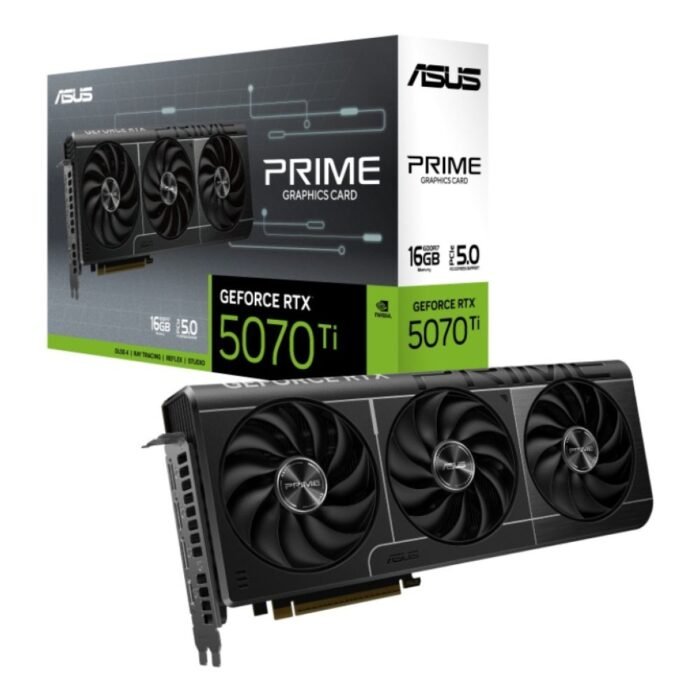
ASUS GeForce RTX 5070 Ti PRIME 16GB Graphics Card 90YV0MF1-M0NA00
Get ASUS GeForce RTX 5070 Ti PRIME 16GB graphics card for fast gaming, ray tracing and strong next-gen GPU value in the UK. 90YV0MF1-M0NA00. Buy from rtx50series.co.uk.
PowerColor AMD Radeon RX 9070 XT Hellhound 16GB OC (RX9070XT 16G-L/OC) — £762
Buy this if… you want the best 1440p value with 16GB VRAM headroom (textures/mods) and you’re prioritising raw raster performance per £.
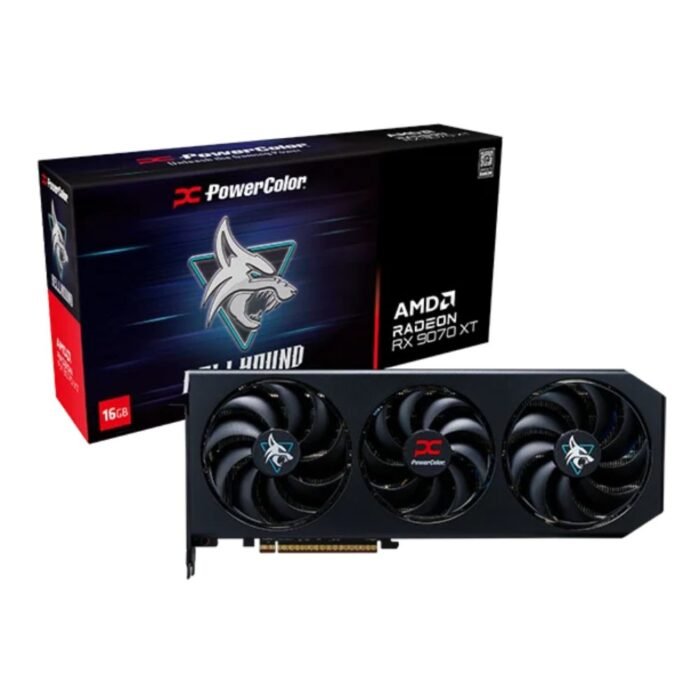
PowerColor AMD Radeon RX 9070 XT Hellhound 16GB OC Gaming Graphics Card RX9070XT 16G-L/OC
Choose PowerColor AMD Radeon RX 9070 XT Hellhound 16GB OC gaming graphics card for high-performance gaming and strong cooling in the UK. RX9070XT 16G-L/OC. Buy from rtx50series.co.uk.
ASUS GeForce RTX 5080 NOCTUA 16GB OC (90YV0M32-M0NA00) — £1,149
Buy this if… you’re aiming for premium 4K and care about a quieter, cooler-running build (great for long sessions + lower fan noise).
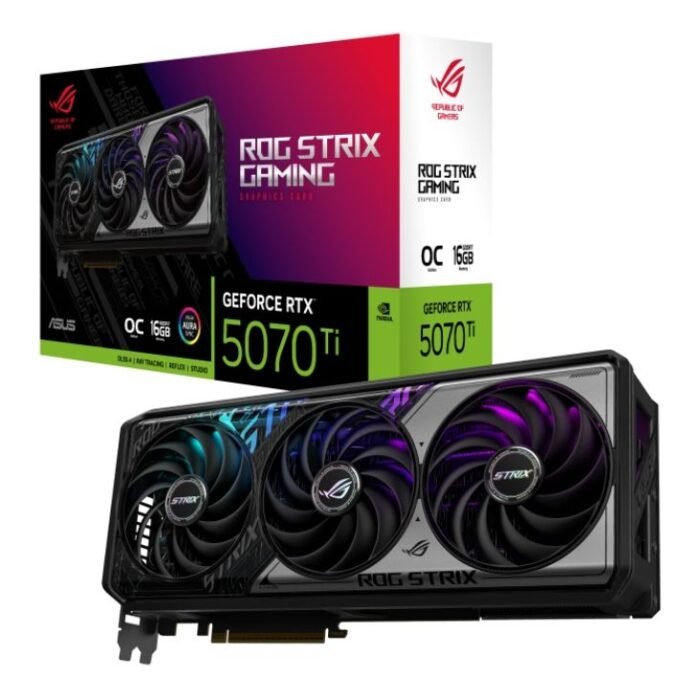
ASUS GeForce RTX 5070Ti GAMING ROG STRIX 16GB OC Graphics Card 90YV0M90-M0NA00
Buy ASUS GeForce RTX 5070 Ti ROG STRIX GAMING 16GB OC graphics card for premium gaming builds and powerful next-gen GPU performance in the UK. 90YV0M90-M0NA00. Order at rtx50series.co.uk.
New Open Box — XFX AMD Radeon RX 9070 XT Swift 16GB (RX-97TSWFB9-BD) — £799
Buy this if… you want near-flagship 16GB 1440p/“smart 4K” performance and don’t mind open-box to save money.
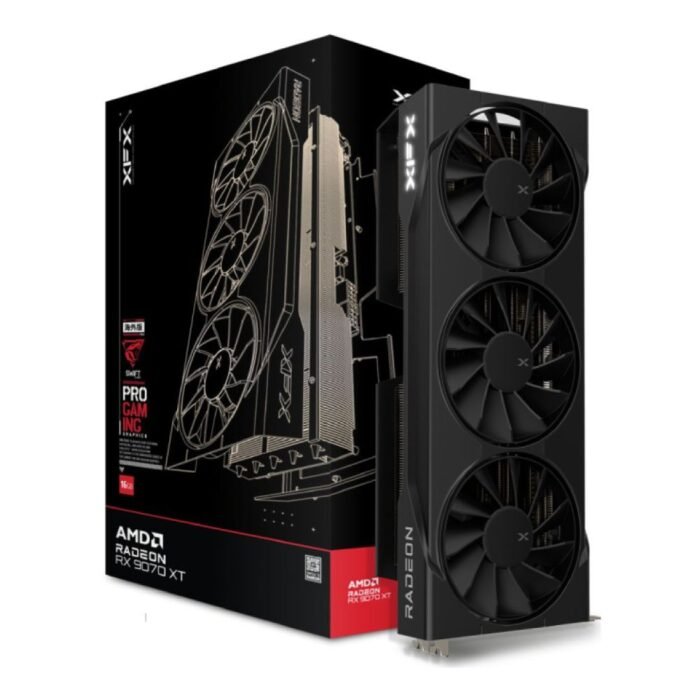
New Open Box – XFX AMD Radeon RX 9070XT Swift 16GB Graphics Card RX-97TSWF3B9-BD
ASUS GeForce RTX 5070 Ti ROG STRIX 16GB OC (90YV0M90-M0NA00) — £1,497
Buy this if… you want a premium cooler/OC-style card for high-refresh 1440p (and occasional 4K) and you’re happy paying extra for the flagship board partner tier.
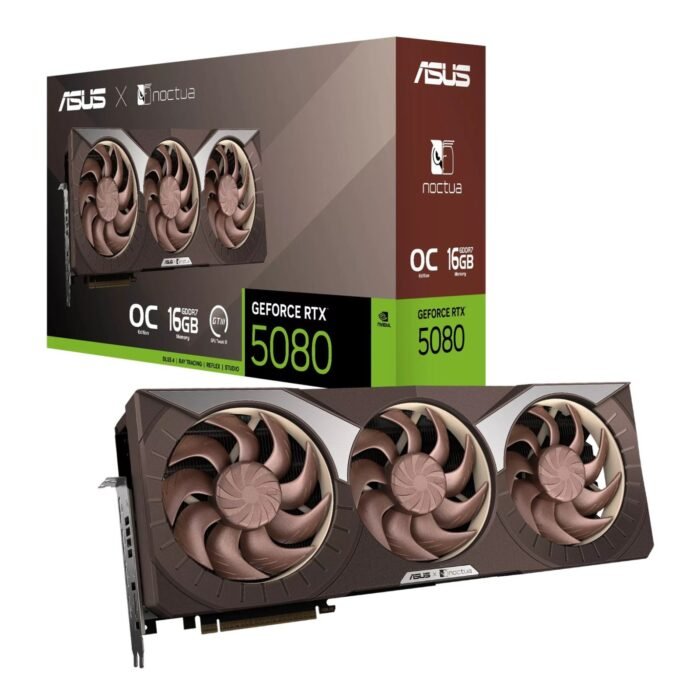
ASUS GeForce RTX 5080 NOCTUA 16GB OC Graphics Card 90YV0M32-M0NA00
ASUS GeForce RTX 5060 Ti Dual 16GB (90YV0MHI-M0NA00) — £482
Buy this if… you mainly play esports at 1080p/high refresh (or lighter 1440p) and want 16GB VRAM plus DLSS features for newer games.
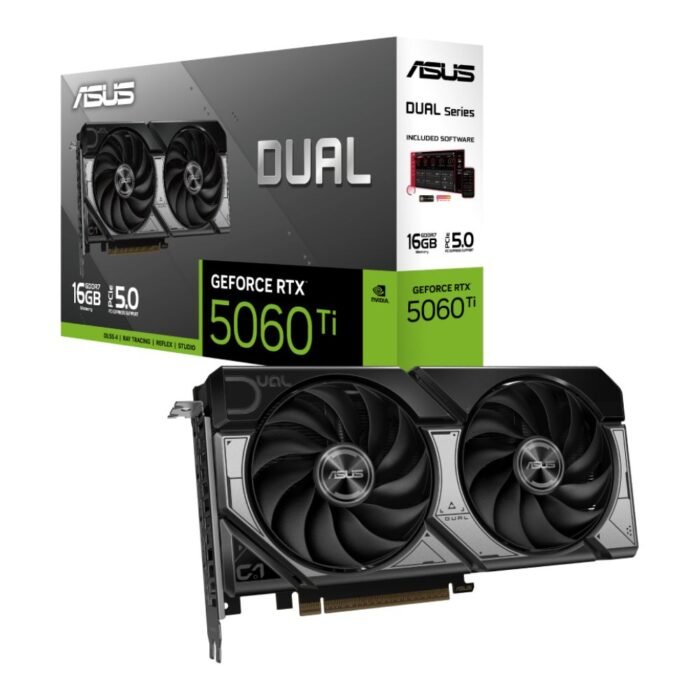
ASUS GeForce RTX 5060 Ti Dual 16GB Graphics Card 90YV0MH1-M0NA00
Choose ASUS GeForce RTX 5060 Ti Dual 16GB graphics card for smooth gaming and high VRAM GPU performance in the UK. 90YV0MH1-M0NA00. Available at rtx50series.co.uk.
ASUS Radeon RX 9060 XT Dual 8GB (90YV0M1I-M0NA00) — £317
Buy this if… you’re on a tighter budget for 1080p and you’re okay running High textures (not max) in the newest AAA to avoid VRAM stutter.
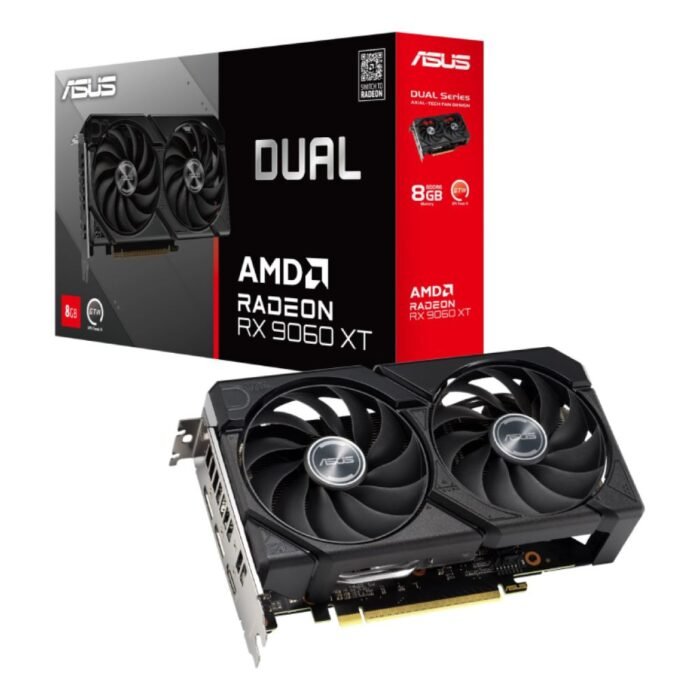
ASUS Radeon RX 9060 XT Dual 8GB Graphics Card 90YV0MI1-M0NA00
Choose ASUS Radeon RX 9060 XT Dual 8GB graphics card for efficient AMD gaming upgrades and smooth GPU performance in the UK. 90YV0MI1-M0NA00. Shop at rtx50series.co.uk.
How do we rank the best GPUs in 2026?
We rank GPUs by what UK gamers actually notice in-game: smoothness, consistency, and how well a card holds up at your target resolution (1080p / 1440p / 4K) once you add Modern extras like ray tracing, upscaling, and frame generation.
Our ranking criteria (in order of impact):
- Real-world gaming performance: average FPS and 1% lows at 1080p/1440p/4K
- Smoothness: frametime stability and frame pacing (stutter kills “feels good” performance)
- Ray tracing / path tracing readiness: playable settings, not marketing checkboxes
- Upscaling + frame generation quality: DLSS / FSR / XeSS image stability + latency trade-offs
- VRAM headroom: textures, RT, mods, and “no sudden hitching” in new engines
- Power, thermals, and noise: higher wattage usually means more heat and louder fans
- UK value: what you get per £ at today’s street pricing (including open-box deals where relevant)
What matters most: average FPS or 1% lows?
Average FPS is the headline speed number. 1% lows tell you how the game feels when it gets messy: big fights, dense cities, shader-heavy scenes, or asset streaming.
- If two GPUs are close on average FPS, the one with better 1% lows usually feels smoother and ranks higher.
- For Competitive FPS, 1% lows often matter more than peak averages because they reflect consistency.
- For AAA at Ultra, averages matter, but 1% lows decide whether it’s “buttery” or “randomly hitchy”.
Quick rule: If the FPS counter looks great but the game still feels uneven, it’s almost always a 1% lows / frametime problem.
What is frametime and why does it matter for smoothness?
Frametime is the time between frames (milliseconds). Even if two GPUs show the same FPS, the one with steadier frametimes will look and feel smoother.
- Stable frametimes = consistent motion + better aim tracking + fewer “micro-hitches”
- Spiky frametimes = stutter, even when average FPS is high
- Frame pacing is how evenly those frames arrive over time (a key “quality” metric for smoothness)
Why frametime issues show up more in 2026:
- Bigger textures + heavier effects increase VRAM and bandwidth pressure
- Modern engines stream assets aggressively, so weak memory headroom can cause stutter before FPS drops
Rasterization vs ray tracing — what should UK gamers prioritise?
Rasterization is still the baseline performance most games rely on. It’s the reason budget and midrange cards can deliver great results at 1080p and 1440p.
Ray tracing improves lighting realism, but it raises the bar on everything else:
- You’re more likely to need upscaling to stay smooth
- VRAM matters more (RT + high textures can push memory hard)
- Power/heat can rise, which affects noise and case requirements
What to prioritise by the way you play:
- Esports-first (1080p/1440p): prioritise raster + strong 1% lows + stable frame pacing; treat RT as optional.
- AAA-first (1440p/4K): prioritise “RT-ready” performance plus strong upscaling support; that’s what keeps Ultra playable longer.
- 4K Ultra: prioritise VRAM headroom + upscaling quality first, then chase RT.
Upscaling and frame generation — when they help and when they hurt (latency/artefacts)
In 2026, upscaling isn’t cheating—it’s often how you keep 1440p Ultra and 4K enjoyable without constantly dropping settings.
Upscaling (DLSS / FSR / XeSS) helps when:
- You’re GPU-limited at 1440p/4K and want a big FPS boost
- You enable ray tracing and need performance back
- You want to keep textures/detail high while lowering render cost
Upscaling can hurt when:
- You use aggressive modes (Performance/Ultra Performance) and get shimmering, ghosting, or unstable fine detail
- A specific game’s implementation is poor (results vary by title)
Frame generation helps when:
- You’re aiming for smoother motion in AAA at 1440p/4K
- You’re GPU-bound and want higher “perceived” FPS without dropping visuals
Frame generation can hurt when:
- You’re playing competitive games where input latency matters most (generated frames don’t reduce render latency)
- You notice artefacts around UI, particles, thin geometry, or fast camera motion
Practical rule set:
AAA at 1440p/4K: upscaling often, frame-gen selectively (best when you want smoothness more than twitch response).
Competitive FPS: prioritise real frames + 1% lows + latency features; use frame-gen sparingly (or not at all).
Best budget graphics cards for gaming in 2026 (1080p and entry 1440p)
Budget in 2026 is mostly about avoiding VRAM-triggered stutter and picking a card that can hold stable 1% lows at the settings you’ll actually use.
VRAM guidance (budget reality)
- 8GB VRAM: best for 1080p High with sensible textures. In newer AAA, Ultra textures + RT can cause stutter even if average FPS looks fine.
- 12GB VRAM: a safer all-rounder for 1080p Ultra and “try 1440p” gaming.
- 16GB VRAM: the budget sweet spot for entry 1440p longevity (textures, newer engines, mods) and smoother frametimes.
Common budget bottlenecks (and how to avoid them)
- CPU limits at 1080p high refresh: esports players often hit CPU limits first—spending smarter on CPU/RAM can improve 1% lows more than jumping GPU tier.
- Texture + asset streaming: stutter is frequently VRAM (or storage) related. If you notice hitching during movement/loading, reduce textures one notch before nuking resolution.
- Case airflow: a budget GPU in a hot case gets louder and can lose consistency (thermal throttling hurts 1% lows).
Best GPU under £250 (1080p high refresh)
Reality check: brand-new current-gen GPUs under £250 are inconsistent in the UK market. If you need to stay under £250, the best-value route is usually used/refurbished prior-gen (e.g., RX 7600 / RTX 4060-class), or waiting for a short-lived deal.
What to aim for (under £250):
- 8GB minimum for modern 1080p
- Prioritise stable 1% lows over “Ultra everything”
- Expect to use High settings + sensible textures in new AAA
Recommended settings at this tier:
- 1080p High, competitive presets for esports, Textures: High (not Ultra) in newer AAA
Best GPU under £300 (1080p ultra / light 1440p)
ASUS Radeon RX 9060 XT Dual 8GB (Rank: Budget #1 under £300 target)
Best for: 1080p Ultra-style builds (and entry 1440p if you’re realistic with settings)
Why it wins:
- Strong, sensible pick for 1080p where smoothness comes from smart settings + stable frame pacing
- Works well when you’d rather keep overall build cost down (and put money into CPU/RAM)
Watch-outs:
- 8GB VRAM is the limit: in newer AAA, avoid max texture packs and heavy RT at 1440p to prevent stutter.
- If you want “set and forget” textures for years, 16GB cards age more gracefully.
Recommended settings:
- 1080p Ultra/Very High in many games
- 1440p Medium–High with upscaling if needed, Textures: High to avoid VRAM spikes
Typical UK price band (your listed product): ~£300–£330
Who should skip: anyone planning 1440p Ultra textures, big mods, or RT-heavy AAA as their main use.
Best budget GPU for 1440p (value pick)
ASUS GeForce RTX 5060 Ti Dual 16GB (Rank: Budget 1440p value winner)
Best for: entry-to-strong 1440p with modern upscaling/frame-gen tools and 16GB VRAM headroom
Why it wins:
- 16GB VRAM is the big deal at “budget 1440p” — it helps reduce texture-related hitching and keeps frametimes steadier in newer engines.
- A great fit for “smart 1440p”: High/Ultra mixes + upscaling when the game gets heavy.
Watch-outs:
- You’ll still need to be realistic in the newest AAA at 1440p: Ultra + RT everywhere can be punishing without leaning on upscaling/frame-gen.
- If your main goal is competitive FPS at very high refresh, you may be CPU-limited before this GPU is.
Recommended settings:
- 1440p High baseline
- Use upscaling on Quality/Balanced when needed
- Keep Textures high (16GB helps), trim shadows/RT first if you need more FPS
Best graphics cards for 1440p gaming in 2026 (ranked)
1440p is the 2026 sweet spot: it’s where you can run Ultra settings, chase high refresh rates, and still have a safety net from upscaling + frame generation when a game gets brutal. Our ranking for 1440p prioritises: average FPS + 1% lows, frametime consistency, ray tracing viability, and VRAM headroom for modern textures, mods, and bigger game worlds.
Best overall 1440p GPU in 2026
ASUS GeForce RTX 5070 Ti PRIME 16GB (Rank #1)
Best for: 1440p Ultra across AAA and competitive games
Why it wins:
- 16GB VRAM gives comfortable headroom for 1440p Ultra textures and newer engines (fewer “sudden stutter” moments).
- Strong all-rounder for both rasterisation and ray tracing, with the feature stack that keeps performance scalable as games get heavier.
- Great “one-card answer” if you want to buy once and not rethink settings every new release.
Watch-outs:
If you’re primarily an esports player, you can often get the same feel by pairing a slightly lower GPU tier with a stronger CPU (because 1440p high-FPS can turn CPU-limited).
Recommended settings:
1440p Ultra as default; if you need extra FPS, use upscaling first, then trim RT/shadows before dropping textures.
Best value 1440p GPU (price-to-performance winner)
PowerColor AMD Radeon RX 9070 XT Hellhound 16GB OC (Rank #2)
Best for: 1440p Ultra value + VRAM comfort for modern AAA
Why it wins:
- 16GB VRAM is the big value lever at 1440p in 2026—especially for texture-heavy games and big open worlds.
- Excellent choice if you prioritise raster performance and want high settings without paying for premium “halo” features.
- A strong fit for gamers who use ray tracing selectively and prefer a simpler “Ultra now, tweak later” approach.
Watch-outs:
For RT-heavy games, you’ll more often rely on upscaling and selective settings trims compared with an RTX-first pick.
Recommended settings:
1440p Ultra for raster-focused titles; for RT-heavy games, turn on upscaling and reduce RT quality before cutting textures.
Best 1440p GPU for ray tracing
NVIDIA GeForce RTX 5070 Ti (PRIME or ROG STRIX) (Rank #1 for RT at 1440p)
Best for: 1440p Ultra with ray tracing enabled without constant compromises
Why it wins:
- Ray tracing at 1440p is where NVIDIA’s DLSS + frame generation stack provides real-world playability, not just prettier screenshots.
- 16GB VRAM helps when you combine RT with high textures (a common stutter trigger on lower-VRAM cards).
- You can hold higher presets more consistently while keeping motion smooth in demanding scenes.
PRIME vs ROG STRIX (which to pick):
- Choose PRIME if you want the core performance/features without paying extra for a premium board tier.
- Choose ROG STRIX if you specifically want a higher-end cooler/board design and care about acoustics/temps/build quality.
Recommended settings:
1440p Ultra + RT; use upscaling as the first lever, then lower RT/shadows before lowering textures.
Best 1440p GPU for competitive FPS (low latency + stable 1% lows)
ASUS GeForce RTX 5070 Ti PRIME 16GB (Rank #1 for high-refresh 1440p)
Best for: competitive shooters where consistency beats max visuals
Why it wins:
- Competitive play rewards stable 1% lows and consistent frame pacing more than peak averages.
- This tier gives enough headroom that intense fights and chaotic scenes don’t crater performance.
- Strong match for 1440p high refresh when paired with a capable CPU.
Watch-outs:
At very high frame rates, you can become CPU-limited. If your 1% lows aren’t great, CPU/RAM tuning can matter as much as the GPU.
Recommended settings:
Use “competitive” presets (not max Ultra). Prioritise steady frames: lower shadows/volumetrics first; keep textures sensible.
Best 1440p GPU for VR / mods / texture packs (VRAM-focused)
AMD Radeon RX 9070 XT 16GB (Hellhound 16GB OC) (Rank #1 for VRAM comfort)
Best for: VR, heavy mods, high-res texture packs, and smoother frametimes under load
Why it wins:
- VR and modded games can balloon asset sizes fast; 16GB VRAM reduces hitching risk and keeps frametimes steadier.
- Extra headroom helps when you push textures, draw distance, and detail in modern engines.
- Great “set it up once” pick for players who hate chasing stutter with constant settings tweaks.
Watch-outs:
VR performance is sensitive to frame pacing—make sure your case airflow is solid and keep drivers updated for the smoothest experience.
Recommended settings:
1440p High/Ultra with textures prioritised; use upscaling when needed; treat RT as selective if it causes dips.
Best graphics cards for 4K gaming in 2026 (ranked)
4K is where GPUs get exposed. At Ultra settings you’re balancing VRAM headroom, ray tracing performance, and how well a card uses upscaling + frame generation to keep gameplay smooth. Our 4K rankings prioritise frametime consistency (not just average FPS), because 4K stutter is what makes “it runs” feel bad.
Best 4K Ultra GPU in 2026 (no compromises)
NVIDIA GeForce RTX 5080 (Rank #1 for “buy once, don’t think about it”)
Best for: 4K Ultra with high settings across modern AAA, with minimal fiddling
Why it wins:
- Strong 4K class performance with a modern feature stack built to keep Ultra playable as games get heavier.
- Excellent support for upscaling + frame generation workflows that make 4K feel smooth in demanding scenes.
- A balanced choice if you want premium 4K without jumping to extreme flagship territory.
Watch-outs:
You’ll still use upscaling in the toughest new releases—4K native Ultra is always the hardest workload.
Recommended settings:
4K Ultra baseline; use upscaling on Quality/Balanced when needed; trim RT first before dropping textures.
Best “affordable” 4K GPU (smart 4K with upscaling)
AMD Radeon RX 9070 XT 16GB (Rank #1 for smart 4K value)
Best for: “Smart 4K” (High/Ultra mixes) where you lean on upscaling to stay smooth
Why it wins:
- 16GB VRAM gives vital 4K breathing room for modern textures and larger game assets.
- Great fit for 4K players who are happy to tune a couple of settings instead of forcing max RT everywhere.
- Strong option for gamers who want 4K capability without chasing the most expensive tier.
Watch-outs:
The heaviest RT/path-traced modes can still demand aggressive upscaling and selective settings.
Recommended settings:
4K High/Ultra mix; keep textures high; use upscaling; treat RT as selective in the most demanding titles.
Best 4K GPU for ray tracing / path tracing
NVIDIA GeForce RTX 5080 (Rank #1 for 4K RT/PT practicality)
Best for: 4K with ray tracing enabled in modern games, with the cleanest “RT-first” path
Why it wins:
- Ray tracing at 4K is where the RTX ecosystem’s upscaling + frame generation stack has the biggest real-world impact.
- Better “RT-on” playability at high resolutions without having to gut settings as aggressively.
- A strong all-round option for players who buy 4K specifically for cinematic lighting and reflections.
Watch-outs:
Frame generation can look incredible in single-player, but it isn’t always ideal if you’re sensitive to latency—use it selectively.
Recommended settings:
4K Ultra + RT where it makes sense; upscaling first, then reduce RT quality before lowering textures.
Best 4K GPU for quiet builds (efficiency and cooling)
ASUS GeForce RTX 5080 NOCTUA 16GB OC (Rank #1 for quiet 4K builds)
Best for: 4K gaming with a focus on low noise, stable temps, and long-session comfort
Why it wins:
- The Noctua-collab design is aimed at acoustics and cooling quality, which matters a lot at 4K loads.
- Quiet builds benefit from predictable thermals: less fan ramping, fewer hotspots, better sustained performance.
- Ideal for living-room PCs, shared spaces, or anyone who hates “GPU roar” during AAA sessions.
Watch-outs:
Quiet GPUs still need a good case airflow plan—silent cooling works best when the case isn’t choking intake/exhaust.
Recommended settings:
4K High/Ultra with sensible fan curves; use upscaling to reduce sustained load (and noise) instead of pushing max power all the time.
How much VRAM do you need for 1080p, 1440p, and 4K in 2026?
VRAM (your GPU’s dedicated memory) is one of the biggest causes of the “it runs fine… until it doesn’t” problem in 2026. When VRAM is tight, games can still show decent average FPS, but you’ll get stutter, worse 1% lows, and messy frametimes when the engine starts streaming textures and assets mid-play.
VRAM guide for 2026 (by resolution)
| Resolution target | Recommended VRAM in 2026 | Why it matters (real-world) |
|---|---|---|
| 1080p | 8GB minimum (10–12GB preferred) | 8GB handles most 1080p gaming, but newer AAA can stutter on Ultra textures. 10–12GB gives breathing room for modern engines and “High/Ultra mix” settings. |
| 1440p | 12GB minimum (16GB ideal) | 1440p pushes bigger textures and buffers. 16GB helps maintain smooth 1% lows, especially in open-world games, heavy effects, and high texture presets. |
| 4K | 16GB recommended (20–24GB+ for no-compromise) | 4K increases texture and memory pressure fast. 16GB is the practical baseline for smart 4K; more VRAM reduces hitching and keeps frametimes stable in demanding titles. |
What actually increases VRAM demand in 2026
Texture packs and mods
- High-res texture packs, reshade-style mods, and “ultra” texture options can spike VRAM usage hard.
- If you play modded titles (or install HD texture packs), VRAM matters more than raw GPU speed for avoiding hitching.
Ray tracing (and especially path tracing)
- RT adds extra buffers and heavier workloads. Even if your GPU can handle RT compute, VRAM pressure can still trigger stutter.
- This is why “RT on” often feels smoother on higher-VRAM cards, even when average FPS looks similar.
Modern engines and asset streaming
- Newer games stream assets constantly. When VRAM is full, the engine may shuffle data more aggressively, which shows up as:
- sudden hitches while turning quickly
- microstutter during traversal
- inconsistent frame pacing in big areas
Stutter vs “it runs fine” (the telltale signs)
If you’re seeing any of these, you’re often VRAM-limited rather than “GPU power-limited”:
- Average FPS looks okay, but 1% lows drop or feel spiky
- You get hitches when entering new areas or during big fights
- Lowering textures one notch improves smoothness more than lowering resolution
Fast fixes before you downgrade everything
- Drop textures from Ultra → High
- Reduce RT quality (or turn RT off in the heaviest areas)
- Use upscaling (Quality/Balanced) instead of slashing core visuals
- Keep an eye on background apps that can increase memory pressure
If you want, paste the exact VRAM amounts for the GPUs you’re featuring (e.g., 8GB/16GB for your product list), and I’ll add a short “Which of our picks matches your VRAM target?” mini-block right under this table.
DLSS vs FSR vs XeSS in 2026 — which matters when buying a GPU?
In 2026, upscaling isn’t a “bonus feature” — it’s part of how modern GPUs hit high refresh rates at 1440p Ultra and keep 4K playable once you add ray tracing. The practical difference is this:
- DLSS (NVIDIA): usually the strongest “end-to-end” experience — great image reconstruction plus the most mature frame-gen ecosystem.
- FSR (AMD): the most broadly compatible approach and often the best option when you’re shopping for value, especially if you don’t want to lock into one vendor.
- XeSS (Intel): a strong option on supported titles and particularly relevant on Arc GPUs, where it can be the difference between “good” and “great” performance at a given tier.
What matters most when buying a GPU isn’t the logo — it’s whether the games you play actually support the tech, and whether you’ll use it at your target resolution (1440p or 4K).
Does frame generation increase input lag?
Yes — it can. Frame generation makes motion look smoother by inserting AI-generated frames between real rendered frames, but it doesn’t reduce the time it takes for your input to become a rendered frame. In some cases it can add a little extra “feel” delay.
How to think about it:
- Great for: single-player AAA, cinematic games, third-person action, open-world titles — where smoothness is the priority.
- Not ideal for: competitive shooters and esports — where you want the fastest, most consistent response.
Best practice (simple rule set):
- If you’re playing ranked/competitive, prioritise real FPS + stable 1% lows and use latency features/settings first. Treat frame-gen as optional.
- If you’re playing AAA at 1440p/4K, frame-gen can be brilliant — especially when ray tracing is on and you want the “feels like high refresh” look.
Which upscaling looks best at 1440p vs 4K?
Upscaling quality is easiest to judge by stability: fine detail, foliage, thin wires, and motion around UI/HUD elements.
At 1440p
- Upscaling can be more noticeable because you’re starting from a lower internal resolution.
- “Quality” modes tend to look good; very aggressive modes can show more shimmering or “busy” detail.
At 4K
- Upscaling often looks better relative to the output because the final image has more pixels to work with.
- This is why “smart 4K” (4K output + upscaling) is such a common real-world strategy in 2026.
Practical takeaway:
If you’re buying a GPU for 4K, you’re also buying into an upscaling strategy — it’s how most people keep Ultra settings feeling smooth without constant compromises.
When to use upscaling vs lowering settings
Use this decision ladder to keep your image quality high and maintain smooth frametimes:
Step 1: Use upscaling when…
- You’re at 1440p Ultra or 4K and you want to keep textures/detail high
- You’ve enabled ray tracing and performance drops below your comfort target
- You want more FPS without turning the game into “medium settings mode”
Step 2: Lower settings instead when…
- You’re playing competitive games and want the lowest latency
- A particular game’s upscaling implementation looks bad (ghosting/shimmering)
- You’re already near your FPS target and just need a small boost
Best “low-impact” settings to lower first (usually):
- Shadows quality
- Volumetric effects / fog
- Ray tracing quality (or RT reflections first)
- Crowd/grass density
Settings to avoid cutting too aggressively:
- Textures (if you have enough VRAM) — dropping textures often makes the game look worse than using upscaling
- Anisotropic filtering (usually cheap visually/performance-wise)
Quick rules by playstyle:
- Competitive FPS: lower settings for latency first; use upscaling only if needed.
- AAA 1440p/4K: use upscaling first to protect visuals; then trim RT/shadows; use frame-gen when you want smoothness more than twitch response.
Power, PSU and cooling: can your PC handle these GPUs? (UK)
Before you buy any GPU, check three things: PSU wattage, power connectors, and case airflow/clearance. In the UK, this matters even more because higher power draw usually means more heat and more fan noise in typical homes and smaller cases — and returns can be a hassle if you discover your build can’t physically or electrically support the upgrade.
What PSU wattage do you need for modern GPUs?
Use this as a practical, build-safe guide (assuming a typical gaming CPU, a few fans, and normal peripherals):
- Entry / budget builds (e.g., RX 9060 XT 8GB, RTX 5060 Ti 16GB):
650W is the sensible baseline for most modern systems. - Upper-midrange / 1440p high-end (e.g., RTX 5070 Ti, RX 9070 XT):
750W is the comfortable target, especially if you have a power-hungry CPU or lots of drives/fans. - Premium 4K tier and large AIB models (e.g., RTX 5080-class):
850W is the “no drama” choice for stability and lower fan ramping.
Why we recommend headroom (not “minimum”):
- Extra PSU headroom helps keep voltages stable under spikes and can reduce coil whine and random crashes.
- A PSU running near its limit often runs hotter, louder, and ages faster — which is not what you want when you’ve just upgraded your GPU.
Quick checks before you buy
- PSU age: if it’s 5–7+ years old, consider replacing it with the GPU upgrade (especially if it’s not a high-quality unit).
- Quality matters: aim for a reputable brand and a modern efficiency tier (quiet operation usually improves).
Do you need ATX 3.x / new power connectors?
You don’t always need ATX 3.x, but for modern high-end GPUs it’s often the easiest way to avoid power/connector headaches.
What ATX 3.x gets you (why it’s recommended):
- Better handling of transient power spikes (sudden short bursts under load).
- Cleaner, simpler cabling for GPUs that use newer 16-pin style connectors.
Connector reality (what to look for):
- Some GPUs use traditional 8-pin PCIe connectors.
- Many modern high-end cards may use a 16-pin (12VHPWR / 12V-2×6 style) connector, sometimes with an adapter.
Practical UK buying advice:
- If your GPU box includes an adapter, it will work — but cable routing and seating become critical.
- If you’re buying a premium card, pairing it with an ATX 3.x PSU that has a native GPU cable is usually cleaner and more reliable.
Safety note (important):
- Don’t bend a 16-pin cable sharply right at the connector. Give it space.
- Make sure the connector is fully seated — partial insertion is the most common cause of issues.
How to avoid thermal throttling and noisy fans
A GPU can benchmark well and still feel worse in real gameplay if it’s running hot and constantly ramping fans. This is how you keep performance consistent and noise reasonable.
1) Check case clearance before you buy
- Measure your case’s maximum GPU length and thickness (2.5–4-slot cards are common now).
- Make sure the front intake fans/radiator won’t block the card.
2) Prioritise airflow (simple setup that works)
- Front/Bottom intake + Rear/Top exhaust is the standard winning layout.
- Keep cables tidy so they don’t block airflow into the GPU fans.
3) Fix the “hotbox” problem
- If your case has a solid front panel or poor intake, your GPU will run louder.
- Adding one quality intake fan often lowers GPU temps more than you’d expect.
4) Use sensible fan curves and power limits
- A mild custom fan curve can cut annoying ramping without hurting temps.
- Many GPUs can run nearly as fast with a small power limit reduction — often lowering noise a lot with minimal FPS loss (great for quiet builds).
5) Don’t ignore paste/filters/dust
- Dust filters clogged = higher temps = louder fans.
- A quick clean can restore “like new” behaviour if your system has been running for months.
What should you buy if you already have an older GPU? (upgrade paths)
Upgrading is worth it when you’re not just chasing a bigger FPS number — you’re trying to fix a specific problem: stutter/VRAM limits, ray tracing becoming unplayable, or your GPU no longer hitting your target resolution + refresh rate without ugly compromises.
Below are the simplest upgrade paths using the GPUs you’re featuring.
If you have RTX 3060 / RX 6600-class…
What you’re probably feeling in 2026
- Newer AAA at High/Ultra is starting to rely more on upscaling to stay smooth.
- VRAM limits show up as “average FPS is okay, but it stutters” (frametime spikes, weak 1% lows).
- Ray tracing is often the first thing you turn off because it costs too much performance.
Best upgrade targets (based on what you want next)
- Want 1080p high refresh + modern headroom (without overspending):
ASUS GeForce RTX 5060 Ti Dual 16GB
Why: a big jump in smoothness and longevity thanks to 16GB VRAM, plus modern upscaling/frame-gen options for heavier games. - Want “proper 1440p Ultra” as your new normal:
ASUS GeForce RTX 5070 Ti PRIME 16GB
Why: strong all-rounder for 1440p with great consistency, and the easiest route to ray tracing + upscaling without constant tweaking. - Want the best 1440p value and mod/texture comfort:
PowerColor Radeon RX 9070 XT Hellhound 16GB OC
Why: 16GB VRAM + strong raster performance makes 1440p feel smooth for longer, especially in texture-heavy modern games. - Want premium 4K (and you care about noise/temps):
ASUS GeForce RTX 5080 NOCTUA 16GB OC
Why: a “quiet-first” take on a 4K-tier card — great if you want strong 4K with less fan ramping.
Wait vs upgrade triggers (3060 / 6600 class)
- Upgrade now if: you’re lowering textures to stop stutter, you can’t hold stable 1% lows, or you’ve moved to 1440p/4K and the GPU is clearly the limiter.
- Wait if: you’re still on 1080p, mostly play esports, and your main issue is CPU-limited FPS (a CPU upgrade may help more than a GPU jump).
If you have RTX 4070 / RX 7800 XT-class…
What you’re probably feeling in 2026
- 1440p is still strong, but RT-heavy AAA can push you into more frequent upscaling and settings trimming.
- If you’ve moved to 4K, you’re likely relying on upscaling a lot — and VRAM headroom starts to matter more.
- Competitive FPS is often CPU-limited, so GPU upgrades don’t always “feel” huge unless you also move up in resolution.
Best upgrade targets (when it actually makes sense)
- Want a meaningful 1440p uplift plus better RT scalability:
ASUS GeForce RTX 5070 Ti PRIME 16GB
Why: the upgrade that’s most likely to feel smoother in modern AAA, especially when RT and higher presets are in play. - Want stronger 1440p/“smart 4K” value with VRAM comfort:
Radeon RX 9070 XT 16GB (Hellhound or XFX Swift)
Why: 16GB headroom helps consistency in heavy scenes, and it’s a strong move if your priority is raster performance and value. - Want 4K with a focus on quiet, stable thermals:
ASUS GeForce RTX 5080 NOCTUA 16GB OC
Why: the point of this upgrade is not just FPS — it’s sustained 4K performance with less noise and less thermal drama.
Wait vs upgrade triggers (4070 / 7800 XT class)
- Upgrade now if: you’ve moved to 4K (or high-refresh 1440p Ultra) and you’re hitting limits you can’t fix with settings (stutter, poor 1% lows, RT becoming unusable without big compromises).
- Wait if: you’re happy at 1440p High/Ultra today and your main frustration is game optimisation. This tier still has plenty of life, and you may get more “feel” upgrading your monitor/CPU or waiting for a clearer generational jump.
Quick “pick the right upgrade” cheat sheet
- Stutter / texture problems / heavy modern engines: prioritise 16GB VRAM upgrades (RTX 5060 Ti 16GB, RX 9070 XT).
- Ray tracing-first upgrades: prioritise RTX 5070 Ti for the cleanest RT + upscaling path.
- 4K + quiet build goals: prioritise RTX 5080 NOCTUA for cooler, calmer sustained gaming.
Where to buy graphics cards in the UK and what’s a fair price in 2026?
Trusted UK retailers to check first
These are the most common “safe bets” for PC parts in the UK because they consistently stock GPUs and have clear support/returns flows:
- Box.co.uk (strong enthusiast stock, clear returns process).
- Rtx50series.co.uk (good selection of AIB models; returns via RMA/web ticket).
- Amazon UK / Marketplace (convenient, but double-check sold by vs third-party and the return terms). (General guidance—policies vary by seller.)
What to check before you click “buy”
1) Warranty length + who handles it
- Look for manufacturer warranty length and whether the retailer offers support during the first year (it varies by brand and seller).
- Keep the invoice/order confirmation—GPU RMAs often require proof of purchase.
2) Returns rules (online vs in-store)
- Online UK purchases typically have a 14-day cancellation window (distance selling), even if the item isn’t faulty.
- In-store purchases don’t automatically come with “change of mind” returns—retailers can set their own policy unless the item is faulty/not as described.
3) Condition requirements
- Many retailers expect the GPU to be returned in resalable condition (complete packaging/accessories). Scan explicitly notes returns within 14 calendar days for unwanted items with condition requirements.
4) Return postage + potential fees
- For unwanted online returns, you may need to pay return delivery unless the retailer says otherwise.
- Don’t assume “free returns” or “no restocking/admin fees”—read the retailer’s terms for opened items and non-fault returns.
5) Open-box / “New Open Box” deals
- Open-box can be great value, but treat it like a checklist purchase:
- Confirm warranty status (full / limited / retailer-only)
- Confirm accessories included (adapters, cables, manuals)
- Confirm the return window and whether “opened” changes anything
“Avoid overpaying” rules using £ bands (simple, practical)
Use these bands as sanity checks. They’re not “one true price”—they’re there to stop you paying a premium when a higher tier is too close.
| Tier (what it should deliver) | Typical fair £ band | Avoid overpaying rule |
|---|---|---|
| 1080p budget / entry | £250–£350 | If a budget card climbs above £350, it’s usually better to step up a tier (you’ll feel it more in 1% lows and longevity). |
| 1080p high / entry 1440p | £350–£500 | Above £500, you’re often paying for branding/cooler—compare against 1440p “sweet spot” options. |
| 1440p sweet spot | £500–£800 | If a 1440p card is approaching £800+, check whether a stronger model is only a small jump—or wait for a restock dip. |
| 4K “smart 4K” | £800–£1,200 | Over £1,200, you’re in premium territory—make sure you’re buying for 4K/RT goals, not impulse. |
| Premium 4K + flagship | £1,200+ | Only makes sense if you truly need “no compromises” performance and your PSU/case cooling are ready. |
Extra UK-first rules that save money
- Don’t pay a premium for VRAM you won’t use. 16GB helps at 1440p/4K and for texture-heavy AAA, but it’s not automatically better for esports if you’re CPU-limited.
- Pay for the tier, not the shroud. Factory OC and premium coolers can be nice (noise/temps), but they shouldn’t cost “a whole tier” extra.
- Stock spikes are normal. If pricing looks inflated, set a target band and wait for the next restock/retailer promo rather than locking in a bad deal.
If you want, share the exact retailer links you’re using for your featured products (including the open-box listing). I’ll add a tight “what to check on this listing” micro-checklist under each one (warranty/returns/condition), without adding any new products or extra pricing.
FAQs about the best GPUs in 2026
For most people, the best 1440p choice is a 16GB-class card that stays smooth at Ultra and has a strong upscaling path.
Our top 1440p pick from this guide: ASUS GeForce RTX 5070 Ti PRIME 16GB — it’s the easiest “buy once” option for 1440p Ultra, with strong consistency (1% lows/frametimes) and great scaling when games get heavier.
If you’re value-first and still want 16GB headroom, the Radeon RX 9070 XT 16GB is the “more frames per £” style alternative.
If you want 4K Ultra to feel effortless, prioritise VRAM headroom + consistent frametimes and accept that upscaling is part of modern 4K.
From this guide’s product lineup:
Best “no drama” 4K experience: GeForce RTX 5080-class, especially if you want strong ray tracing and a clean upscaling/frame-gen workflow.
Best quiet 4K build: ASUS GeForce RTX 5080 NOCTUA 16GB OC (quiet-first cooling approach for long sessions).
Usually, yes — if you’re selective. 1440p is where ray tracing starts making visual sense without forcing you into constant compromises.
Ray tracing is worth it at 1440p if:
you play modern AAA (cinematic lighting/reflections/shadows matter),
you’re happy to use upscaling for heavy scenes,
you value image quality over maximum competitive latency.
Ray tracing is less worth it at 1440p if:
you mainly play esports and chase the lowest latency,
you’d rather spend the budget on CPU/monitor upgrades.
16GB is the practical baseline for 4K in 2026 if you want to avoid “it runs fine… until it stutters” moments.
You’ll benefit from more than 16GB if you:
use heavy texture packs or mods,
enable ray tracing frequently,
play newer open-world games that stream large assets.
If you’re on 16GB, keep things smooth by trimming RT quality first and using upscaling before dropping textures.
It depends on what “value” means for your games:
NVIDIA is often the best value if you care most about a polished ray tracing + upscaling/frame-gen experience and want the simplest path to “turn it on and it works.”
AMD is often the best value if you prioritise raster performance and VRAM-for-the-tier, especially for 1440p and “smart 4K” builds.
Intel can be strong value at the budget end when pricing is right and your favourite games support XeSS well — it’s most attractive when you want maximum capability per £ and you’re comfortable leaning on the feature stack in supported titles.
The best approach: pick the GPU that hits your target resolution with headroom, then use vendor features as the bonus — not the only reason to buy.
Usually not as a default. Frame generation can make motion look smoother, but it can also affect how responsive the game feels because it doesn’t reduce the time it takes to render “real” frames.
For competitive play, prioritise:
stable 1% lows,
consistent frame pacing,
high native FPS,
latency-focused settings/features.
Frame generation is best used for:
single-player AAA,
cinematic third-person games,
high-resolution gaming where smoothness matters more than twitch response.
No — not for gaming. A modern GPU will work perfectly well on PCIe 4.0 (and even PCIe 3.0 in many cases), especially at 1440p and 4K where performance is usually GPU-limited.
When PCIe version matters most:
extremely bandwidth-sensitive edge cases,
certain workstation/data workflows,
unusual configurations (limited PCIe lanes, very old platforms).
For most UK gaming upgrades in 2026, you’ll get more real benefit from:
the right GPU tier,
enough VRAM,
a solid PSU and cooling setup,
and a CPU that can hold strong 1% lows at your target refresh rate.

Yo, check out sv 3888! Been hearing some buzz around this site. Gonna give it a whirl and see what’s what. Hope it’s legit