
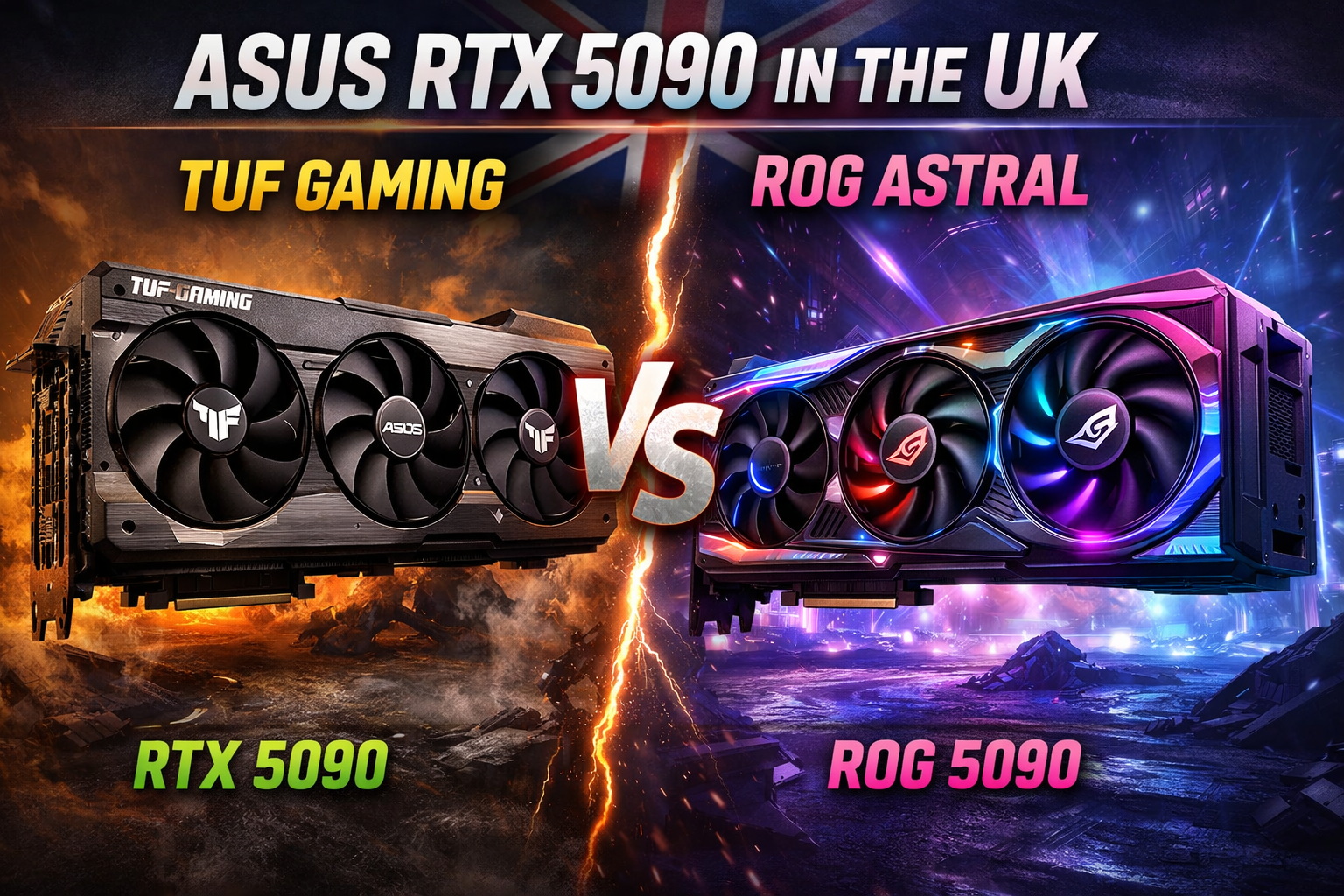
ASUS RTX 5090 in the UK: TUF Gaming vs ROG Astral Buyer’s Guide
Choosing between the ASUS TUF RTX 5090 and the ASUS ROG Astral RTX 5090 can feel overwhelming, especially with new Blackwell tech, 32 GB of GDDR7, rising power requirements and the arrival of BTF hidden-cable builds. This guide is designed to give UK buyers total clarity. By the time you reach the end, you’ll know exactly which ASUS 5090 model suits your case, PSU, noise tolerance and workload.
Quick Recommendations for UK Buyers
Best all-rounder:
ASUS TUF RTX 5090 – strong cooling, reliable build quality, typically more sensible UK pricing than ROG Astral.
Best for showcase / premium builds:
ASUS ROG Astral RTX 5090 (OC if available) – flagship aesthetics, higher power limits, better for glass-panel rigs and RGB-heavy setups.
Best for quiet builds:
TUF RTX 5090 in Quiet BIOS mode – ASUS usually tunes TUF cards to run cooler and quieter at stock.
Best for creators & AI workloads:
ROG Astral RTX 5090 – if the Astral line follows ASUS patterns, expect higher power headroom and stronger sustained boost for long render/AI sessions.
This guide focuses specifically on UK pricing, power requirements, case compatibility, retailer availability and real-world use cases. Let’s break down everything clearly.
ASUS RTX 5090 buyer’s guide: quick TL;DR for UK builds
If you want the right ASUS RTX 5090 for your UK PC build fast, here’s your quick decision snapshot based on real-world case fit, noise, PSU compatibility and usage:
| Use Case | Recommended Model | Why this choice (UK focus) |
|---|---|---|
| Best All-Rounder | ASUS TUF RTX 5090 | Robust cooler, typically better value at UK retailers like Scan / Overclockers UK |
| Showpiece / Premium Build | ASUS ROG Astral RTX 5090 (OC if available) | Premium design, stronger power delivery, great for RGB/glass showcase cases |
| Quiet Builds | TUF RTX 5090 (Quiet BIOS) | Larger heatsink + quiet BIOS mode = lower noise in small UK rooms |
| Creators / AI Workloads | ROG Astral RTX 5090 | Likely more power headroom + cooling for sustained render / AI tasks |
Key UK-centric notes:
- Pricing expectations: RTX 5090 tier cards are flagship-class in the UK expect prices well north of £1,500, especially for ROG Astral or OC variants.
- Availability: Stock will be limited at launch; retailers like Scan, Overclockers UK, Ebuyer and Amazon UK are the most reliable places to check.
- Use-case matters: If your focus is gaming at 4K/8K and value, TUF usually gives strong performance without the premium. If you want the absolute best thermals and looks Astral.
This section is designed to give you clear recommendations in under a minute, with relevance to UK pricing and build realities.
TUF vs ROG Astral explained: key differences in ASUS RTX 5090 cards
When you strip away the branding, TUF and ROG Astral are two different approaches to the same Blackwell RTX 5090 silicon:
- TUF = sensible, robust, value-leaning flagship
- ROG Astral = premium, showcase, maxed-out flagship
Because final RTX 5090 specs can shift slightly near launch, treat the details below as based on how ASUS usually positions TUF vs high-end ROG.
Cooler design & build
ASUS TUF RTX 5090
- Typically a chunky triple-fan, 3–3.5 slot design with a thick fin stack.
- Focus on function over flash – muted colours, metal shroud, sturdy backplate.
- Cooling is tuned to be safe and reliable out of the box, ideal if you don’t want to fiddle.
ASUS ROG Astral RTX 5090
- Expect a larger, more elaborate cooler, again in the 3–3.5 slot range, often with more emphasised airflow channels and shroud shaping.
- Designed to look like a centre-piece in a glass-panel case – RGB accents and ROG styling are almost guaranteed.
- Cooling is usually tuned for higher boost clocks and power limits, ideal for max performance or long creator / AI workloads.
Power connectors & power limits
TUF RTX 5090
- Likely to use the standard next-gen PCIe GPU power connector (12V-2×6) or equivalent, similar to current 12VHPWR layouts on high-end cards.
- Power limits tend to be strong but not the absolute highest in ASUS’ line-up – enough for great gaming and some overclocking, but not the most extreme.
ROG Astral RTX 5090 (and Astral BTF)
- Standard Astral: again, expect a 12V-2×6 / PCIe 5.0 high-power connector with higher power limits than TUF.
- Astral BTF variants: instead of a visible front power plug, power is routed via ASUS’ GC-HPWR connector on a compatible BTF motherboard, letting you run a hidden-cable build with no GPU power cable in sight.
- Astral cards are usually where ASUS enables the highest power targets, which benefits both overclocking and heavy creator/AI usage (at the cost of more heat and power draw).
Aesthetics & design language
TUF RTX 5090
- Stealthy industrial look – darker colours, angular metal, subtle branding.
- Minimal or restrained RGB, if any; built for people who care more about thermals and durability than lighting.
- Fits nicely in serious work/gaming rigs where the GPU doesn’t need to scream “look at me”.
ROG Astral RTX 5090
- Premium ROG aesthetic – bold lines, RGB zones, and design that pops in a side-panel photo.
- Aimed squarely at high-end showcase builds: glass panels, custom cables, themed colour schemes.
- If you want your RTX 5090 to be the visual centrepiece of the build, Astral is the line ASUS intends you to buy.
Features & extras
Both families will likely share core features like:
- Dual BIOS (Performance / Quiet) so you can pick between max performance or lower noise.
- Support for ASUS software (Armoury Crate / GPU Tweak) for fan curves, power limits and RGB.
Where they usually differ:
- TUF:
- Emphasis on “no-nonsense reliability” – strong VRM, long-life components, straightforward feature set.
- Often the better value option at UK retailers.
- ROG Astral:
- May add extra headers, more advanced RGB zones, and a richer accessory bundle (cable tidies, GPU support bracket, etc.).
- Generally positioned as the halo product: you’re paying for both performance headroom and aesthetics.
Simple takeaway
- If you want a flagship ASUS Blackwell GPU that’s robust, cool and (relatively) sensible in price, you’ll probably prefer the TUF RTX 5090.
- If you want the flashiest, most premium-feeling RTX 5090 with the best chance of higher power limits and hidden-cable BTF options, you’re firmly in ROG Astral RTX 5090 territory.
Which ASUS RTX 5090 should I buy for my UK gaming PC?
Here’s where we turn spec talk into real builds. Instead of arguing TUF vs ROG Astral in a vacuum, think about your case, PSU, noise tolerance and desk space – then match yourself to a scenario below.
4K / high-refresh gamer with a big ATX case
- You:
- Play at 4K or 1440p high refresh
- Have a full-size ATX case with good airflow
- Use a quality 850–1000 W+ PSU (or are willing to upgrade)
- Recommended:ASUS TUF RTX 5090
- Delivers the same core Blackwell performance as Astral in real games.
- Strong, chunky cooler that handles long gaming sessions comfortably.
- Usually cheaper at UK retailers, so you’re not paying extra just for RGB.
- When to consider ROG Astral instead:
- You’re chasing every last bit of performance and don’t mind paying more.
- You want your GPU to be the visual highlight behind a glass panel.
Compact mid-tower build with tight GPU clearance
- You:
- Have a smaller mid-tower or older case with limited GPU length / thickness.
- Worried about the card hitting front radiators, drive cages or side panels.
- Recommended (default):ASUS TUF RTX 5090
- Historically, TUF variants are slightly more “sensible” in dimensions than the flashiest ROG models.
- Design is a bit more practical for tight builds, without huge shrouds or over-the-top styling.
- What to do before buying (critical):
- Check your case’s max GPU length and compare it with official specs once published.
- If you’re using a front-mounted AIO, remember to subtract fan + radiator thickness from listed clearance.
- If Astral turns out physically larger, it’s the one more likely to cause fit issues.
If your case is already borderline for previous-gen high-end cards, lean TUF unless Astral dimensions are confirmed compatible.
“I hate fan noise” – silence-focused UK build
- You:
- Game with headphones off or at low volume.
- Sit close to your PC and notice coil whine or aggressive fan ramps easily.
- Maybe your PC is in a smaller UK room that warms up quickly.
- Recommended:ASUS TUF RTX 5090 in Quiet BIOS mode
- ASUS usually gives TUF cards a very capable heatsink with conservative fan curves.
- Flip to Quiet BIOS (via switch on the card) to trade a little raw performance for much lower noise.
- Pair that with a good airflow case and you’ve got a high-end build that’s far less intrusive.
- When Astral can still make sense:
- If ROG Astral ships with an even bigger cooler and you’re willing to manually tune fan curves in Armoury Crate / GPU Tweak, you can make it quiet too.
- But out of the box, TUF is the safer “quiet-by-default” bet.
RGB / glass-panel showcase PC
- You:
- Have a glass side panel and care how the rig looks on your desk.
- Run RGB strips, custom cables, themed colours.
- Don’t mind paying a bit more to make the build look premium.
- Recommended, hands-down:ASUS ROG Astral RTX 5090 (OC if available)
- Designed to be the centre-piece – bold shroud, RGB elements, distinctive ROG styling.
- OC variants usually have higher power limits and slightly better boost behaviour, which pairs nicely with high-end CPUs and 4K displays.
- Works brilliantly in fully-themed ROG builds with matching motherboard, AIO and RAM aesthetics.
If your priority is “I want this build to look insane on Instagram / Reddit”, Astral is the clear choice.
Mixed gaming + creator use (DaVinci, Blender, Unreal, etc.)
- You:
- Game at 1440p/4K but also spend time in DaVinci Resolve, Premiere, Blender, Unreal, Unity, etc.
- Export times and viewport smoothness matter almost as much as FPS.
- You may also dabble in AI workloads, Stable Diffusion, or local LLMs.
- Recommended:ROG Astral RTX 5090
- If it follows typical ROG positioning, Astral should have slightly higher power limits and stronger sustained boost under long load.
- That helps with long renders, heavy timelines and AI runs, where keeping higher clocks for longer really pays off.
- Cooling headroom is more important here than RGB – but Astral usually delivers both.
- When TUF is smarter:
- If you’re on a tighter budget but still need 32 GB GDDR7 for creator work, TUF RTX 5090 offers most of the performance at a lower price.
- Great for “work by day, game by night” setups where value matters more than aesthetics.
Blackwell & 32 GB GDDR7 on ASUS RTX 5090: what actually matters
Before you get lost in ASUS model names, it helps to understand what you’re really buying with an RTX 5090 based on NVIDIA’s Blackwell architecture and 32 GB of next-gen GDDR7 memory.
Think of this section as the “do I actually need this?” sanity check.
What is Blackwell in normal human language?
You don’t need to care about SM counts and die names. In practical terms, a Blackwell-based RTX 5090 from ASUS is built to be:
- Much faster at 4K (and above) than previous-gen flagship cards in demanding games.
- Far more capable in AI workloads (local LLMs, Stable Diffusion, upscaling, background removal, etc.).
- More efficient per frame – doing more work per watt, even if the total power draw is still high because it’s a flagship.
For a UK gamer or creator, what Blackwell means is:
- You can push higher settings at 4K with ray tracing on and still keep high frame rates.
- You’re getting a GPU that’s designed for the next wave of games and engines, not just today’s titles.
- If you’re into AI tools, it’s built with that in mind rather than as an afterthought.
Why 32 GB of GDDR7 VRAM is a big deal
Most people fixate on core count and boost clocks, but for heavy modern workloads the 32 GB of GDDR7 is one of the biggest upgrades:
- For gamers:
- Today’s 4K games with ultra textures, high-res mods and big open worlds can already chew through VRAM.
- As engines get more detailed, that 32 GB buffer gives you breathing room, especially if you like modded titles or texture packs.
- It’s basically future-proofing – you’re buying a card that should stay comfortable even as VRAM demands climb.
- For creators:
- More VRAM means larger scenes in Blender, more complex timelines in DaVinci / Premiere and heavier effects without out-of-memory errors.
- It reduces how often you’re forced to simplify scenes or proxies just to make things run.
- For AI and local LLMs:
- VRAM directly controls model size and batch size you can run locally.
- 32 GB gives you much more flexibility for larger language models, higher-res image generation, more steps or bigger batches.
GDDR7 also brings higher bandwidth compared to GDDR6X, so that 32 GB isn’t just larger it’s faster at feeding the GPU.
Do you actually need this over something like a 4090?
Honest answer:
- If you’re on 1440p, don’t care about ultra settings and never touch creator/AI workloads, an RTX 5090 class GPU is more want than need.
- If you’re planning a long-term 4K build, especially:
- With a 120–240 Hz 4K monitor,
- Heavy ray tracing,
- Or a side interest in AI / high-end content creation,
For UK buyers:
- Prices will be premium, but so is the performance envelope and lifespan you’re getting.
- If you upgrade GPUs rarely and want something that shrugs off new titles for a long time, Blackwell + 32 GB GDDR7 is very much that play.
Where ASUS actually adds value on top of Blackwell
Every RTX 5090 uses NVIDIA’s Blackwell architecture and 32 GB of GDDR7, but ASUS decides how well that performance is delivered:
- Cooler design (TUF vs ROG Astral):
Better heatsinks and fans mean higher sustained boost clocks and lower noise. - Power delivery:
Stronger VRMs and higher power limits (especially on Astral/OC) give the GPU more headroom to stretch its legs in long sessions. - Thermal headroom for creators/AI:
If you’re rendering or running models for hours, an ASUS card with a big cooler will hold performance more consistently than a basic blower or cut-down design.
In other words: Blackwell + 32 GB GDDR7 is the engine; ASUS’ TUF and ROG Astral designs are the cooling and chassis that decide how smooth, quiet and sustainable that performance feels in your actual UK build.
Cooling & noise: ASUS TUF RTX 5090 vs ROG Astral 5090
When you’re buying a next-gen ASUS Blackwell RTX 5090, the cooler matters almost as much as the silicon. In UK builds – especially smaller rooms that heat up quickly – cooling and noise are a huge part of the experience.
Because full retail specs aren’t final at the time of writing, think of this as a practical guide based on how ASUS usually tunes TUF vs high-end ROG cards.
Expected cooling hierarchy
In simple terms, you can usually think of it like this:
- ROG Astral RTX 5090
- Built as the halo cooler: big fin stack, aggressive airflow design, tuned for higher power limits and boost clocks.
- Best suited to long, heavy loads 4K gaming marathons, long renders, AI workloads – where sustaining top performance matters more than absolute noise.
- TUF RTX 5090
- Still a high-end triple-fan design, but positioned as the sensible, robust option.
- Cooling is focused on reliability and low noise at stock, rather than bleeding-edge power limits.
- Ideal for “set and forget” UK builds where you want strong temps without tweaking.
In practice, both will be among the coolest cards on the market, but Astral will often be allowed to run “hotter and harder” if you push power and overclocks, while TUF plays it safer.
Fans, fin stack and dual BIOS
You can expect both families to ship with:
- Three large axial fans over a dense fin stack.
- A full-length metal backplate to help with rigidity and a bit of passive cooling.
- Dual BIOS switch on the card:
- Performance mode:
Higher fan speeds, lower temps, slightly more noise. - Quiet mode:
Lower fan speeds, slightly higher temps, noticeably quieter.
- Performance mode:
For noise-sensitive UK users, that Quiet BIOS is your best friend especially on TUF, which ASUS usually tunes very conservatively.
Practical noise tips for UK builds
No matter which ASUS RTX 5090 you pick, you can make it run cooler and quieter with a few simple steps:
- Flip the BIOS switch to Quiet mode
- Do this with the PC off, before finalising your build.
- For most gamers and creators, the performance difference is tiny, but the noise drop can be very noticeable.
- Sort your case airflow first
- At least one good front intake and one rear exhaust fan as a baseline.
- In many UK homes, PCs sit near radiators, in alcoves or under desks – all of which trap heat. Good airflow helps the GPU cooler actually do its job.
- Use ASUS software to tame the fan curve
- In Armoury Crate or GPU Tweak, you can:
- Set a more relaxed fan curve that only ramps up hard once temps pass a threshold you’re comfortable with.
- Enable a zero-RPM idle mode (if supported) so the fans stop in light desktop use.
- In Armoury Crate or GPU Tweak, you can:
- Consider undervolting for a cooler, quieter card
- A light undervolt can cut power draw and temps significantly while keeping almost all of the performance.
- This is especially attractive in smaller UK rooms or during warmer months, where a hot GPU quickly makes the room uncomfortable.
TUF vs Astral: which is better for quiet operation?
- Out of the box quiet pick:
- TUF RTX 5090 in Quiet BIOS mode is the safer default for most people who hate fan noise.
- Historically, its cooler and tuning lean more toward “overbuilt and calm” than “maximum aggressive boost”.
- Tuned quiet pick with more effort:
- ROG Astral RTX 5090 can absolutely be made quiet, especially if it ships with an even beefier heatsink.
- But you’ll likely get the best results if you’re willing to manually tweak fan curves and maybe undervolt to rein in its higher power targets.
If your priority in a UK setup is “high-end performance without sounding like a hair dryer”, start by planning for:
- A solid case with good airflow,
- A TUF or Astral card set to Quiet BIOS,
- And a bit of fan-curve tuning once you’ve built the system.
That combination will do far more for real-world noise and thermals than obsessing over one or two degrees in spec sheets.
PSU & power for ASUS RTX 5090: what you actually need
With a card at RTX 5090 / ASUS ROG Astral / TUF level, power is not something you can guess. You want clean, stable wattage from a high-quality unit – especially on UK mains where cheap PSUs and old wiring can expose weak spots fast.
Because exact 5090 wattage isn’t final yet, treat this as a sensible, slightly conservative guide based on how NVIDIA/ASUS position their top-end GPUs.
1. Estimated power draw & safe PSU wattage
For a next-gen flagship like an ASUS RTX 5090, it’s realistic to assume:
- GPU board power: in the same ballpark as, or higher than, current top-end cards.
- Full system draw (high-end CPU + 5090 + drives + fans): easily 700–850 W+ under heavy gaming or creator loads.
To stay on the safe side for UK buyers:
- For typical high-end gaming builds (i7/Ryzen 7 class CPU):
→ Aim for a minimum of 1000 W, quality unit. - For overclocked CPUs / 5090 OC variants / heavy creator & AI rigs:
→ Consider 1000–1200 W to give the GPU and CPU breathing room, especially if you’re pushing power limits.
You’re not just buying raw wattage – you’re buying stability under sudden load spikes, which modern GPUs are known for.
2. PSU quality: don’t cheap out here
A good 850–1000 W+ unit from a reputable brand is far better than a no-name “1200 W” lump that sags the moment your GPU boosts.
Look for:
- 80+ Gold or better (Gold, Platinum, Titanium) – efficiency is less about saving pennies and more about:
- Lower waste heat
- Better internal component quality in most modern designs
- Reputable brands with strong UK distribution and warranties.
- Modern ATX spec (or updated platform) that lists support for high transient GPU loads.
If your current PSU is:
- Old, low-efficiency, or
- Bronze / cheap brand, or
- Under 1000 W in a system where everything else is flagship-level,
…it’s worth budgeting for a new PSU as part of your ASUS RTX 5090 upgrade.
3. Power connectors: 12V-2×6 / PCIe 5.0 and GC-HPWR
For ASUS RTX 5090 cards, expect:
- Standard TUF / ROG Astral:
- A single high-power PCIe 5.0 connector (the updated 12V-2×6 style) rather than multiple older 8-pins.
- Many good modern PSUs already include a native PCIe 5.0 cable; if yours doesn’t, check what adapter is supplied and follow the manufacturer’s install guidance carefully.
- ROG Astral BTF with GC-HPWR:
- Instead of a visible front connector, power is supplied via the GC-HPWR connector on a compatible BTF motherboard, routed from the back of the board.
- You still need a strong PSU, but the cabling is hidden behind the motherboard tray for a cleaner look.
Key point: whatever the connector, the GPU doesn’t “care” whether wattage is cheap or premium – but you will when a poor PSU starts to coil whine, crash under load or, in the worst case, fails.
4. Matching PSU size to your actual build
Here’s a simple rule of thumb for UK builds planning an ASUS RTX 5090:
- High-end gaming only (no crazy overclocks):
- i5/i7 or Ryzen 5/7, a couple of drives, standard fans
- → 1000 W 80+ Gold from a good brand is a very solid baseline.
- Streaming + gaming / light creator work:
- Similar to above but with more SSDs, capture card, etc.
- → 1000–1200 W, especially if the CPU is a high-core part.
- Heavy creator / AI / workstation hybrid:
- High-core CPU, lots of storage, capture cards, maybe extra PCIe devices
- → 1000–1200 W quality unit becomes strongly recommended.
If in doubt, go one tier up – a 1000–1200 W Gold PSU that idles comfortably will often be quieter, cooler and longer-lived than a borderline unit.
5. UK mains, surge protection and real-world stability
In the UK, you’ve got generally decent mains, but there are still a few things worth doing for a flagship GPU:
- Use a good quality extension / surge-protected strip, especially if your socket also feeds monitors, speakers and chargers.
- Avoid daisy-chaining cheap multi-plugs behind the desk – a single solid surge strip is better than a spaghetti of no-name adapters.
- If your house wiring is very old or you’re in a place with sketchy power, a UPS (battery backup) with AVR can help smooth drops/spikes and give you time to shut down cleanly.
6. Quick power checklist before you order an ASUS RTX 5090
Before committing to a TUF or ROG Astral card:
- ✅ Check your PSU wattage and age – aim for 1000 W+ from a reputable brand.
- ✅ Confirm it has a native PCIe 5.0 / 12V-2×6 cable or that you’re happy using the official adapter correctly.
- ✅ Make sure your case and airflow are up to the job – a PSU running near its limit in a hot, cramped case is far more likely to be noisy.
- ✅ If you’re eyeing Astral BTF, verify you have (or will buy) a compatible BTF motherboard to use GC-HPWR properly.
Get the power side right and your ASUS RTX 5090 becomes the centrepiece of a stable, quiet, long-lasting UK build, not a random source of crashes and weird behaviour.
Case fit & clearance: will an ASUS RTX 5090 TUF or ROG Astral fit?
Before you even think about hitting buy on an ASUS RTX 5090, you need to answer one brutal question:
Will this thing actually fit in my case without smashing into radiators, drive cages or the side panel?
RTX 5090-class cards are huge, and ASUS TUF / ROG Astral models will be no exception.
Because final dimensions aren’t confirmed yet, this section focuses on how to check properly and what UK builders should expect.
Expect a very large GPU (3–3.5 slots, serious length)
Based on current and previous flagship trends, you should assume:
- Length: Large, triple-fan card territory – think “if a 4090 was tight, 5090 probably will be too.”
- Thickness:3–3.5 slots is realistic, which means:
- It will block at least three expansion slots,
- And may make using extra PCIe cards (Wi-Fi, capture, sound cards) tricky in compact layouts.
Both TUF and ROG Astral will be designed for modern, spacious mid-towers and full ATX cases, not for older compact designs.
1. How to check GPU length vs your case
Do this before ordering your ASUS RTX 5090:
- Find your case’s official GPU clearance
- Check the manufacturer page or manual for “Max GPU length”.
- Be careful: some list this with no front radiator installed, some with.
- Account for front radiators & fans
- If you have a front-mounted AIO, subtract the thickness of the radiator + fans from that max length.
- Example:
- Case says max GPU length = 400 mm
- Radiator + fans = ~55 mm
- Realistic GPU space = 345 mm, not 400 mm.
- Compare with ASUS specs once published
- Check the listed length for:
- ASUS TUF RTX 5090
- ASUS ROG Astral RTX 5090
- If you’re within 5–10 mm of the limit, assume it’s too tight – cables, side panels and tolerances eat into that “paper” clearance.
- Check the listed length for:
2. GPU thickness & number of slots blocked
Most RTX 5090-class cards will be thick:
- TUF RTX 5090
- Expect a solid, chunky cooler – typically around 3+ slots.
- You’ll likely lose use of the PCIe slot directly under it (and maybe the next).
- ROG Astral RTX 5090
- As the halo model, it could be even bulkier, with a heavier heatsink and more decorative shrouds.
- It’s the more likely candidate to clash with:
- Large PCIe capture cards
- Older motherboards with awkward slot layouts
If you rely on extra PCIe devices (capture card for streaming, RAID cards, etc.), check your motherboard layout and imagine those slots blocked before committing to a very thick GPU.
3. UK mid-towers vs larger ATX cases
In the UK, a lot of systems live in:
- Standard “gaming” mid-towers from mainstream brands, often:
- Not very deep
- With front glass/mesh plus a radiator or HDD cage in front of the PSU shroud
- Compact or older cases that were never designed for modern, monster GPUs.
Rough guidance:
- Higher-end, deeper mid-towers and big ATX cases:
- Often fine for a TUF or ROG Astral RTX 5090, as long as you’ve checked max GPU length and accounted for radiators.
- Great candidates for Astral showcase builds.
- Cheaper, narrower mid-towers and older cases:
- Where you’re most likely to run into:
- Length issues (front rad / drive cage blocking)
- Side panel clearance problems due to GPU thickness
- In these cases, even a TUF may be a tight squeeze.
- Where you’re most likely to run into:
If your current case already felt cramped with a previous-gen flagship or long triple-fan card, an ASUS RTX 5090 is your cue to seriously consider a case upgrade.
4. Don’t forget PCIe cables and bends
Even if the card length fits on paper, remember:
- The PCIe power cable (or GC-HPWR / 12V-2×6 plug) needs room to plug in and then bend without stressing the connector.
- For standard TUF / Astral cards, make sure there’s:
- Enough clearance between the GPU end and front fans / radiator
- Room for the cable to bend without pushing against the side panel.
If you’re going for a ROG Astral BTF with GC-HPWR, this is less of a front-side issue, but you’ll need to be sure your case and BTF motherboard support the hidden-cable layout.
5. Simple pre-buy checklist for case compatibility
Before you pull the trigger on an ASUS RTX 5090:
- ✅ Check max GPU length in your case manual / spec sheet
- ✅ Subtract radiator + fan thickness if you use a front AIO
- ✅ Assume a 3–3.5 slot card and mentally block those slots on your motherboard
- ✅ Make sure you’ve got space for cable bend at the GPU end
- ✅ If you’re eyeing Astral BTF, confirm the case supports the BTF standard and rear-side connectors
ASUS ROG Astral 5090 variants explained (OC, BTF, special editions)
When you see “ROG Astral RTX 5090” on a UK retailer site, it probably won’t just be a single SKU. ASUS almost always launches multiple variants built around the same GPU and cooler, each tuned for slightly different buyers.
Exact names and clocks can change, but you can safely expect a line-up along these lines:
Standard ROG Astral RTX 5090
Think of this as the baseline premium card:
- Same core ROG Astral cooler and aesthetics
- Uses the standard front-mounted high-power PCIe connector (12V-2×6 / PCIe 5.0)
- Slight factory tweak vs NVIDIA reference, but not the most aggressive overclock
Who it’s for:
- You want the ROG Astral look and cooler, but don’t care about squeezing every last MHz.
- You’d rather save a bit of money vs the OC edition and maybe apply your own mild OC or undervolt.
- Ideal for 4K gamers and mixed-use rigs that want premium hardware without going full halo pricing.
ROG Astral RTX 5090 OC Edition
This is typically the headline gaming SKU:
- Higher factory boost clocks and often a raised power limit
- Same or slightly refined cooler compared with the standard Astral
- Sometimes ships with a more aggressive Performance BIOS profile by default
Real-world benefits:
- A few extra percent of performance out of the box – not life-changing, but nice if you’re pairing with:
- 4K 144 Hz+ monitors
- High-end CPUs and chasing max FPS
- Better suited to users who plan to lean into overclocking, as OC models often have more headroom.
Who it’s for:
- Enthusiasts who want “best version of the best GPU” without manual tuning.
- Buyers building showpiece glass-panel systems where ROG Astral is part of a full ROG theme (board, AIO, RAM, etc.).
ROG Astral RTX 5090 BTF (hidden cable variant)
The BTF variant is where things get really interesting for cable-haters.
Instead of plugging a chunky power cable into the front of the card, Astral BTF uses:
- A special GC-HPWR connector on the back of the PCB
- Power is delivered through a matching BTF motherboard, with the connector hidden behind the tray
Front-on, that means:
- No visible GPU power cable cluttering your glass-panel view
- Much cleaner builds, especially with vertical mounting or white-themed rigs
Requirements (important):
- You must pair it with a compatible ASUS BTF motherboard that supports GC-HPWR.
- Your case needs to support BTF layouts – cut-outs and spacing at the back for those rear connectors and thicker cable passages.
Who it’s for:
- Builders who care as much about cable-free aesthetics as raw performance.
- Anyone planning a premium, super-clean build and is happy to commit to the ASUS BTF ecosystem (board + case + GPU).
Possible special editions: White / themed Astral cards
ASUS often releases limited or special edition cards later in a generation:
- White or light-themed ROG Astral 5090 to match all-white builds
- Region-specific or anniversary designs with unique shrouds or accents
If these appear, they’ll typically be based on:
- The same core PCB and cooler as the main Astral or Astral OC
- Identical or near-identical performance, just with a different colourway and bundle
Who they’re for:
- Builders who are deep into colour-matched rigs – white cases, white AIO, white cables.
- People happy to wait and pay a slight premium to get exactly the look they want.
Quick “which Astral is for me?” recap
- ROG Astral RTX 5090 (standard)
→ Premium cooler + design, sensible choice if you want Astral without maxing budget. - ROG Astral RTX 5090 OC Edition
→ Top-bin gaming variant with higher clocks and power limit; best for 4K high-refresh and halo builds. - ROG Astral RTX 5090 BTF (GC-HPWR)
→ For hidden-cable, ultra-clean builds using ASUS BTF motherboard + compatible case. - White / special editions (if released)
→ Same performance tier, bought mainly for themed aesthetics.
When you’re browsing UK retailers, pay close attention to suffixes like “OC”, “BTF”, and colour tags in the product name – they tell you exactly what you’re getting: more clocks, hidden cables, or a specific visual theme.
ASUS TUF RTX 5090 deep dive: design, durability, value
If you like your hardware to feel solid, sensible and built to last, the ASUS TUF RTX 5090 is very likely the sweet spot in the ASUS RTX 5090 line-up.
Where ROG Astral chases flash and maximum prestige, TUF leans into robust engineering, quieter tuning and better value – without giving up the core Blackwell performance or 32 GB GDDR7.
TUF design language: stealthy, industrial, no-nonsense
ASUS TUF cards have a very consistent design philosophy, and it’s safe to expect the RTX 5090 version to follow that pattern:
- Muted, industrial aesthetic
- Darker, military-inspired styling with metal-heavy shrouds and a chunky backplate.
- Minimal “gamer” clutter – it looks like a piece of serious kit rather than a toy.
- Subtle or restrained lighting
- Any RGB is usually small and tasteful, not a flood of rainbow.
- Ideal if your build is professional-looking by day, gaming rig by night, or if you simply don’t like aggressive RGB.
- Functional shroud and fin stack
- TUF coolers tend to prioritise straightforward airflow and big heatsinks over wild design flourishes.
- Everything is there to serve the goal of moving heat away efficiently.
This makes the TUF RTX 5090 a strong choice for people who want a high-end Blackwell GPU that doesn’t visually dominate the whole case.
Durability & build quality: why TUF has a loyal following
The TUF line’s reputation is built on long-term reliability rather than pure glamour. While every individual card can vary, historically ASUS has pushed a few consistent themes:
- Reinforced PCB and metal backplate
- Helps reduce GPU sag and protects the board when you’re moving the PC around.
- Important for large cards like an RTX 5090, especially in UK homes where rigs may be moved between rooms or to events.
- Long-life components
- TUF cards typically use military-grade capacitors and robust VRM components, marketed around durability.
- The idea is that they’ll handle years of high-load gaming and creator work without complaint.
- Cooling tuned for safety and stability
- Rather than running on the absolute edge of power limits, TUF usually favours safe thermals and conservative boost behaviour.
- That can mean less thermal stress over time, which is good for component longevity.
For a buyer wanting “buy it, install it, forget about it for years”, TUF is often the ASUS line that best fits that mentality.
Value: flagship performance without the “ROG tax”
Both TUF RTX 5090 and ROG Astral RTX 5090 share the same Blackwell DNA and 32 GB of GDDR7. The practical differences are in cooler, power headroom and positioning – not in basic capability.
For UK buyers, that usually translates into:
- Lower price vs ROG Astral
- TUF is almost always cheaper than the equivalent ROG card at retailers like Scan, Overclockers UK and Ebuyer.
- You’re effectively skipping the extra RGB, prestige branding and maximum-bin clocks.
- Very similar real-world gaming performance
- In many games, especially at 4K, the performance gap between a sensibly tuned TUF and a fancier ROG variant is small enough that you’ll barely notice.
- You still get the “next-gen NVIDIA flagship” experience without paying every possible premium.
- Better total build value
- Money saved on the GPU can go into:
- A better PSU
- A nicer monitor (4K, high refresh)
- More NVMe storage or extra RAM
- All of which can improve your day-to-day experience more than a tiny FPS difference.
- Money saved on the GPU can go into:
In short: TUF often gives you 90–95% of the premium card feel at a noticeably lower price, especially in the UK where ROG branding tends to command a premium.
Who the ASUS TUF RTX 5090 is ideal for
You’re the natural TUF buyer if:
- You want top-tier RTX 5090 performance without paying extra just for flashy aesthetics.
- You prefer a stealthy, industrial design that looks at home in a work or gaming environment.
- You plan to keep the card for a long time and care about reliability and sensible thermals.
- You’re building a high-end 4K gaming PC or mixed gaming/creator rig where:
- The monitor, CPU and PSU matter just as much as the GPU badge.
Versus ROG Astral:
- Pick TUF RTX 5090 if you’re thinking: “Give me a brutally strong, reliable flagship that doesn’t waste my budget on looks.”
- Pick ROG Astral RTX 5090 if you’re thinking: “I want the fanciest version possible, with the most premium cooler and aesthetics, and I’m happy to pay for it.”
For many UK builders, especially those aiming for “sensible high-end” rather than “no-compromise showpiece”, the ASUS TUF RTX 5090 is likely the default recommendation.
Creators, AI & productivity: best ASUS RTX 5090 for work
If you’re more “timeline and render bar” than “KD ratio”, the way you look at ASUS RTX 5090 cards is a bit different. The headline isn’t just FPS – it’s VRAM, stability under long load and how fast your projects finish.
Both TUF and ROG Astral RTX 5090 cards share the same core ingredients:
- Blackwell flagship GPU
- 32 GB of GDDR7
- NVIDIA’s latest RT / Tensor cores for viewport, rendering and AI
The question is: which cooler and power design suits professional-ish workloads better?
Why 32 GB GDDR7 is a game-changer for creative and AI work
For creators and AI users, 32 GB of fast VRAM is where things really get interesting:
- 3D & VFX (Blender, Unreal, Houdini, Cinema 4D, etc.)
- Larger scenes and more complex geometry fit comfortably in VRAM.
- You can keep higher-res textures and more complex lighting without hitting out-of-memory crashes as quickly.
- Viewport performance is far smoother when you’re not juggling proxies all the time.
- Video editing (Premiere Pro, DaVinci Resolve, After Effects)
- High-res projects (4K, 6K, 8K) with heavy grading, noise reduction and effects lean heavily on GPU.
- More VRAM means you can stack more nodes/effects before hitting the wall.
- Local AI / LLM / Stable Diffusion
- VRAM capacity directly limits model size, context length, image resolution and batch size.
- 32 GB makes it much easier to:
- Run larger LLMs locally
- Generate higher-res images with Stable Diffusion
- Experiment with more ambitious AI workflows without constantly trimming settings.
If your PC is a serious tool for work as well as play, 32 GB GDDR7 is a big part of why a 5090-class GPU makes sense.
ROG Astral vs TUF for long renders and AI runs
For pure creator/AI workloads, think about what the GPU is doing:
- It’s sitting at high utilisation for long stretches (renders, exports, training/inference).
- That means sustained boost clocks and cooler behaviour matter more than short gaming bursts.
ASUS ROG Astral RTX 5090 (standard or OC):
- Designed as the halo cooler with higher power headroom.
- More generous power limits usually mean:
- Higher sustained boost clocks during long jobs.
- Slightly better performance in multi-hour renders and AI tasks.
- Ideal if your projects genuinely earn money or save serious time:
- Freelance 3D artist
- Editor or colourist with heavy projects
- AI tinkerer doing large-scale experimentation
ASUS TUF RTX 5090:
- Still incredibly capable for work:
- Big, robust cooler
- Conservative, stable tuning
- For many creators, TUF will deliver very similar real-world export times, especially if:
- You’re not constantly pegging 100% GPU for hours, or
- You’re more price-sensitive.
In short: if every minute of render time counts, Astral has the edge. If you want workstation-class performance without paying the ROG premium, TUF is the smarter value play.
Recommended pick by creator / AI profile
1. Freelance video editor / colourist (Resolve, Premiere)
- You regularly render long 4K+ timelines with heavy effects.
- Recommendation:
- ROG Astral RTX 5090 (OC if budget allows) for maximum headroom and sustained clocks.
- If budget is tight, TUF RTX 5090 still gives you superb performance with better value.
2. 3D artist / generalist (Blender, Unreal, Houdini)
- Lots of scene iteration, final offline renders, maybe some real-time work.
- Recommendation:
- ROG Astral RTX 5090 if you want the most consistent long-run performance.
- TUF RTX 5090 if you’d rather invest saved budget into more RAM, NVMe storage or a better CPU, which also matter hugely here.
3. AI hobbyist / researcher (LLMs, Stable Diffusion, tools like ComfyUI)
- You’re pushing model sizes, higher resolutions and longer inference runs.
- Recommendation:
- ROG Astral RTX 5090 for the best combination of cooling and power headroom when running models for long periods.
- If you’re more cost-conscious and happy to tweak undervolts, TUF RTX 5090 offers nearly the same capability with a lower entry cost.
4. Mixed “office by day, content by night” user
- You do some editing, maybe light 3D and occasional AI, but it’s not your main job.
- Recommendation:
- TUF RTX 5090 – a better bang-for-buck choice that still obliterates most workloads, leaving budget for a nicer monitor or extra SSDs.
