
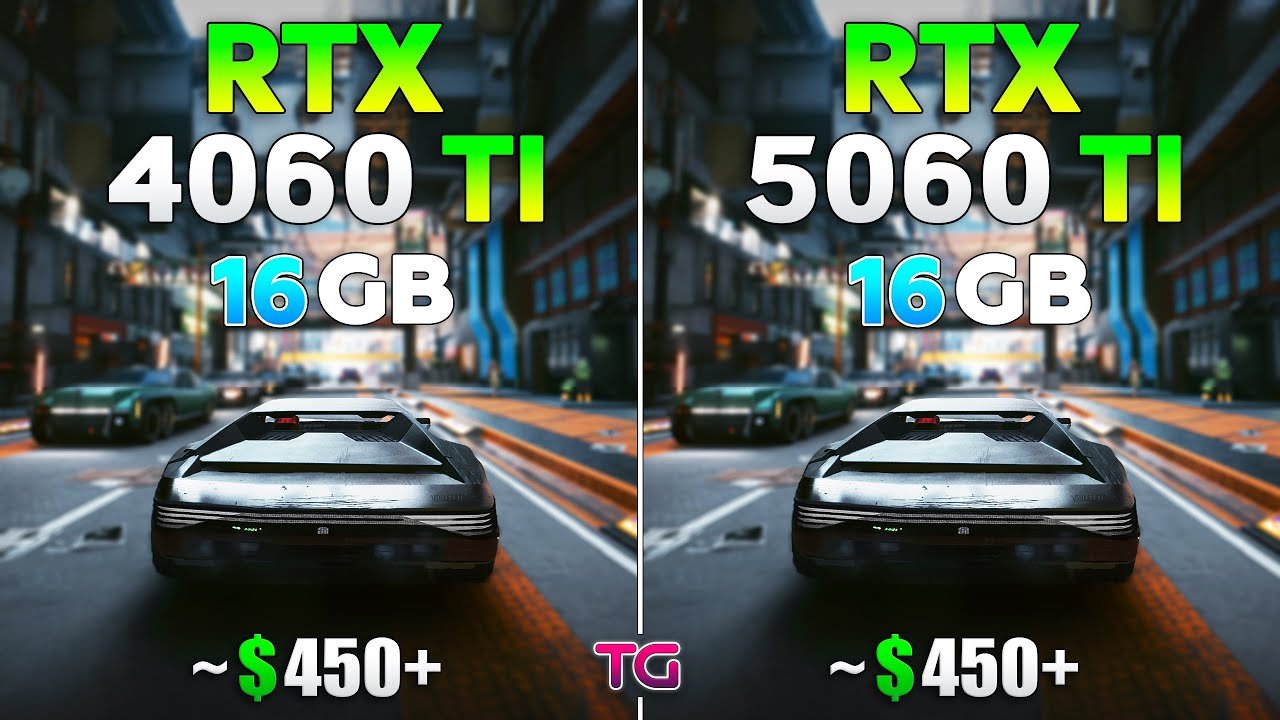
What’s New with the RTX 5060 Ti vs RTX 4060 Ti?
The jump from NVIDIA’s RTX 4060 Ti to the RTX 5060 Ti is more than just a generational refresh—it delivers tangible improvements for 4K gamers seeking higher FPS, smoother frame times, and better future-proofing. From architecture upgrades to memory and AI-driven features, here’s what sets these GPUs apart.
Architecture differences: Blackwell vs Ada Lovelace
The RTX 4060 Ti uses the Ada Lovelace architecture, while the RTX 5060 Ti is built on the newer Blackwell architecture. Key enhancements include:
- CUDA cores & RT cores efficiency: Blackwell optimizes ray tracing and rasterization, improving FPS at ultra settings.
- Tensor cores & AI performance: DLSS 4 and Multi‑Frame Generation (MFG) run more efficiently, enhancing smoothness at 4K and 1440p resolutions.
- Power efficiency: Despite slightly higher TDP (~180 W vs ~160 W), performance-per-watt is improved, benefiting mid-range systems with limited PSU capacity.
Specs breakdown: CUDA cores, RT/Tensor cores, memory bandwidth
| Feature | RTX 4060 Ti | RTX 5060 Ti | Upgrade Impact |
|---|---|---|---|
| CUDA cores | 4352 | 4864 | +12% |
| RT cores | 34 | 38 | Better ray tracing |
| Tensor cores | 136 | 152 | Enhanced AI upscaling |
| VRAM | 8 GB GDDR6 | 16 GB GDDR7 | Handles 4K textures better |
| Memory bus | 128‑bit | 128‑bit | Faster bandwidth with GDDR7 |
| TDP | 160 W | 180 W | Slightly higher power draw |
These attributes directly impact 4K gaming performance, frame-time stability, and 1% low FPS consistency.
Key new features: DLSS 4, Multi‑Frame Generation (MFG)
- DLSS 4: NVIDIA’s latest AI upscaler boosts effective FPS while maintaining visual fidelity, critical for 3840×2160 resolution gaming.
- Multi-Frame Generation (MFG): Combines multiple frames to deliver smoother motion and reduce stutter in fast-paced AAA titles.
Real‑World Gaming Performance – 4K, 1440p & 1080p
Upgrading to the RTX 5060 Ti delivers tangible performance improvements across multiple resolutions, especially for gamers pushing 4K ultra settings. Let’s break down what to expect in real-world gameplay.
4K ultra settings benchmarks: AAA titles, ray tracing enabled
At 3840×2160 resolution with ray tracing on, the RTX 5060 Ti shows a 15–25% FPS uplift over the RTX 4060 Ti in AAA titles like Cyberpunk 2077, Hogwarts Legacy, and AC Valhalla.
- RTX 4060 Ti: Average FPS ranges from 40–55 FPS depending on title, with 1% lows dipping to the mid-30s in ray-traced scenes.
- RTX 5060 Ti: Average FPS rises to 50–65 FPS, while 1% lows improve to mid-40s, offering smoother and more consistent frame delivery.
- DLSS 4 and MFG enhance perceived performance**, allowing higher frame rates without sacrificing ultra detail settings.
This makes the RTX 5060 Ti a more viable 4K gaming option for mid-range builds, especially for users with high-refresh 4K monitors.
1440p performance and how the upgrade scales
At 2560×1440 resolution, the performance uplift is less dramatic but still noticeable:
- RTX 4060 Ti: Typically 90–120 FPS in modern AAA titles.
- RTX 5060 Ti: 110–140 FPS, with better 1% low stability.
The improved memory bandwidth and additional CUDA/RT cores ensure smooth gameplay even with ray tracing enabled, while AI-driven frame generation further improves responsiveness in fast-paced action games.
1080p & competitive e-sports titles: diminishing returns?
For 1080p gaming, both GPUs are already capable of extremely high frame rates, often exceeding 200 FPS in e-sports titles like Valorant, CS:GO, and Fortnite.
- Upgrading to the RTX 5060 Ti offers only marginal FPS gains in this scenario.
- The real advantage lies in future-proofing for upcoming titles or higher resolutions, rather than immediate competitive performance.
1% lows and frame-time consistency: why it matters for 4K
A smooth gaming experience isn’t just about average FPS—it’s about frame-time consistency. The RTX 5060 Ti improves 1% lows and reduces frame stutter, which is crucial for 4K ultra HD gaming, ensuring:
- Smoother motion during cinematic sequences and fast action
- Less perceptible stutter in ray-traced environments
- Improved overall immersion in AAA titles
Memory, Bandwidth & 4K Gaming Implications
For 4K gaming, memory and bandwidth often determine whether a GPU can maintain ultra settings with consistent FPS. The RTX 5060 Ti introduces meaningful improvements over the RTX 4060 Ti in this department.
Why 128‑bit memory bus still matters at 4K
Both the RTX 4060 Ti and RTX 5060 Ti use a 128-bit memory bus, but the RTX 5060 Ti leverages faster GDDR7 memory. This results in:
- Higher effective memory bandwidth for textures, shadows, and ray-traced elements
- Reduced bottlenecks in bandwidth-heavy scenes, particularly at 4K ultra settings
- Improved frame-time consistency when combined with DLSS 4
Even with the same bus width, the bandwidth uplift allows the RTX 5060 Ti to maintain higher FPS under demanding workloads.
VRAM size: 8 GB vs 16 GB models – impact on ultra/4K settings
VRAM capacity is critical at 4K resolution with high-quality textures:
- RTX 4060 Ti (8 GB GDDR6): Can struggle in AAA titles with 4K texture packs, occasionally causing stutters or requiring medium texture downscaling.
- RTX 5060 Ti (16 GB GDDR7): Provides ample headroom for ultra textures, ray tracing, and multi-frame generation, reducing the need for compromises on visual fidelity.
The larger VRAM buffer also improves future-proofing for upcoming games that demand higher memory footprints.
Bandwidth improvements in 5060 Ti and real-world effect
The RTX 5060 Ti’s faster memory modules combined with optimized Blackwell architecture result in:
- Noticeable FPS gains in memory-intensive scenes at 1440p and 4K
- Smoother ray tracing performance without over-reliance on DLSS upscaling
- Improved 1% low FPS, critical for maintaining cinematic fluidity in AAA games
In practical terms, gamers moving from the 4060 Ti to 5060 Ti will notice reduced texture pop-in, less stuttering, and more consistent high-frame-rate gaming at ultra settings.
Efficiency, Thermals & Value for Money
For gamers considering an upgrade from the RTX 4060 Ti to the RTX 5060 Ti, understanding efficiency, thermals, and price-to-performance is crucial. While FPS gains are important, they must align with power consumption, cooling requirements, and budget constraints.
Power draw comparison: 4060 Ti vs 5060 Ti (~160 W vs ~180 W)
The RTX 4060 Ti has a TDP of ~160 W, while the RTX 5060 Ti comes in slightly higher at ~180 W. Key considerations include:
- PSU requirements: Most mid-range 600–650 W power supplies can handle either GPU, but users with compact or older systems may need an upgrade for the 5060 Ti.
- Thermal impact: The 20 W increase is offset by Blackwell’s improved efficiency, which helps maintain lower temperatures under load.
- Cooling solutions: Both GPUs perform well with standard dual- or triple-fan aftermarket coolers, but the RTX 5060 Ti benefits from optimized airflow to sustain stable 4K performance.
Performance-per-watt and real-world thermals
Despite the slight TDP increase, the RTX 5060 Ti delivers higher performance-per-watt than its predecessor due to:
- Architectural improvements in Blackwell
- More efficient CUDA, RT, and Tensor cores
- Enhanced memory bandwidth utilization
Gamers will experience less thermal throttling and more consistent frame times, even during extended 4K gaming sessions.
Price vs uplift: how much extra you pay for how much gain
The cost-benefit equation is a key factor in deciding whether to upgrade:
| GPU | MSRP / Market Price | 4K FPS Improvement | Value Assessment |
|---|---|---|---|
| RTX 4060 Ti | $399–$429 | Baseline | Best for budget-conscious builds |
| RTX 5060 Ti | $499–$529 | +15–25% FPS at 4K | Worth it if gaming at ultra 4K and using DLSS 4/MFG |
The upgrade makes sense if:
- You have a 4K monitor or plan to move to 4K soon
- Your PSU and cooling setup can support the slightly higher TDP
- You want future-proofing for upcoming AAA titles
For 1080p or competitive gaming, the FPS gains may not justify the price increase, making the RTX 4060 Ti still a strong choice for budget-conscious gamers.
Is It Worth the Upgrade for 4K Gamers?
Deciding whether to move from the RTX 4060 Ti to the RTX 5060 Ti depends on your current setup, gaming resolution, and future plans. While the upgrade offers significant performance gains, it isn’t automatically necessary for every gamer.
Scenarios where the upgrade makes sense
Upgrading is highly beneficial if you:
- Game at 4K ultra settings: The RTX 5060 Ti delivers 15–25% higher FPS with better 1% low stability, reducing stutter and improving smoothness.
- Use ray tracing and DLSS 4: Blackwell architecture and AI-driven features boost effective frame rates, especially in AAA titles.
- Have a compatible PSU and cooling system: The slightly higher TDP (~180 W) requires sufficient power and airflow.
- Want future-proofing: The extra VRAM (16 GB GDDR7) ensures high-quality textures and ultra settings remain playable for the next few years.
When you’re better sticking with the 4060 Ti (or waiting for next gen)
- 1080p or 1440p gaming: FPS gains are modest, making the 4060 Ti sufficient for competitive titles.
- Tight budget: If price is a constraint, the RTX 4060 Ti still provides excellent mid-range performance.
- Upcoming GPU releases: Waiting for next-generation GPUs may offer higher performance uplift without paying a premium now.
Future-proofing: how long will the upgrade hold?
The RTX 5060 Ti’s Blackwell architecture, increased VRAM, and AI features extend its useful lifespan for 4K gaming:
- Expected to handle AAA titles at ultra settings for 3–4 years without major compromises
- Efficient DLSS 4 and MFG support ensures smoother gameplay in future titles
- Better memory bandwidth and core performance make it a solid mid-range 4K solution
Upgrading now positions your rig for future AAA releases while delivering immediate benefits in frame-time consistency and visual fidelity.
Final Verdict & Quick Upgrade Checklist
For gamers weighing the move from the RTX 4060 Ti to the RTX 5060 Ti, the decision ultimately depends on resolution, budget, and long-term plans. The RTX 5060 Ti offers meaningful improvements, especially for 4K ultra HD gaming, but the 4060 Ti remains a strong contender for mid-range and 1080p/1440p setups.
Summary: key advantages and drawbacks
Advantages of RTX 5060 Ti:
- 15–25% higher FPS at 4K with AAA titles
- Enhanced 1% low FPS and frame-time stability
- 16 GB GDDR7 VRAM for ultra textures and future-proofing
- Blackwell architecture with DLSS 4 & MFG support
- Slightly better performance-per-watt despite higher TDP
Drawbacks / Considerations:
- Higher price point than RTX 4060 Ti
- Slightly higher power draw (~180 W)
- Minimal FPS gains for 1080p competitive gaming
Quick checklist: monitor resolution, PSU/cooling readiness, budget threshold
Before upgrading, ensure your setup meets these criteria:
- Monitor: Preferably 4K (3840×2160) or high-refresh 1440p
- PSU & Cooling: Capable of handling ~180 W GPU load with stable airflow
- Budget: Additional $100–$150 compared to RTX 4060 Ti justified by performance uplift
- Future-Proofing Need: Planning to play upcoming AAA titles at ultra settings for several years
Recommended user profiles for each GPU
RTX 5060 Ti is ideal for:
- 4K ultra gamers with ray tracing enabled
- Users seeking smooth, consistent frame delivery and AI-enhanced upscaling
- Gamers who want a future-proof mid-range GPU
RTX 4060 Ti is ideal for:
- 1080p or 1440p gamers focused on competitive e-sports titles
- Budget-conscious users
- Those planning to wait for the next-generation GPUs
The upgrade from RTX 4060 Ti to RTX 5060 Ti is worthwhile if 4K ultra settings, DLSS 4/MFG benefits, and future-proofing align with your gaming goals. Otherwise, the 4060 Ti remains a capable and cost-effective option.
The RTX 5060 Ti features the Blackwell architecture, 16 GB GDDR7 VRAM, faster CUDA/RT/Tensor cores, and AI-driven features like DLSS 4 and Multi-Frame Generation, offering 15–25% higher FPS at 4K compared to the RTX 4060 Ti with Ada Lovelace architecture and 8 GB GDDR6.
Yes, if you aim for ultra settings at 3840×2160 resolution. The 5060 Ti improves 1% low FPS, frame-time consistency, and supports DLSS 4/MFG, resulting in smoother AAA gameplay.
At 2560×1440, the RTX 5060 Ti typically delivers 110–140 FPS, compared to 90–120 FPS on the 4060 Ti. The performance uplift is moderate, but enhanced 1% lows and AI-driven frame generation provide smoother gameplay.
The RTX 5060 Ti has a TDP of ~180 W, slightly higher than the 4060 Ti (~160 W). Most mid-range 600–650 W PSUs are sufficient, but older or compact systems may require an upgrade for safe and stable performance.
Yes. The Blackwell RT cores are more efficient, and combined with DLSS 4, the RTX 5060 Ti can handle ray-traced scenes at 4K with higher FPS and smoother frame delivery than the 4060 Ti.
RTX 4060 Ti has 8 GB VRAM, which can limit ultra textures in AAA titles. RTX 5060 Ti’s 16 GB GDDR7 VRAM allows for 4K ultra settings without stutter or downscaling, making it more future-proof for upcoming games.
Despite the slightly higher TDP, RTX 5060 Ti offers better performance-per-watt due to architectural improvements in Blackwell and optimized CUDA/RT/Tensor cores, ensuring smoother gameplay with lower thermal throttling.
At 1080p, FPS gains are marginal, as both GPUs already exceed 200 FPS in titles like Valorant or CS:GO. The main benefits of the 5060 Ti lie in 4K gaming and future AAA titles, not competitive 1080p e-sports.
DLSS 4 uses AI upscaling to boost effective FPS, while MFG generates smoother motion by combining multiple frames. Together, they improve frame-time consistency, reduce stutter, and maximize 4K ultra HD performance on mid-range GPUs.
If you want immediate 4K ultra gaming improvements, the RTX 5060 Ti is worth it. However, if budget is tight or you’re gaming at 1080p/1440p, waiting for the next-generation GPUs could provide higher performance gains without upgrading twice.

he blog was how do i say it… relevant, finally something that helped me. Thanks